
Network Management
Invalid SQL macro prevents alerts from being triggered
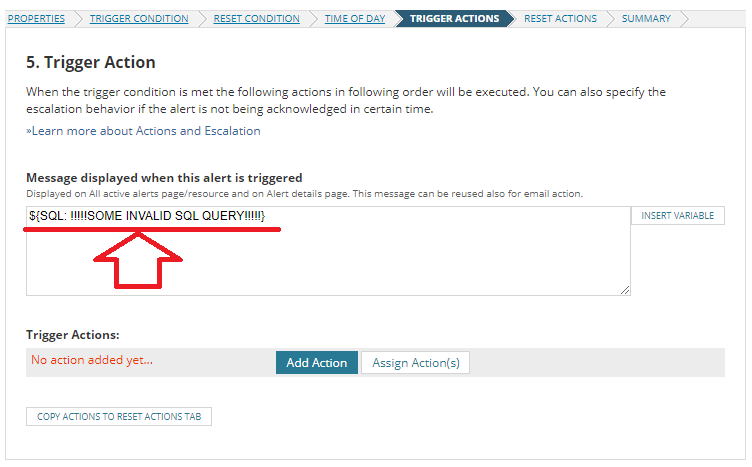
If there is an SQL macro with an invalid query defined within the alert trigger message, the alert does not trigger when the trigger condition occurs.
First published date
9/14/2021 7:57 AM
Last published date
9/14/2021 7:57 AM
Overview
If there is an SQL macro with an invalid query defined within the alert trigger message, the alert does not trigger when the trigger condition occurs. Correct the SQL query to resolve the issue. You can enable secure macros to make the alert trigger even if there is an invalid SQL query in the trigger message.
Product section
Orion Platform
Cause
Invalid SQL code in the alert trigger message
Resolution
To resolve the issue, correct the invalid SQL query.
You can also enable the secure macro to make alerts trigger when the trigger condition occurs even though there is an invalid SQL macro in the trigger message.
To enable the secure macro:
You can also enable the secure macro to make alerts trigger when the trigger condition occurs even though there is an invalid SQL macro in the trigger message.
To enable the secure macro:
- Open your database in the Orion Database Manager. See Use Database Manager to view the SolarWinds database.
- Find the MacroParser-isSecuringSQLMacroEnabled setting in the Settings table and set CurrentValue to 1.
- Restart Alerting Engine v2 and Module Engine. See Start, Stop, or Restart Orion Services with the Orion Service Manager.
For details see How to enable/disable... in How to secure SQL variables used in Orion Platform.