
Network Management
VOIP call retention setting issue
This article shows how to check or change the CDR Data Retention Days setting using the Database Manager.
First published date
10/23/2018 3:54 PM
Last published date
8/17/2021 1:39 AM
Overview
Unable to track the correct VOIP history calls. Can only see calls from the last 30 days.
Product section
VoIP & Network Quality Manager
Cause
The retention settings in the CdrDataRetentionDays parameter under the VoIPConfig table are set to 30 days by default.
Resolution
Update the CdrDataRetentionDays parameter based on your requirement. To update the number of days:
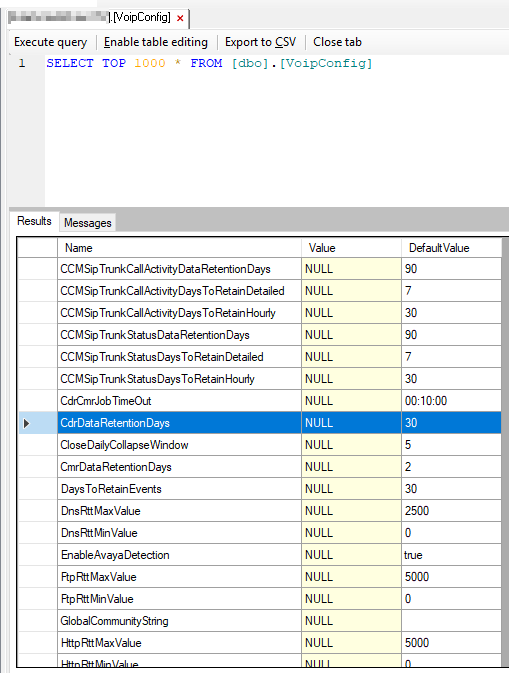
CdrDataRetentionDays is set to 30 days by default to avoid overloading the CDRs table.
- RDP to the Orion Server
- Use Database Manager to view the SolarWinds database
- In the VoIPConfig table, go to CdrDataRetentionDays
- Update the setting of days by changing the value parameter to retain the data longer.
- Restart the services.
CdrDataRetentionDays is set to 30 days by default to avoid overloading the CDRs table.