
Network Management
Orion PDF report chart displays "Not Found | HTTP ERROR 404. The requested resource is not found in Orion Reports"
Generated email PDF attachments for reports shows "Not found" or may just show "Report resource failed to properly initialize" with a single chart. These charts show properly when being viewed over Orion console. Reports in PDF show blank or no data -- EXPORT CHARTS AS IMAGE IN PDF
First published date
8/8/2019 1:34 PM
Last published date
9/19/2022 7:58 AM
Overview
Charts in the report shows an error "Not Found" or "Report resource failed to properly initialize" and no chart images are being displayed in PDF attachments.
These reports will show the chart statistics when being viewed in Orion Web Console without any problems.
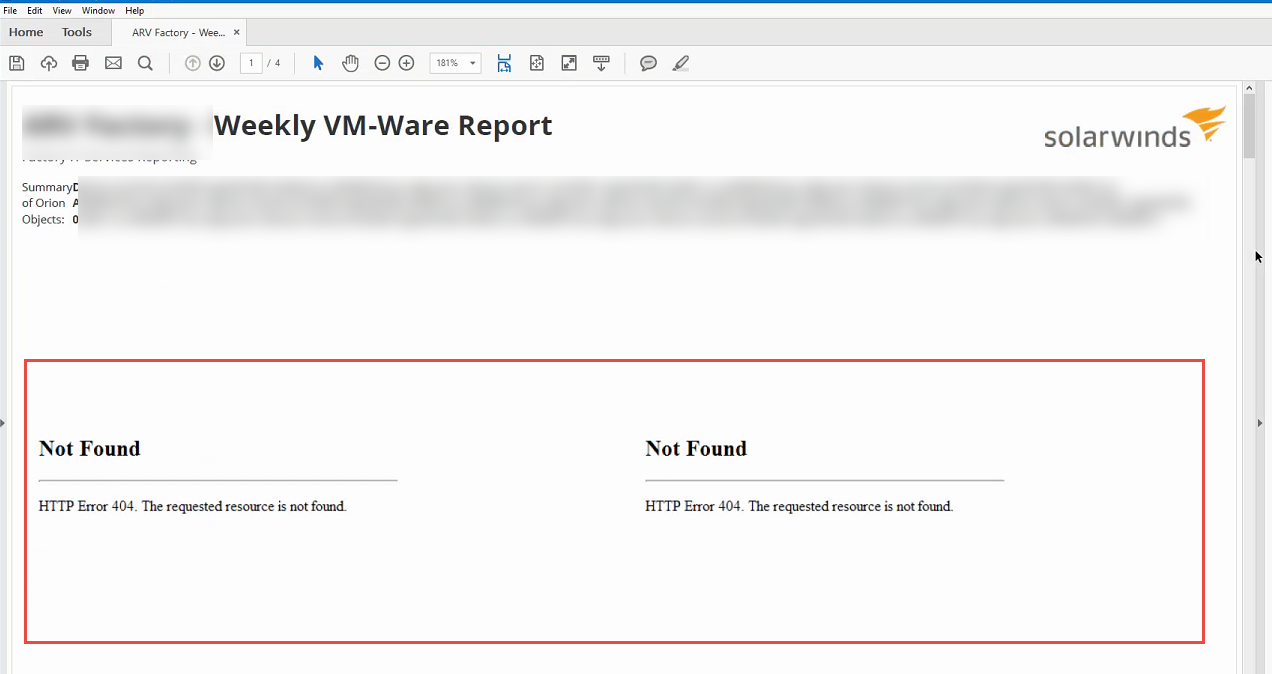
These reports will show the chart statistics when being viewed in Orion Web Console without any problems.
Product section
Orion Platform
Cause
N/A
Resolution
Workaround 1
- Click Settings > All Settings > Web Console Settings
- Scroll down to Classic Chart Settings.
- Set Export Charts as Image in PDF to Disable.
- Click Submit to save your changes
Workaround 2
- Create a new Orion account named DirectLink to bypass the login screen.
- Rerun the scheduled report.
- If you see this as a security issue, you may delete the DirectLink account and that should still work.
It is also possible that there are too many charts on this particular report. It is possible the there are a lot of queries involved to get the data from the Orion database that is causing the SWIS to somehow crash or fail. Try to run test Reports with fewer charts and/or split the Reports up.
If these steps to do not resolve the issue, see: Note: "Classic" charts were deprecated in Orion Platform 2018.4. See Migrate charts to modern charts for details.
Workaround 3
Ensure that the Hostname on IIS Binding is Blank:
1. Go to IIS Manager on the Orion web server
2. Expand to the Orion Website
3. Click on Bindings
4. Set Hostname to blank
5. Submit
6. Restart the Orion Website
Article: Manage website bindings in IIS Manager