
Network Management
License Manager Remains Offline After Connecting Again the Orion Server to the Internet
This article will show how to resolve an issue with the License Manager remaining Offline even after allowing Internet access to the Orion Server.
First published date
3/6/2022 6:52 PM
Last published date
3/6/2022 6:55 PM
Overview
The Orion Web Console License Manager page remains to be as Offline even after allowing Internet access to the Orion Server:

The environment doesn't have any proxy server which could have easily connected with the following SolarWinds License URL's:
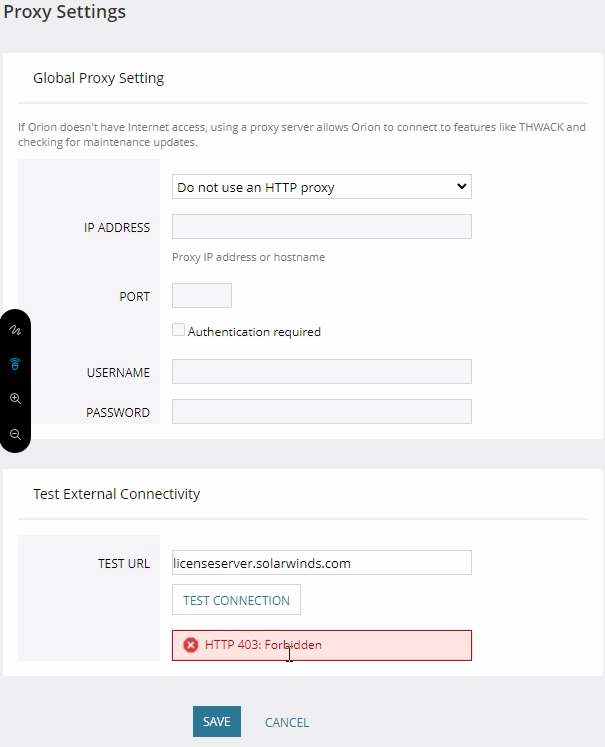
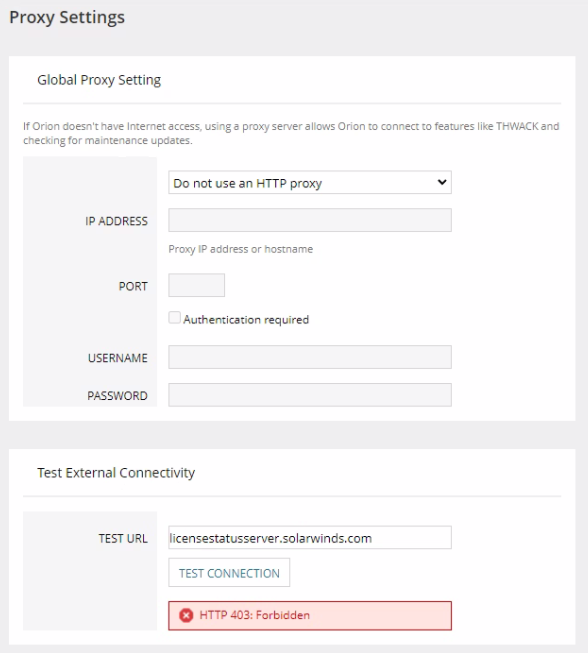
Both tests are failing with HTTP 403: Forbidden error message.
licenseserver.solarwinds.com
licensestatusserver.solarwinds.com
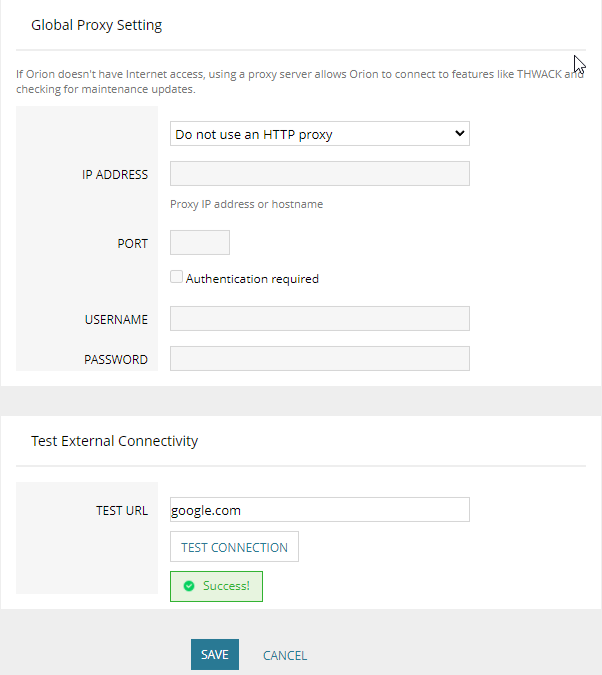
Performing the Resolution #2 steps in the article License Manager is offline due to Proxy Error in Orion the TEST URL: google.com is testing successfully indicating that the Orion Server can connect to the Internet as similarly shown below:
The environment doesn't have any proxy server which could have easily connected with the following SolarWinds License URL's:
Both tests are failing with HTTP 403: Forbidden error message.
licenseserver.solarwinds.com
licensestatusserver.solarwinds.com
Performing the Resolution #2 steps in the article License Manager is offline due to Proxy Error in Orion the TEST URL: google.com is testing successfully indicating that the Orion Server can connect to the Internet as similarly shown below:
Product section
Network Performance Monitor
Cause
The Orion Server's Turn off Automatic Root Certificate Update Setting is currently on Not configured State.
Resolution
- RDP to the Main Polling Engine as Local Administrator
- Verify the following test connection using PowerShell that the SolarWinds License URLs are reachable from the Orion Server:
licenseserver.solarwinds.com
licensestatusserver.solarwinds.com
- Launch the Windows Local Group Policy Editor
- Under Local Computer Policy > Computer Configuration > Administrative Templates > System > Internet Communication Management > Internet Communication settings
- Look for the Setting name: Turn off Automatic Root Certificates Update and change the State from Not Configured to Enabled
- Back to the Orion Web Console's Proxy Settings, the TEST URL: licenseserver.solarwinds.com or licensestatusserver.solarwinds.com should now test successfully.
- The Orion Web Console License Manager page should no longer show up as Offline.
(Screenshots property of © 2022 Microsoft)
Disclaimer: Please note, any content posted herein is provided as a suggestion or recommendation to you for your internal use. This is not part of the SolarWinds software or documentation that you purchased from SolarWinds, and the information set forth herein may come from third parties. Your organization should internally review and assess to what extent, if any, such custom scripts or recommendations will be incorporated into your environment. You elect to use third-party content at your own risk, and you will be solely responsible for the incorporation of the same if any.