
Network Management
License Manager is offline due to Proxy Error in Orion
The License Manage of the customer shows as offline
First published date
7/25/2019 12:42 PM
Last published date
3/2/2022 2:28 AM
Overview
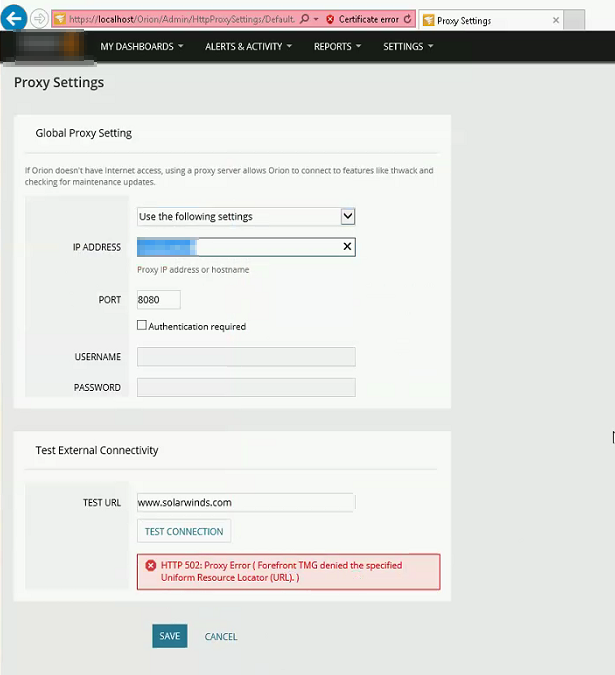
The Orion License Manager shows offline. The Environment has a proxy server so they are testing it out as well.

Product section
Network Performance Monitor
Cause
The License Manager simply cannot communicate outside
Resolution
On the Web console, go to Settings > All Settings > Proxy Settings
Resolution #1:
Change the TEST URL to google.com and once it succeeds, this will also resolve the License Manager being Offline.
Resolution #2:
1. Select "Do not use proxy settings"
2. Then use the port 8080 (or any port they want to use)
3. TEST URL should be "google.com"
4. Then click Test Connection > Save
Resolution #3:
1. Select "Use the following settings"
2. Enter the Proxy IP address or hostname then use port 8080 (or any port they want to use)
3. Test URL should be "google.com"
4. Then click Test Connection > Save
5. Check License Manager
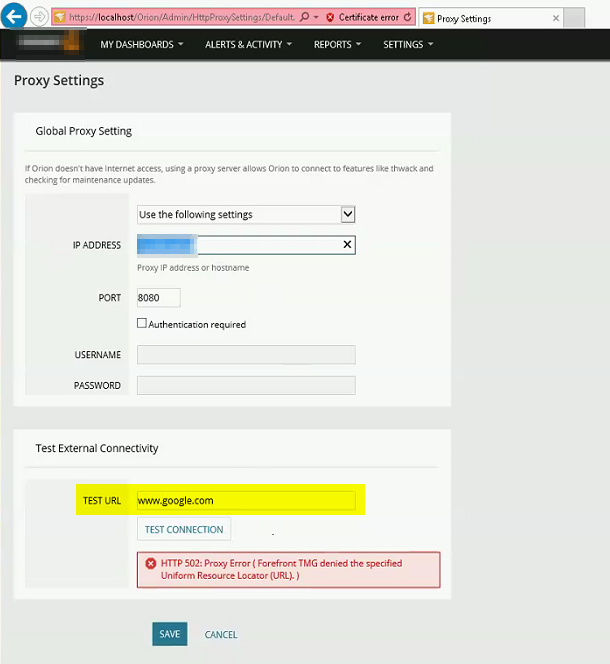
If using the TEST URL "google.com" still testing fails as shown below, proceed to Resolution #4:
Resolution #4:
1. Select "Use the following settings"
2. Use another Proxy IP address or hostname then use port 8080 (or any port desired)
3. Test URL should be "google.com"
4. Then click Test Connection > Save
5. Check License Manager
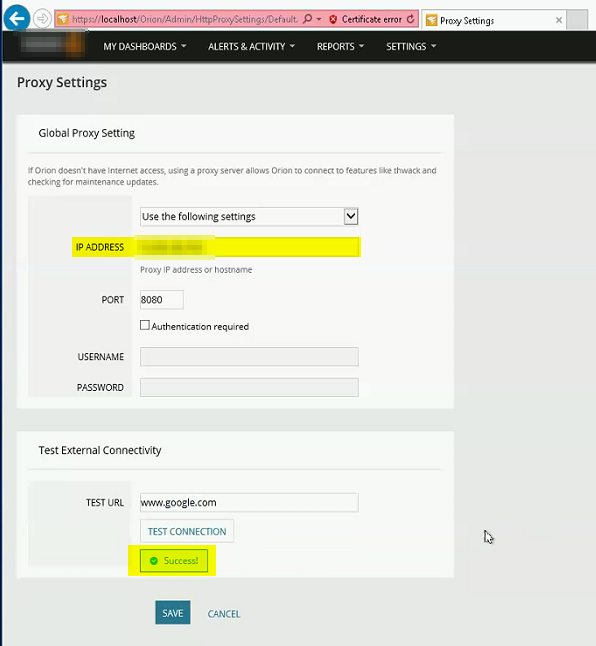
-The License Manager should now be able to communicate to the internet.
Resolution #1:
Change the TEST URL to google.com and once it succeeds, this will also resolve the License Manager being Offline.
Resolution #2:
1. Select "Do not use proxy settings"
2. Then use the port 8080 (or any port they want to use)
3. TEST URL should be "google.com"
4. Then click Test Connection > Save
Resolution #3:
1. Select "Use the following settings"
2. Enter the Proxy IP address or hostname then use port 8080 (or any port they want to use)
3. Test URL should be "google.com"
4. Then click Test Connection > Save
5. Check License Manager
If using the TEST URL "google.com" still testing fails as shown below, proceed to Resolution #4:
Resolution #4:
1. Select "Use the following settings"
2. Use another Proxy IP address or hostname then use port 8080 (or any port desired)
3. Test URL should be "google.com"
4. Then click Test Connection > Save
5. Check License Manager
-The License Manager should now be able to communicate to the internet.