
Applications Systems
WS-Management cannot process the request
Connecting to remote server x.x.x.x failed with the following error message : WS-Management cannot process the request. PowerShell Script Error. Allow Remote Shell Access group policy setting has been disabled.
First published date
5/4/2020 1:14 PM
Last published date
5/4/2020 1:14 PM
Overview
This article is intended to address any and all solutions to the following error:
Connecting to remote server x.x.x.x failed with the following error message : WS-Management cannot process the request. The operation failed because of an HTTP error. The HTTP error (8) is: Not enough storage is available to process this command
This message is unknown to be flagged with PowerShell component monitors within SAM. This includes AppInsight for IIS and AppInsight for Exchange where PowerShell based component monitors are used to fetch IIS web server information.
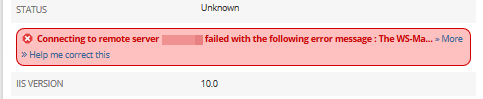
Connecting to remote server x.x.x.x failed with the following error message : WS-Management cannot process the request. The operation failed because of an HTTP error. The HTTP error (8) is: Not enough storage is available to process this command
This message is unknown to be flagged with PowerShell component monitors within SAM. This includes AppInsight for IIS and AppInsight for Exchange where PowerShell based component monitors are used to fetch IIS web server information.
Product section
Server Application Monitor
Cause
- The Allow Remote Shell Access group policy setting has been disabled.
- Application pool needs a restart
Resolution
Configure WS-Management to connect
Review and configure the followingGet-Item WSMan:\localhost\Shell\AllowRemoteShellAccess
The setting can be located in the following group policy path
Computer Configuration > Administrative Templates > Windows Components > Windows Remote Shell > Allow Remote Shell Access