
Network Management
Configuration Wizard fails after Log Analyzer installation
When configuring Log Analyzer, the Configuration Wizard fails during database configuration.
First published date
9/13/2019 7:40 AM
Last published date
9/13/2019 8:23 AM
Overview
After installing Log Analyzer 2.0, the Configuration Wizard fails during database component configuration.
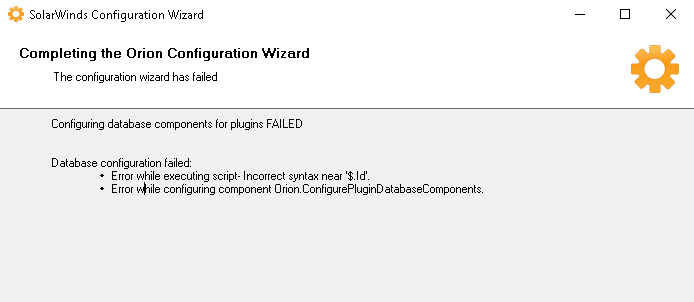
You can find the following in the Configuration Wizard logs:
You can find the following in the Configuration Wizard logs:
ERROR DBConfigProcessor - Error while executing script - Incorrect syntax near '$.Id'..
Error details: System.Data.SqlClient.SqlException (0x80131904): Incorrect syntax near '$.Id'.
(...)
Failing Sql command:
CREATE VIEW [dbo].[Support_OrionLog_LogRuleFieldsView]
AS
SELECT (...)
Product section
Log Analyzer
Cause
In this case, the compatibility level was set to 100 (SQL 2008 R2), and since LA requires SQL 2016 SP1 (compatibility level 130) or above, the Configuration Wizard fails.
The information can be confirmed using Database Manager and running the query below:
The information can be confirmed using Database Manager and running the query below:
SELECT compatibility_level FROM sys.databases WHERE name = '<DatabaseName>'
Resolution
Change the compatibility level of the DB to 130 or higher depending on the SQL Server version it is running.
- Make a backup of the database.
- Using SQL Management Studio, execute the query below:
ALTER DATABASE <DatabaseName> SET COMPATIBILITY_LEVEL = 130
- Run the Configuration Wizard again.