
Network Management
After logging on to the SolarWinds Platform Web Console Unexpected Website Error, Request timed out is displayed for 'ViewID=1' Summary Page in NPM
Unexpected Website Error occurred 'Request Timed Out' when logging on and trying to view the initial Home Summary Page.
First published date
9/14/2019 6:03 PM
Last published date
6/25/2025 6:53 PM
Overview
This article goes over the error, troubleshooting and one resolution for the following error.
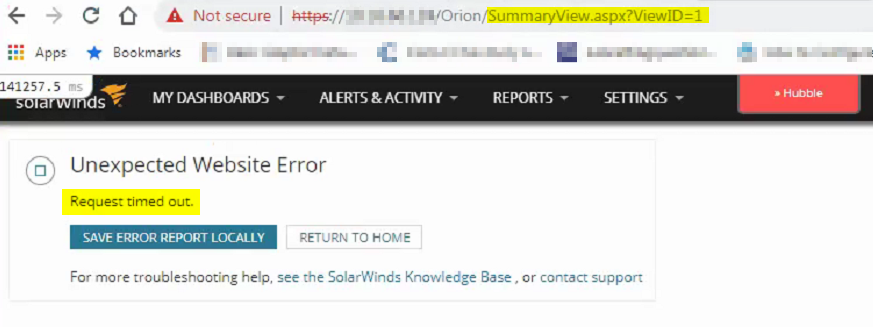
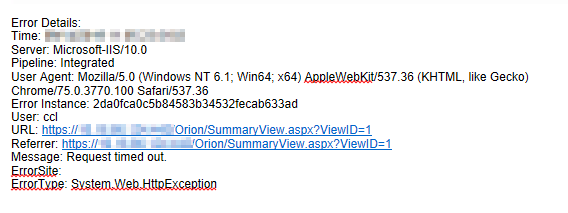
Error Details Saved Locally
Hubble shows Other Time High at 90% or above
Error Details Saved Locally
Hubble shows Other Time High at 90% or above
Product section
Orion Platform
Cause
There are several potential causes to this scenario.
Resolution
- Check Information Services, Orion Web and Business Layer Host logs. Logs are located in <InstallDrive>\ProgramData\SolarWinds\Logs\Orion. If you are unable to see log information:
- Make sure that you have adequate folder security permissions and set them manually if needed.
- You can use Hubble to help determine where the biggest problem is.
- If it is because of a Resource/Widget in a view, for example
- Test the page
- Remove the resource
- Select the view
- Go to Manage Views,
- "Load: Last XX Config Changes 126641.9 ms"
- If Other Time is too high 90% or above, first quickest thing to do is to clear the Microsoft .NET Cache Manually
- If this does not resolve the problem continue to follow steps from the following article:
- If it is because of a Resource/Widget in a view, for example
- Check duplicate primary servertypes entries in Engines, OrionServers and Websites tables from the database
- Open Database Manager
- Navigate to Engines, OrionServers and Websites table
- Check duplicated entry
- If found any duplicate server entry:
- Stop SolarWinds services from SolarWinds Platform Service Manager
- Open database table with duplicate entry
- Click Enable Table editing
- Select the rows to be deleted and right click to delete
- Close Database Manager
- Start SolarWinds services from SolarWinds Platform Service Manager