
Applications Systems
You must be a WPM administrator to edit recordings from the WPM server
Receiving message when logging into the WPM Recorder: You must be a WPM administrator to edit recordings from the WPM server. However, in offline mode you can create and save recordings locally. Could not log in. User name or password is not valid.
First published date
8/7/2019 2:55 PM
Last published date
8/20/2019 4:12 PM
Overview
This article offers solutions when receiving this error in the WPM Recorder after logging in:
You must be a WPM administrator to edit recordings from the WPM server. However, in offline mode you can create and save recordings locally.
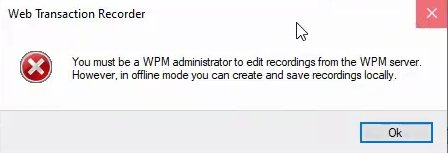
You must be a WPM administrator to edit recordings from the WPM server. However, in offline mode you can create and save recordings locally.
Product section
Web Performance Monitor
Cause
There are two known causes.
- User is not a WPM administrator and therefore does not have sufficient permission.
- User is added to Orion via an Active Directory group.
Resolution
Note: The following steps are for WPM 2020.2 and earlier. Permissions changed in WPM 2020.2.1. See Adjust Orion account permissions for WPM users for details.
Verify the user is an Administrator for WPM:
Verify the user is an Administrator for WPM:
- Log into the Orion website as an Administrator account.
- Go to Settings > All Settings > Manage Accounts.
- Select the account that is failing to log in to the Recorder and click 'Edit'.
- Scroll to the bottom and expand the section called: WEB PERFORMANCE MONITOR SETTINGS
- Verify the user is set to "WPM User Role: Admin"
- Save any changes you make with the 'Submit' button on the bottom of the page.
- It is recommended that you instead add your AD user as an Individual user in Orion rather than added via a AD group. The user can only log in if the single Windows user is added into Orion and set to WPM admin role.
- It is recommended to submit a support ticket if you experience this issue.