
Network Management
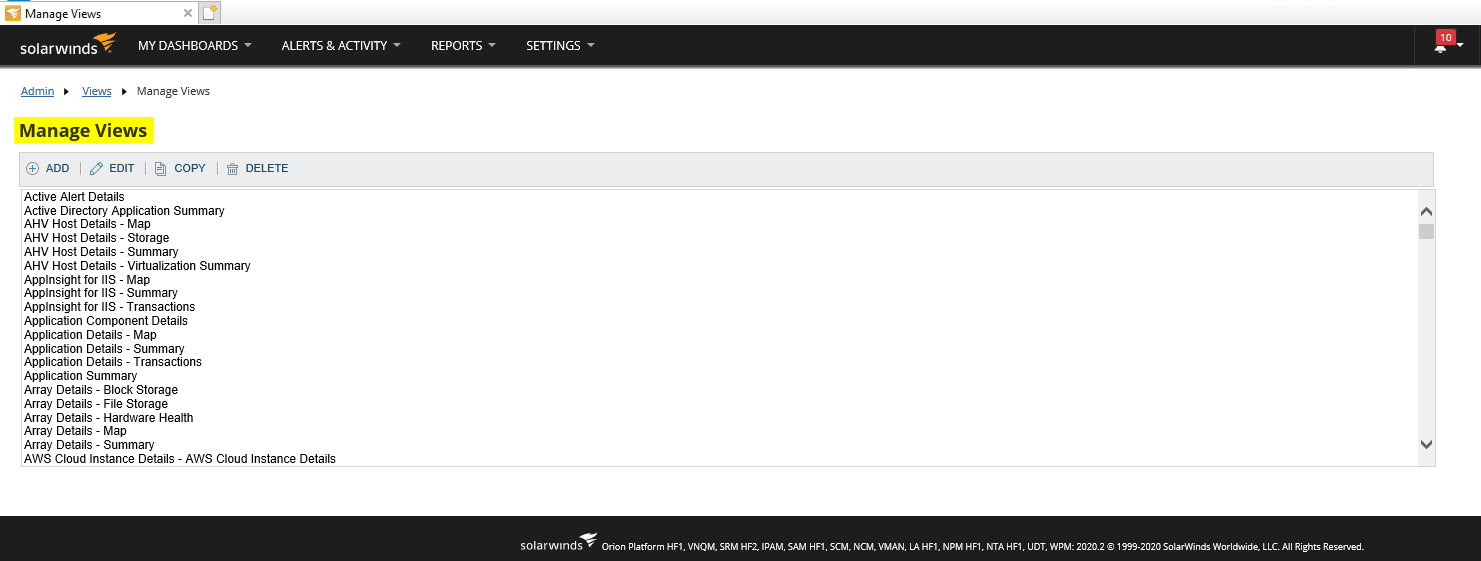
Where is the Manage Views page in the 2020.2 Orion Platform?
This article will show where the Manage Views page can be accessed after upgrading to the 2020.2 Orion Platform.
First published date
8/20/2020 7:15 PM
Last published date
8/20/2020 10:01 PM
Overview
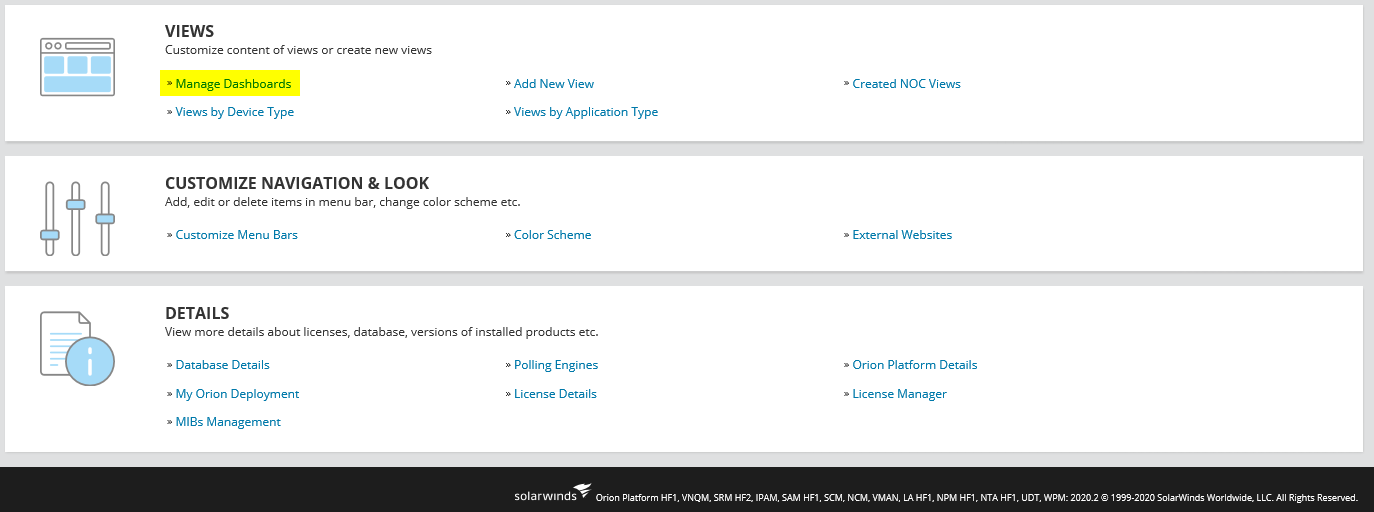
After upgrading to the 2020.2 Orion Platform the Manage Views page is no longer seen in the Settings > All Settings > Views page and has been replaced by Manage Dashboards as shown below:
Product section
Network Performance Monitor
Resolution
The Manage Views page can be accessed by following the steps below:
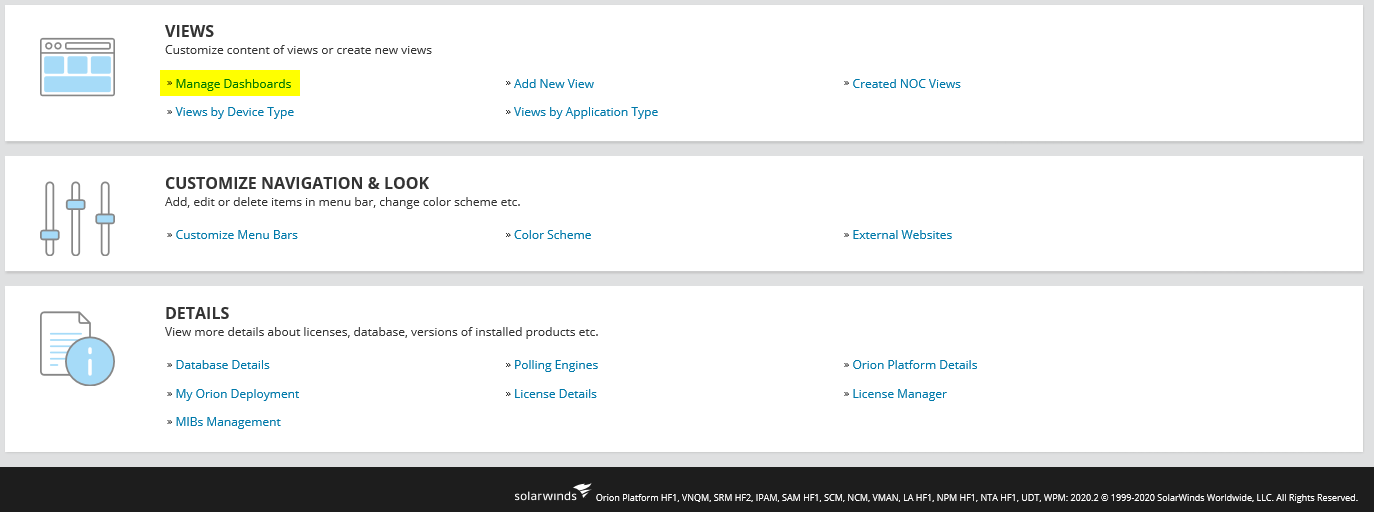
- Go to Settings > All Settings
- Under VIEWS click on Manage Dashboards
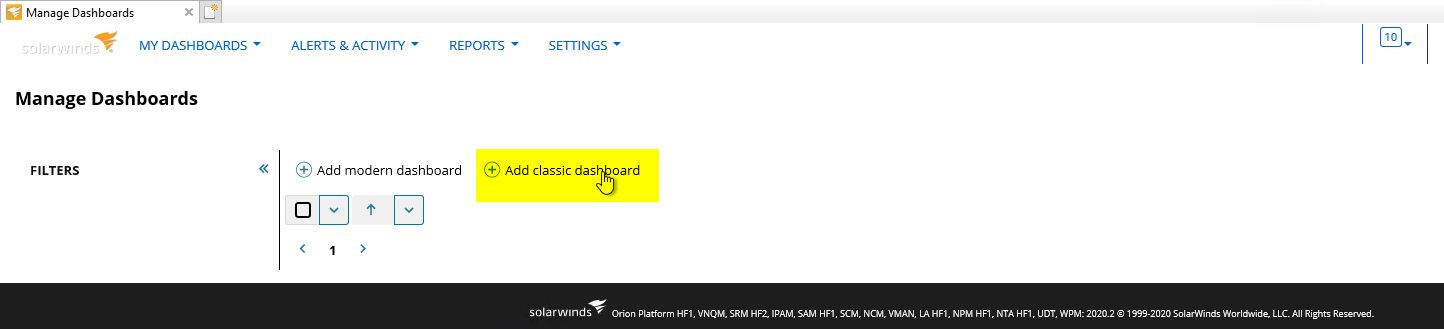
- Under Manage Dashboards click on Add classic dashboard
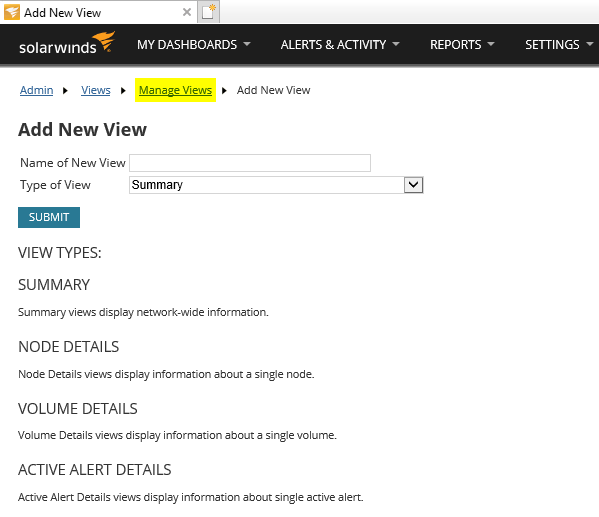
- In the Add New View page click on the Manage Views link
- Manage Views page will now be accessible