
Network Management
Website address in browser is different from the one which was set up by Configuration Wizard
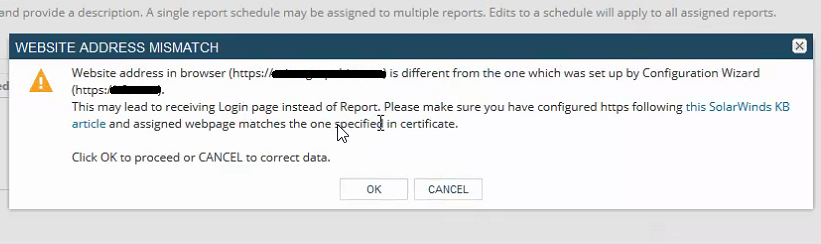
Website address in browser (https://orion.mydomain.com) is different from the one which was set up by Configuration Wizard (https://AZorion).
First published date
7/11/2019 11:56 AM
Last published date
9/11/2022 10:17 AM
Overview
While editing any scheduled reports in Orion web console you may come across this WARN message pop window.
WARN:
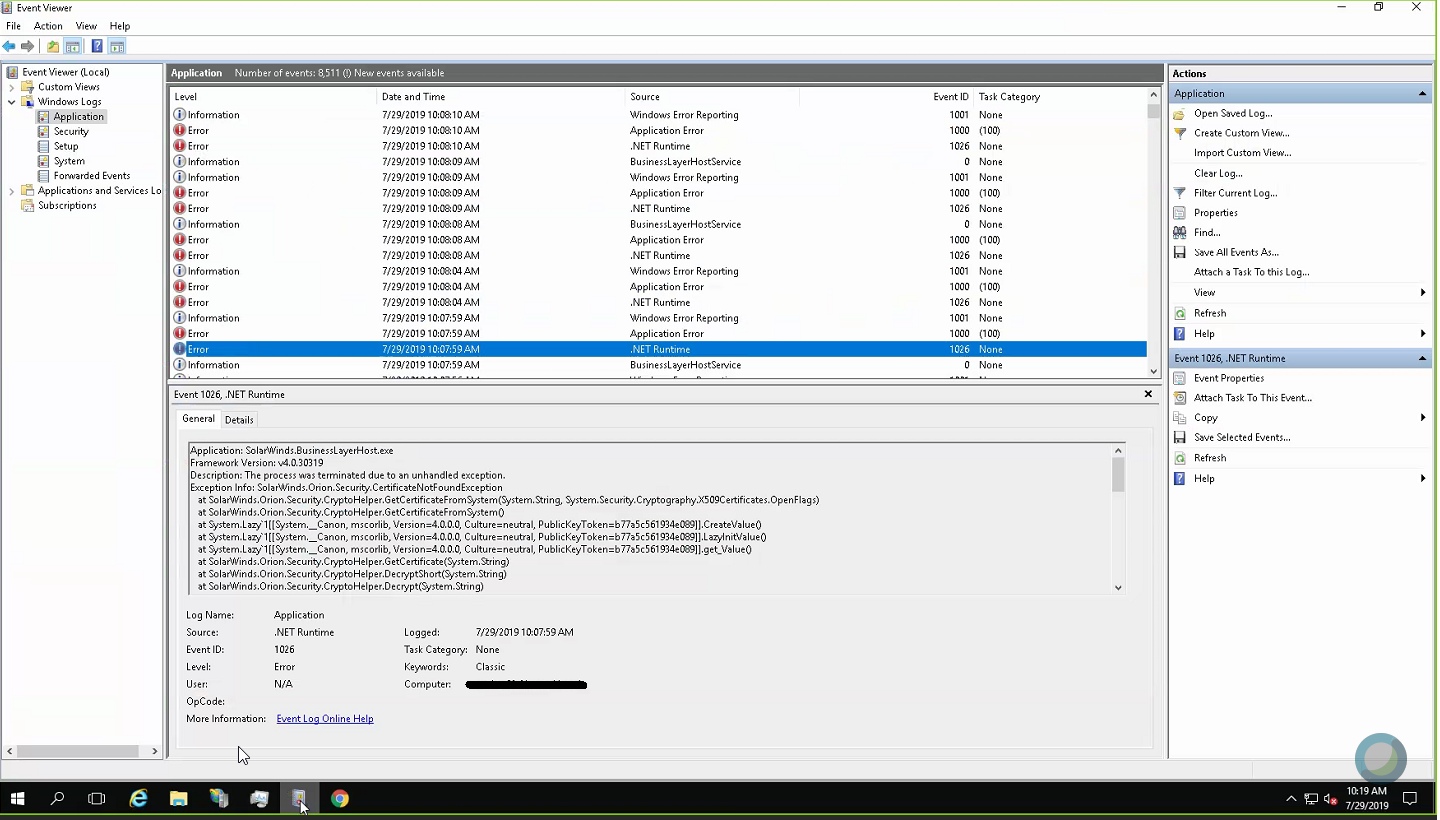
Another symptom is following error is seen in Event logs
SolarWinds.Orion.Security.certificateNotFoundException x509Certificates
WARN:
Website address in browser (https://orion.mydomain.com) is different from the one which was set up by Configuration Wizard (https://AZorion).
Another symptom is following error is seen in Event logs
SolarWinds.Orion.Security.certificateNotFoundException x509Certificates
Product section
Orion Platform
Cause
Website address entered in browser (https://orion.mydomain.com) is different from the one which was set up by Configuration Wizard (https://AZorion) in websites table in Orion DB.
Resolution
Steps in this KB are applicable for Orion deployment scenarios discussed below, so feel free to skip the steps not applicable to your environment.
1) Primary Main pollers in HA configuration and Additional Web servers with CNAME record for accessing Orion website URL
PrimaryActiveServer.mydomain.com (MPE Active FQDN)
PrimarySTandbyServer.mydomain.com (MPE Standby FQND)
AWS.mydomain.com (Additional Web servers FQDN)
Website URL / CNAME Used by end users = https://orion.mydomain.com
2) Main Poller, AWS servers with CNAME record for accessing Orion website URL
PrimaryActiveServer.mydomain.com (MPE Active FQDN)
AWS.mydomain.com (Additional Web servers FQDN)
Website URL / CNAME = https://orion.mydomain.com
PrimaryActiveServer.mydomain.com (MPE Active FQDN)
Website URL / CNAME = https://orion.mydomain.com
- Customers with this setup will not likely to run into this WARN as there is only one URL available which is either Server's FQND or Netbios Name to access Orion website.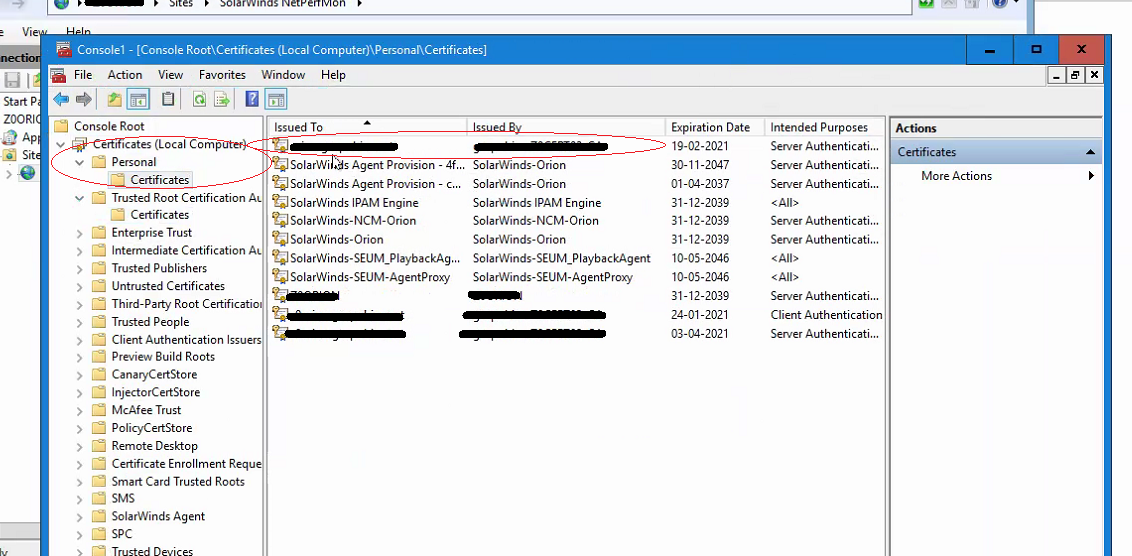
CNAME URL entry will be missing in case of Deployment scenario 3, if that is the case, then the record needs to be manually inserted if you wish to use the CNAME URL instead of FQDN URL in Scheduled reports.
1) Primary Main pollers in HA configuration and Additional Web servers with CNAME record for accessing Orion website URL
PrimaryActiveServer.mydomain.com (MPE Active FQDN)
PrimarySTandbyServer.mydomain.com (MPE Standby FQND)
AWS.mydomain.com (Additional Web servers FQDN)
Website URL / CNAME Used by end users = https://orion.mydomain.com
- The SSL Cert assigned in IIS Manager is same on all servers hosting Solarwinds Netperfmon website
- Cert's Subject / CN name matches the URL used in Web browser
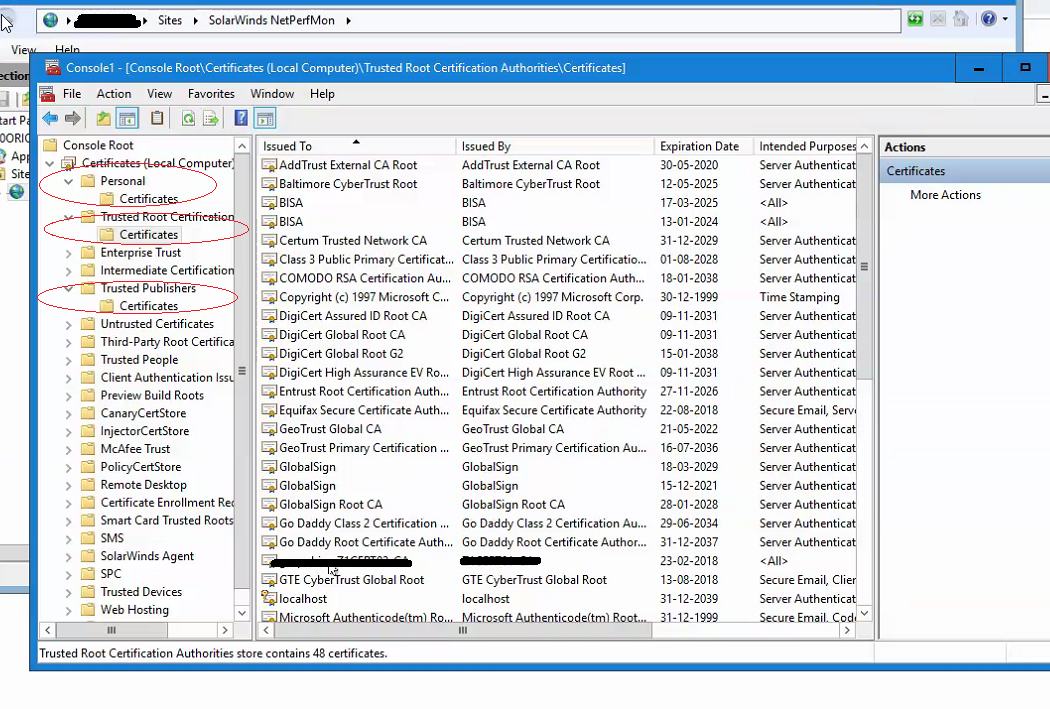
- Cert is in Local computer\personal Store and Trusted root CA store on all 3 servers.
- Websites table in Orion DB has entry for atleast 2 or more ServerNames entries Active Primary Main poller and AWS server (alias)
2) Main Poller, AWS servers with CNAME record for accessing Orion website URL
PrimaryActiveServer.mydomain.com (MPE Active FQDN)
AWS.mydomain.com (Additional Web servers FQDN)
Website URL / CNAME = https://orion.mydomain.com
- The SSL Cert assigned in IIS Manager is same on all servers hosting Solarwinds Netperfmon website
- Cert's Subject / CN name matches the URL used in Web browser
- Cert is in Local computer\personal Store and Trusted root CA store on all servers hosting Solarwinds Netperfmon website
- Websites table in Orion DB has entry for atleast 2 or more ServerNames i.e entry for Active Primary Main poller and AWS servers
PrimaryActiveServer.mydomain.com (MPE Active FQDN)
Website URL / CNAME = https://orion.mydomain.com
- Check the SSL Cert assigned in IIS Manager for hosting Solarwinds Netperfmon website is correct
- Cert's Subject / CN name matches the URL used in Web browser
- Cert is in Local computer\personal Store and Trusted root CA store on all servers hosting Solarwinds Netperfmon website
- Websites table in Orion DB has entry for atleast 2 or more ServerNames i.e entry for Active Primary Main poller and AWS servers
- Customers with this setup will not likely to run into this WARN as there is only one URL available which is either Server's FQND or Netbios Name to access Orion website.
1. How to validate SSL Certificates on Solarwinds Servers hosting Netperfmon website and in Websites Table in DB
- Open MMC Snap-in and add Certificates
- Validate cert Subject Name is set to the Website address used in browser (https://orion.mydomain.com)
- Make sure the cert is in two places (Computer\Personal and Computer\Trusted Root CA store)
- Validate Websites table in Orion DB to match the cert Subject Name
CNAME URL entry will be missing in case of Deployment scenario 3, if that is the case, then the record needs to be manually inserted if you wish to use the CNAME URL instead of FQDN URL in Scheduled reports.