
Applications Systems
WPM Player creating large number of OpenWith.exe processes
WPM Player accounts are opening hundreds of OpenWith processes and leaving them open. Server is running our of resources such as CPU and memory.
First published date
10/2/2020 9:17 PM
Last published date
10/2/2020 9:17 PM
Overview
An issue is known to occur on WPM Player locations where the OpenWith processes are launched and never close.
A typical view in Task Manager will look something like the image below. You can see that these processes are in fact opened by the WPM users (SEUM-USER-#). Over time, this can cause the server to exhaust it's resources keeping all these unnecessary processes open.
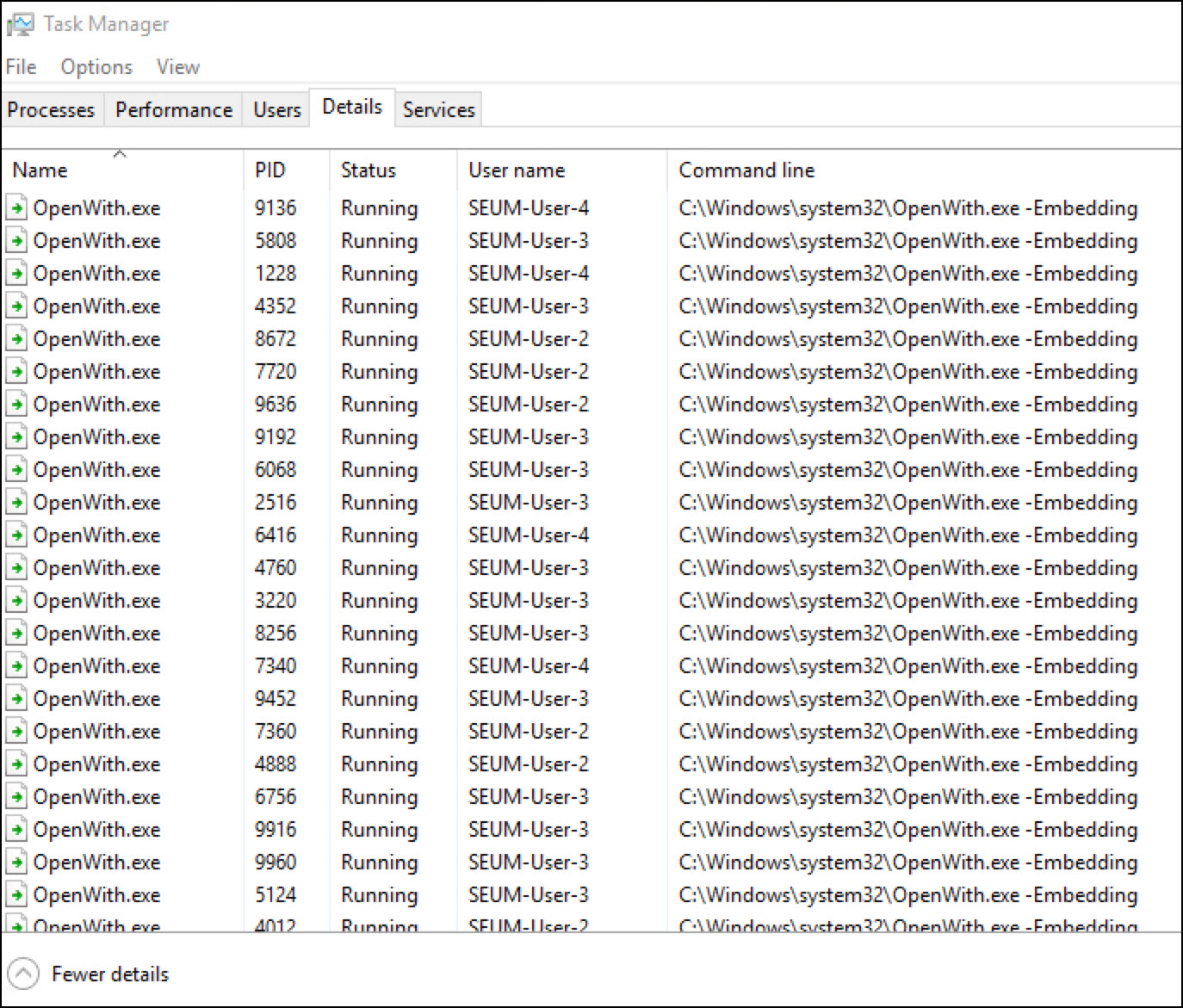
A typical view in Task Manager will look something like the image below. You can see that these processes are in fact opened by the WPM users (SEUM-USER-#). Over time, this can cause the server to exhaust it's resources keeping all these unnecessary processes open.
Product section
Web Performance Monitor
Cause
Transactions monitors are clicking an item that wants to launch a process. The Microsoft process (OpenWith.exe) is opening to prompt the user what program they want to open that with.
Resolution
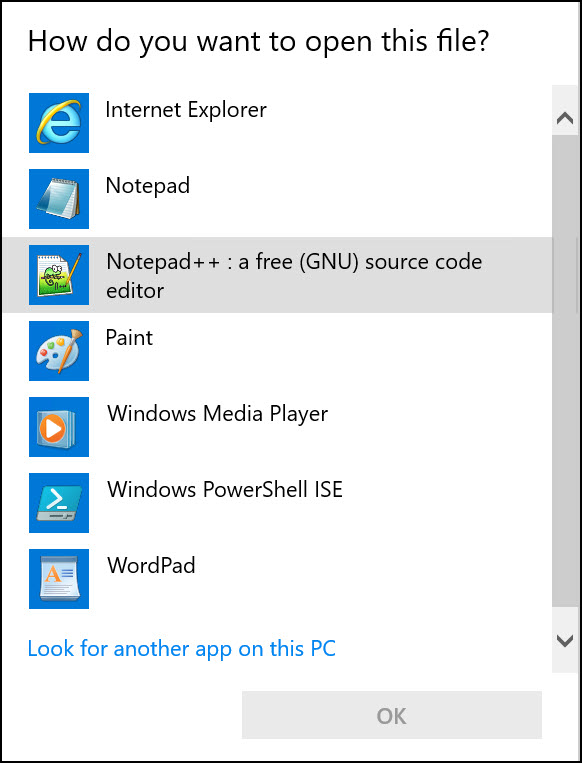
This occurs when there is a Transaction monitor assigned to the Player that is programmed to launch some application. Microsoft will launch this OpenWith process to prompt the user to ask what program shall be used. The familiar OpenWith process looks like this.
Unfortunately, you cannot launch the programs from WPM Transactions. So you will need to locate the WPM Recording that was built that is causing this and disable the step that launches this program and therefore causes OpenWith.exe to start.
You can close all OpenWith.exe processes by rebooting the server or in PowerShell (usually requires to be run as Administrator):
If you do not know the Transaction causing the issue, you can either
A) Unmanage all transactions and remanage them one-by-one to find the culprit that starts launching processes
or
B) Open each Recording in the WPM Recorder and determine which one appears to launch an application.
Unfortunately, you cannot launch the programs from WPM Transactions. So you will need to locate the WPM Recording that was built that is causing this and disable the step that launches this program and therefore causes OpenWith.exe to start.
You can close all OpenWith.exe processes by rebooting the server or in PowerShell (usually requires to be run as Administrator):
Stop-Process openwith*

-- Scripts are not supported under any SolarWinds support program or service.
-- Scripts are provided AS IS without warranty of any kind. SolarWinds further
-- disclaims all warranties including, without limitation, any implied warranties
-- of merchantability or of fitness for a particular purpose. The risk arising
-- out of the use or performance of the scripts and documentation stays with you.
-- In no event shall SolarWinds or anyone else involved in the creation,
-- production, or delivery of the scripts be liable for any damages whatsoever
-- (including, without limitation, damages for loss of business profits, business
-- interruption, loss of business information, or other pecuniary loss) arising
-- out of the use of or inability to use the scripts or documentation.
If you do not know the Transaction causing the issue, you can either
A) Unmanage all transactions and remanage them one-by-one to find the culprit that starts launching processes
or
B) Open each Recording in the WPM Recorder and determine which one appears to launch an application.