
Applications Systems
No element was clicked error message on a transaction step in WPM
This article discusses about an issue with WPM where transactions steps will show as down with No element was clicked error message is displayed
First published date
8/15/2019 11:29 AM
Last published date
7/29/2020 7:39 PM
Overview
After assigning a WPM record to a location, one of the transaction steps will show as down with the following error message:
No element was clicked
This will render the rest of the transaction down as well.
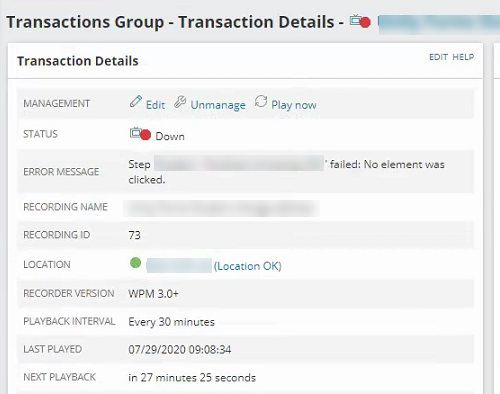
No element was clicked
This will render the rest of the transaction down as well.
Product section
Web Performance Monitor
Cause
The website is designed to be responsive(Responsive Web Design) where elements of the web page may change depending on the resolution of the the web browser where it is displayed.
Resolution
- Start WPM Recorder(deprecated) and maximize it
- Start recording by navigating to about:blank page
- Enable XY mode
- Click anywhere on the blank page
- Disable XY mode
- Navigate to the customer's website
- Continue recording additional steps
Alternatively, use the new WPM recorder.