
Applications Systems
VMAN Orion Virtual Cluster Memory and CPU load over time report (Table and Chart)
Customer wants to know how he can create a table or chart report for CPU load and mem load on a per cluster level and have it show one month worth of data.
First published date
9/12/2019 8:26 PM
Last published date
12/27/2022 11:55 AM
Overview
Article outlines how you can create a custom table or custom chart report that shows vmware virtual cluster CPU or memory percent load over time.
Product section
Virtualization Manager
Cause
N/A
Resolution
1. Report > All Reports > Manage Reports
2. Create New Report
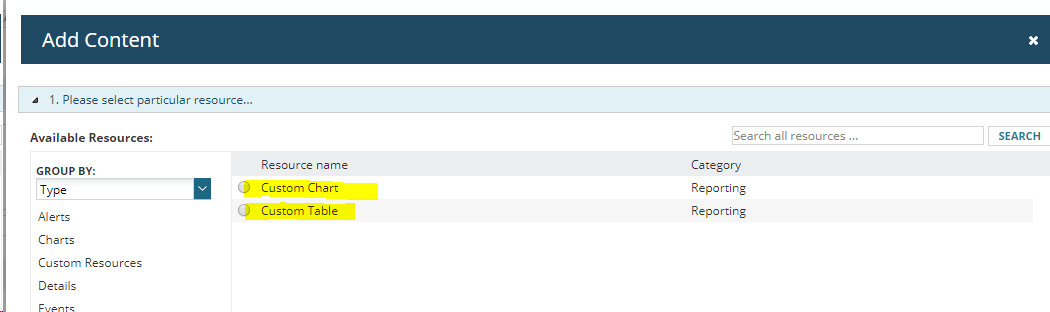
3. Choose either Custom Chart or Table
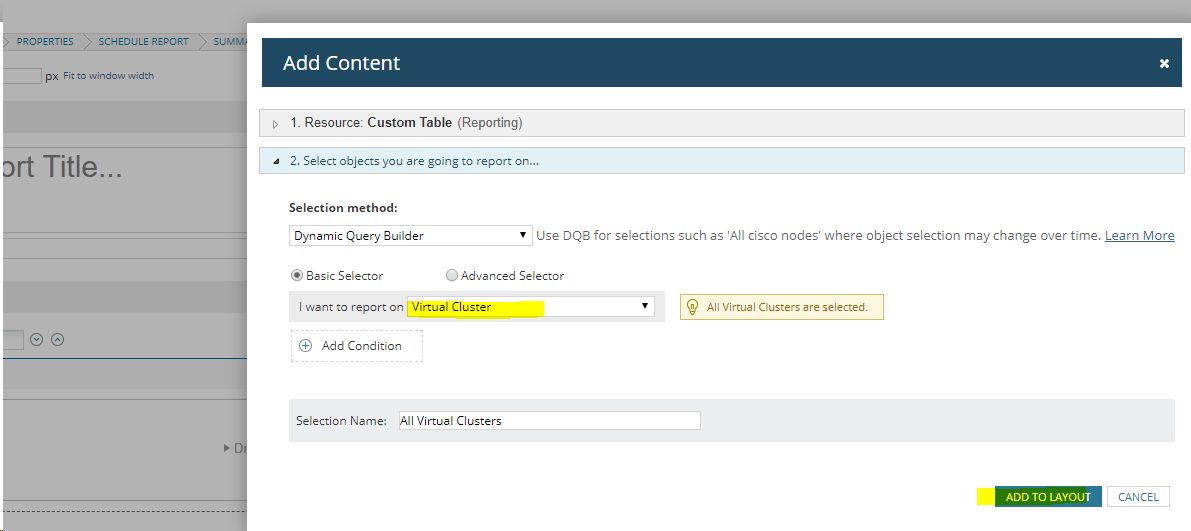
4. Select Target (i.e. Virtual Cluster) > Click Add To Layout
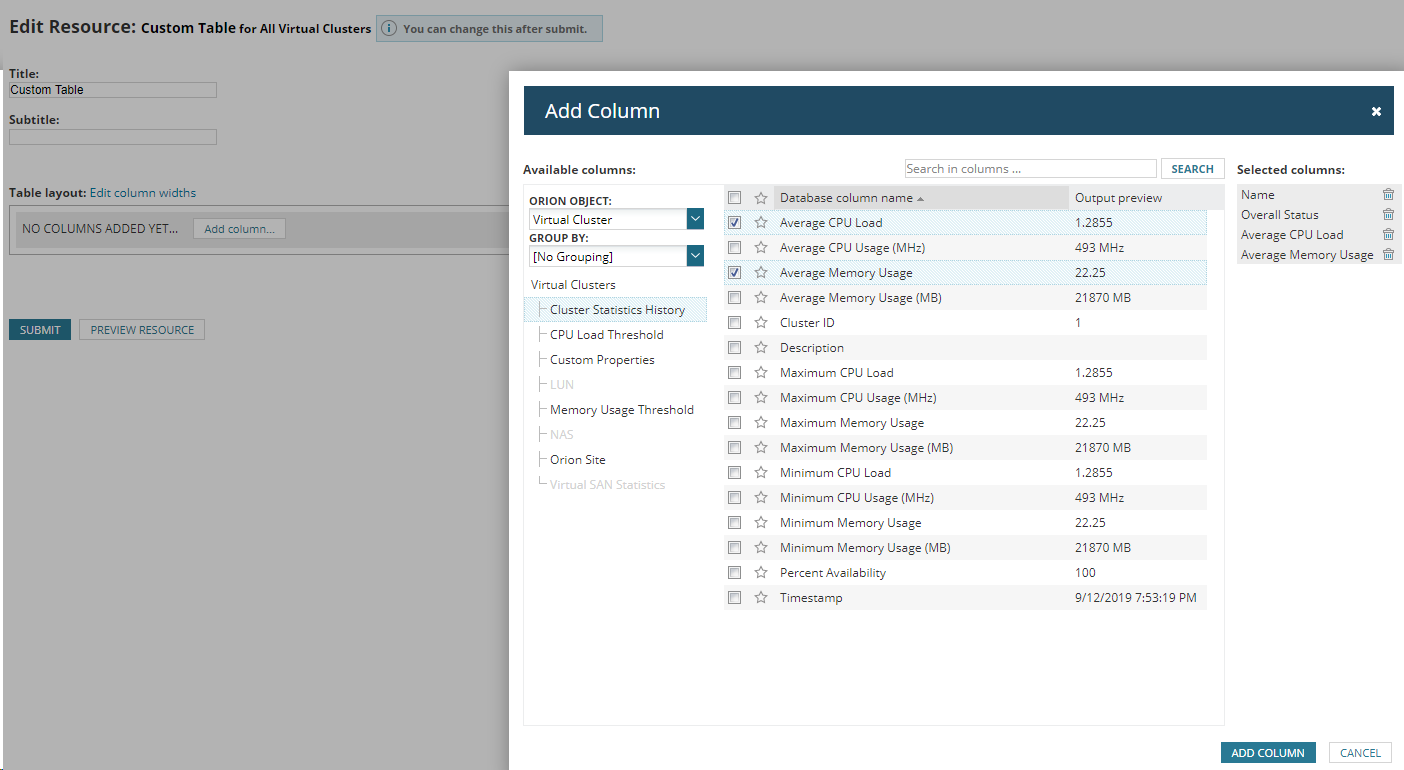
5. In the Virtual Clusters section Add the Name column and then click the 'Cluster Statistics History' section for historical data and choose the metrics you need
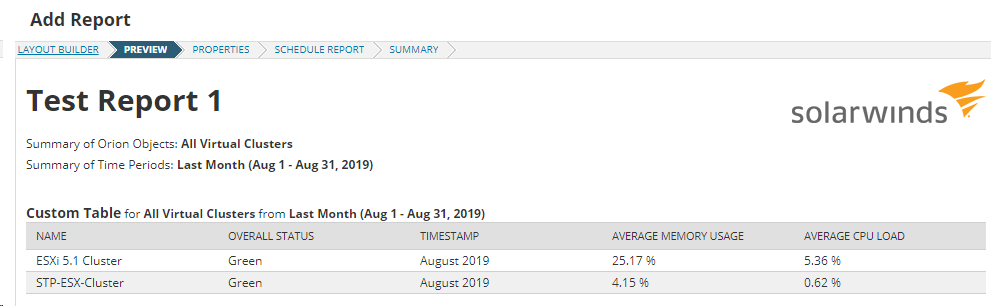
6. Set the Data Aggregation for the over time metrics you selected. In the sample, I chose average, it will take the average of all the raw data for last month and present it as the average value for the entire month.
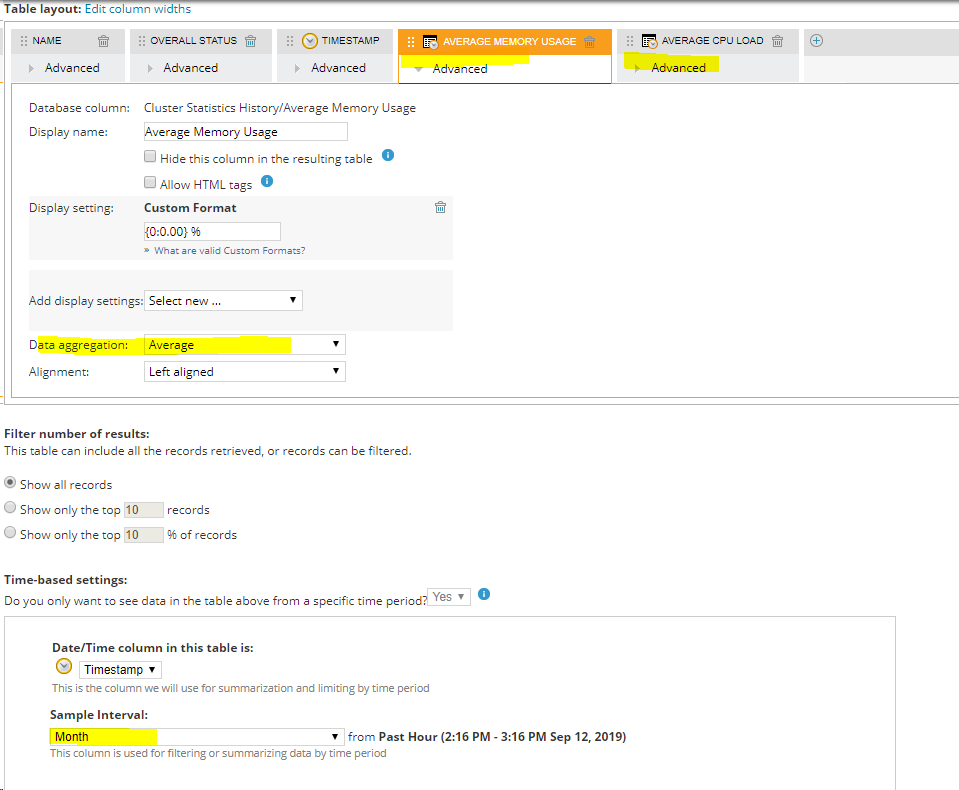
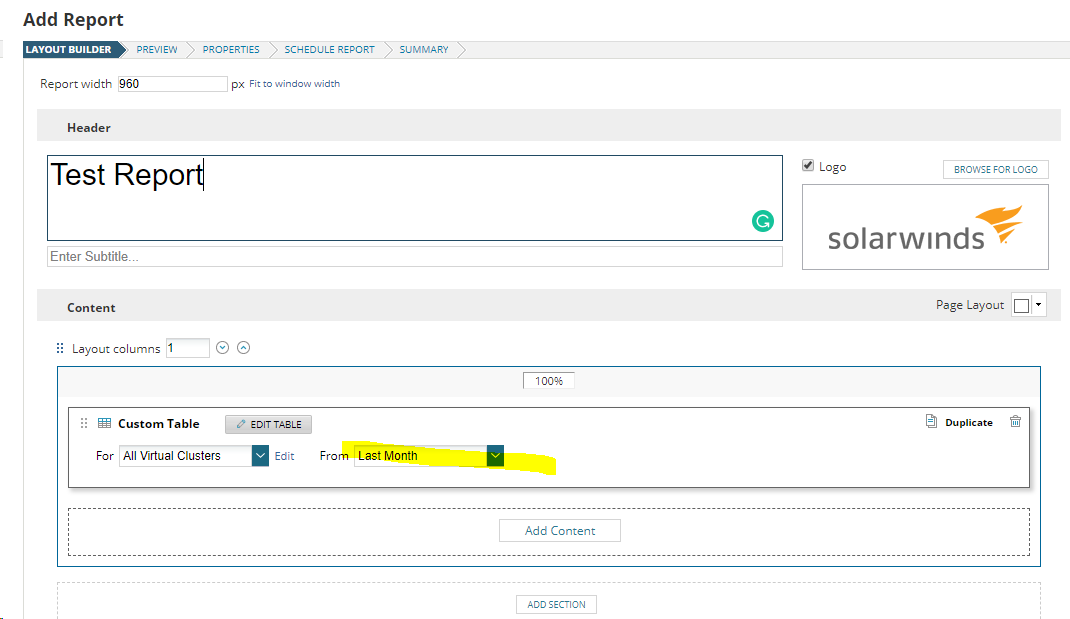
7. Hit submit then select the range like 'from last month'
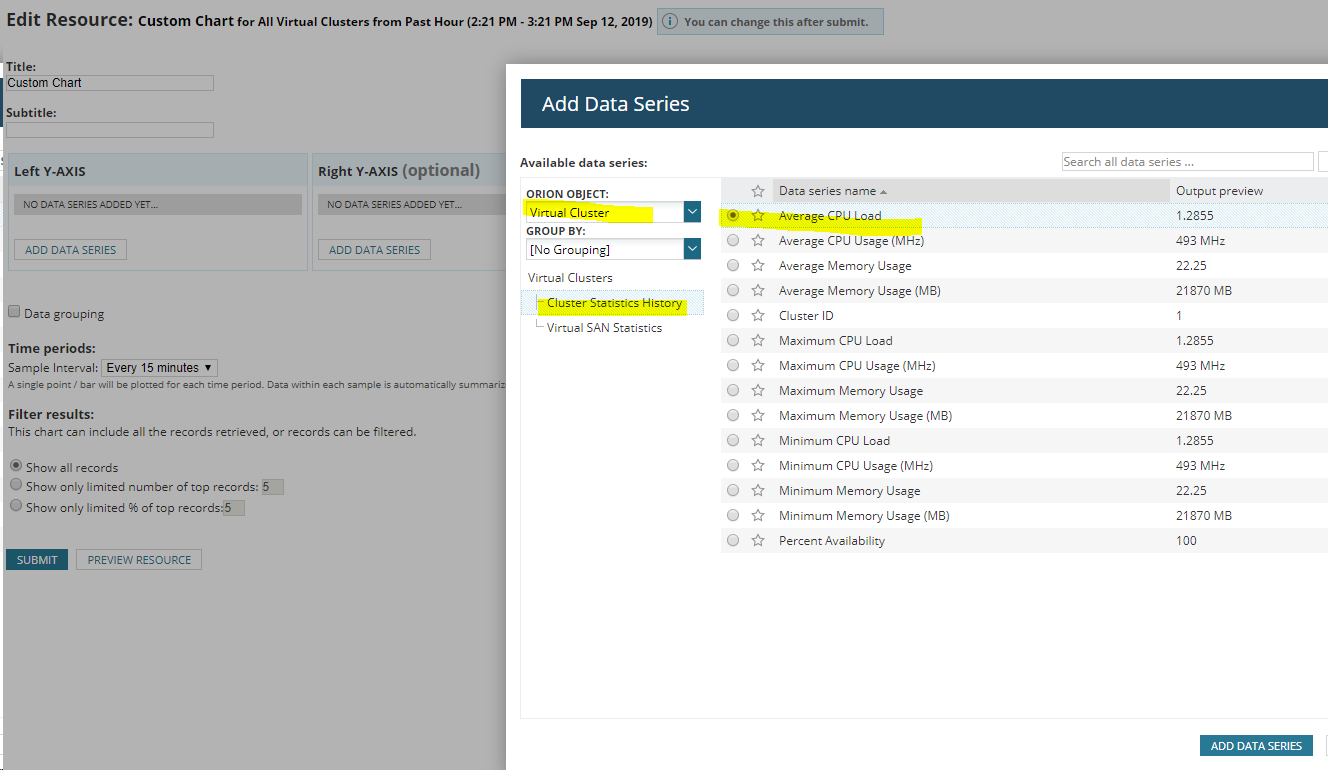
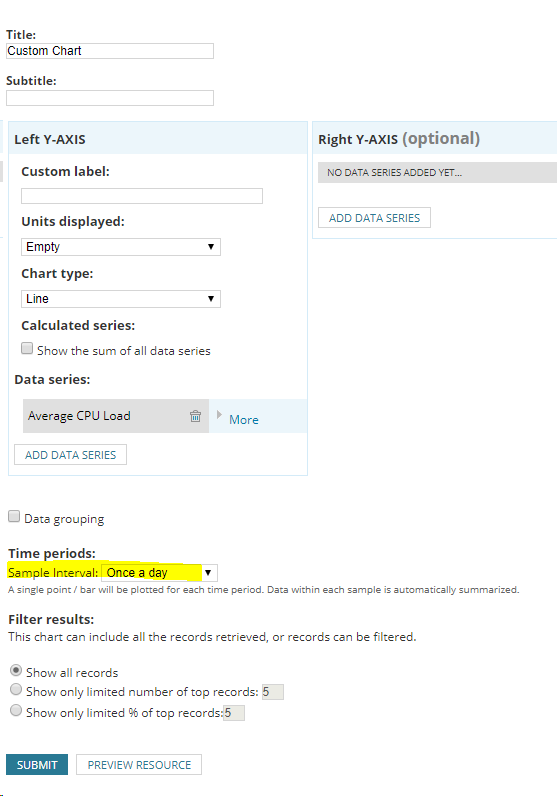
IF you want to display it in chart format, select Custom Chart instead of Table, click Add Data Series
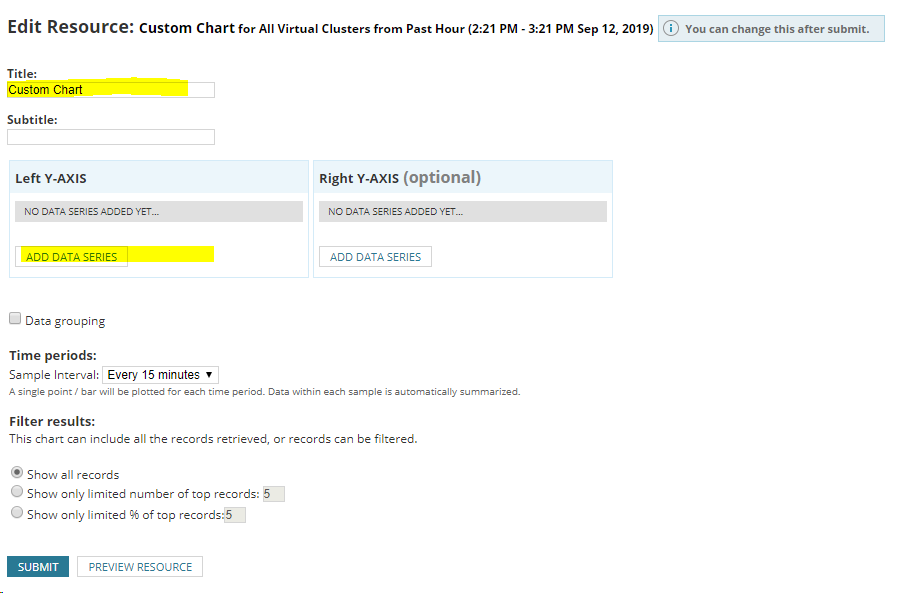
Choose the Sample interval
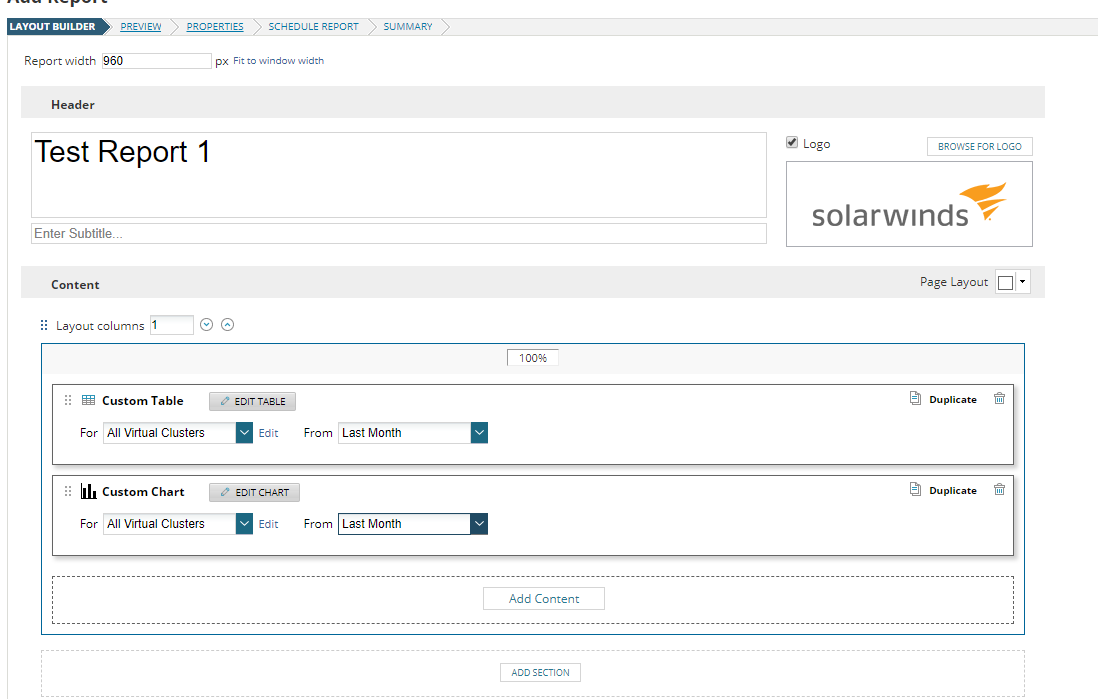
Set the Range like 'Last Month'
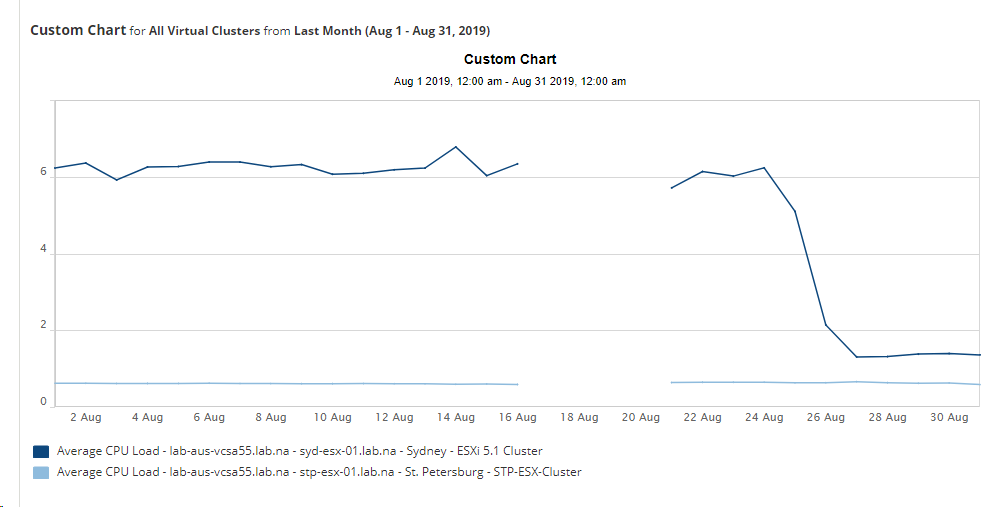
Customer chart Chart would look like this:
Complete the rest of the process and submit to save.
2. Create New Report
3. Choose either Custom Chart or Table
4. Select Target (i.e. Virtual Cluster) > Click Add To Layout
5. In the Virtual Clusters section Add the Name column and then click the 'Cluster Statistics History' section for historical data and choose the metrics you need
6. Set the Data Aggregation for the over time metrics you selected. In the sample, I chose average, it will take the average of all the raw data for last month and present it as the average value for the entire month.
7. Hit submit then select the range like 'from last month'
IF you want to display it in chart format, select Custom Chart instead of Table, click Add Data Series
Choose the Sample interval
Set the Range like 'Last Month'
Customer chart Chart would look like this:
Complete the rest of the process and submit to save.