
Application Management
Unrecognized Destination Value for SSO SAML Troubleshooting for APM Products
This document provides steps to troubleshoot the common error messages encountered during the configuration of SSO with the IDP.
First published date
10/22/2021 4:01 PM
Last published date
10/22/2021 4:01 PM
Overview
Unrecognized Destination Value errors usually occur when there's missing or incorrect information entered during your SAML setup. You can resolve this issue from your IDP settings.
Product section
Loggly
Cause
The probable cause for this issue is having a mismatch between the Audience URL(Entity ID) and Recipient value from the SAML configuration and the Identity Provider. This normally occurs when you have OneLogin in IDP.
Resolution
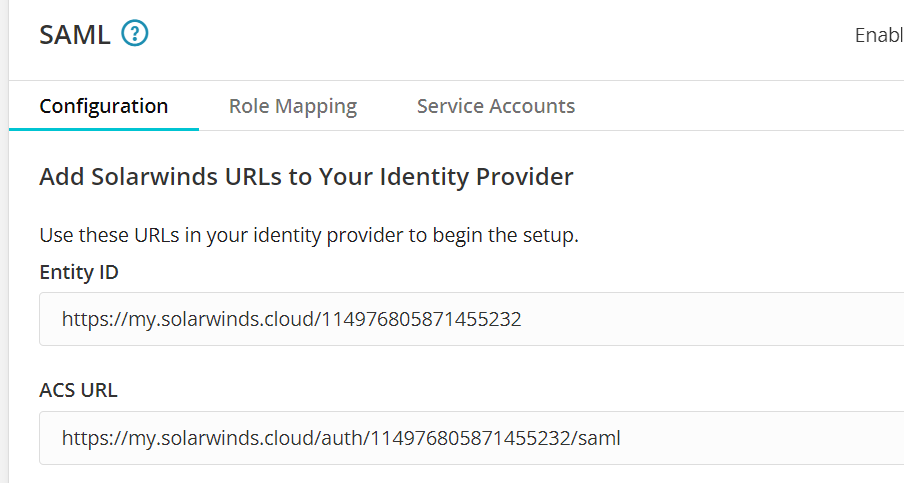
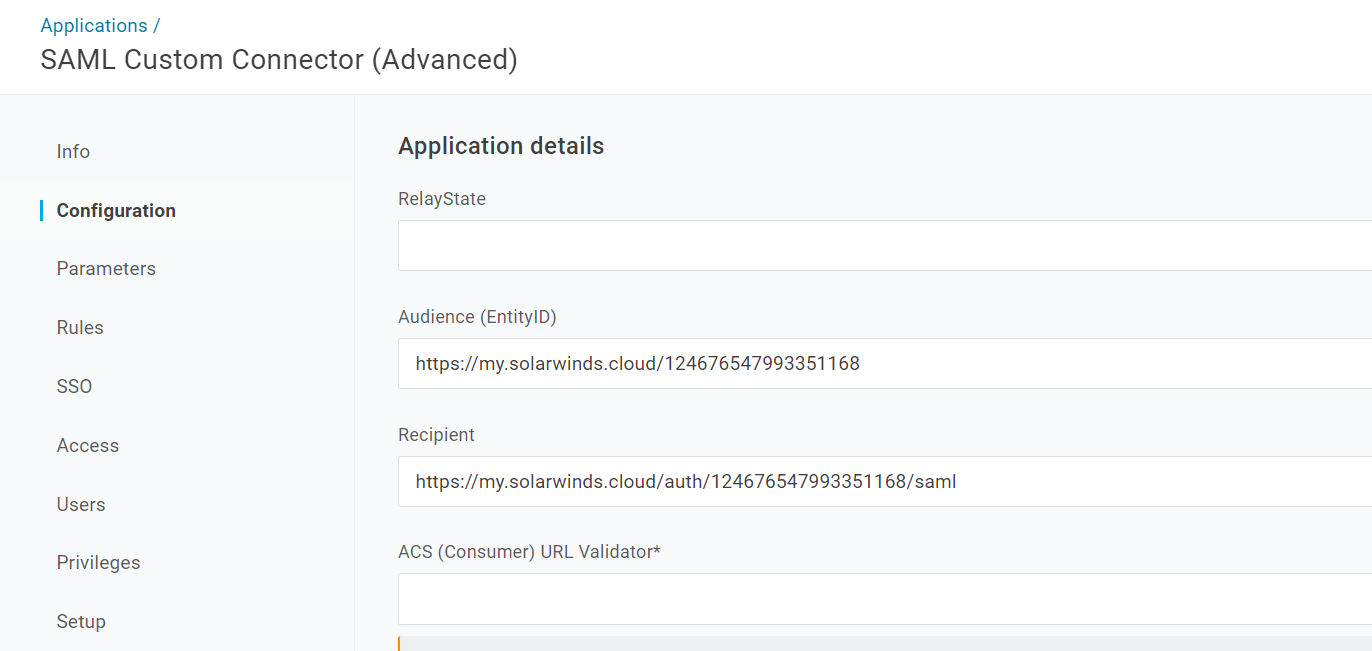
1. The Audience (EntiryID) value from the IDP must be set to the Entity ID from the Solarwinds Commons Settings page.
2. The Recipient value from the IDP must be set to ACS URL from the Solarwinds Commons Settings page.
Please refer to the below examples screenshot if you have OneLogin IDP.
2. The Recipient value from the IDP must be set to ACS URL from the Solarwinds Commons Settings page.
Please refer to the below examples screenshot if you have OneLogin IDP.