
Applications Systems
Uninstall the STM Profiler server
Process on how to uninstall the STM with Profiler.
First published date
2/13/2019 7:16 PM
Last published date
1/19/2022 6:14 PM
Overview
Process on how to uninstall the STM with Profiler.
Product section
Storage Manager
Resolution
STM has reached end of life (EOL) status as of January 1. Below are the instructions for uninstalling STM with Profiler.
For more information about transitioning to Storage Resource Monitor (SRM), contact support.
- Connect to the Server Machine where STM Profiler is installed.
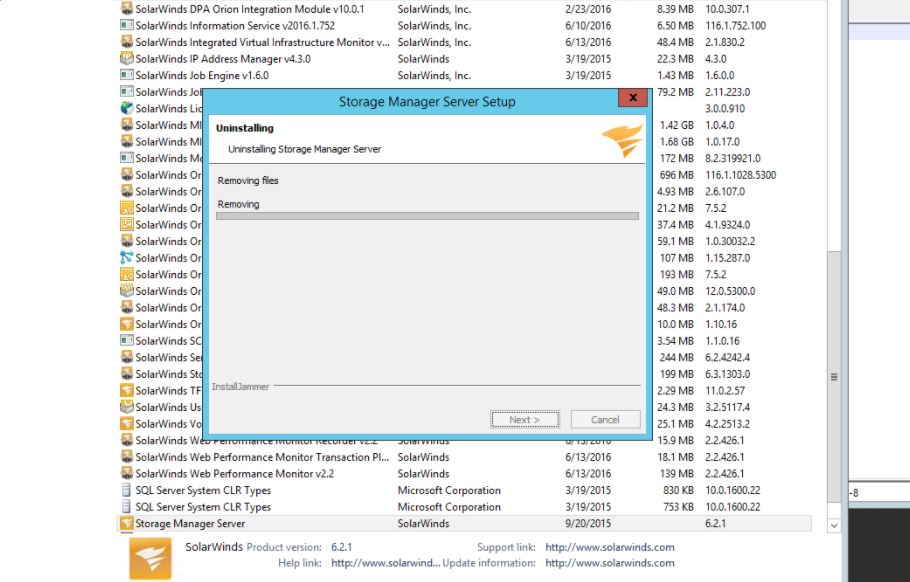
- From the Control Panel, locate the Storage Manager Server and uninstall.
- Check that the Storage Manager Collector Service, Maintenance Service, Poller Service, Webserver Service, Mariadb database service, eventreceiver service all of these services should disappear after the UNINSTALL process is removed.
- Files from C:\program files\solarwinds\Storage Manager Server\ should also disappear and should show as removed (or empty) after the uninstall MSI process is complete.
- NOTE: There is no Configuration Wizard for Storage Manager because STM is written completely in Java and therefore as such has no ties to .NET and WCF and MS-SQL, hence no Configuration Wizard. As soon as the MSI is complete for UNINSTALLATION you should see the STM given entries will disappear from the list shown in Control Panel > Programs and Features >
For more information about transitioning to Storage Resource Monitor (SRM), contact support.