
Applications Systems
Unexpected Website Error “Name and Path cannot both be empty” in VMAN when Windows Region settings are set to unsupported date, time, or number formats
When Windows Region settings are set to an unsupported date, time, or number format, Unexpected Website Errors with the error message “Name and Path cannot both be empty” can happen in VMAN.
First published date
10/29/2019 7:39 PM
Last published date
10/29/2019 7:39 PM
Overview
When Windows Region settings are set to an unsupported date, time, or number format, Unexpected Website Errors with the error message “Name and Path cannot both be empty” can happen in VMAN.
Product section
Virtualization Manager
Cause
This error happens when the Windows Region is set to an unsupported date, time, or number format.
Resolution
To workaround this issue,
Set the Windows Region settings to an English language-equivalent format.
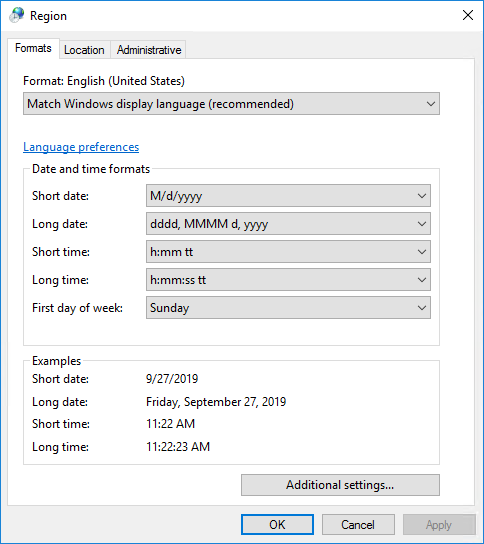
Set the Windows Region settings to an English language-equivalent format.
- Open the Control Panel
- Navigate to Clock, Language, and Region
- Select Region
- Change the format to an English language-equivalent format