
Applications Systems
Unable to load saved recorders from the SolarWinds Platform in WPM
Receiving Error occurred. Unable to open the selected recording in the WPM Recorder upon opening pre-built Recording files. Recordings will not open.
First published date
2/6/2020 6:38 PM
Last published date
4/8/2025 10:36 PM
Overview
Receiving error in the upper right of the WPM Recorder. Recordings from the database cannot be opened. The message in the upper right reads:
Example of the message
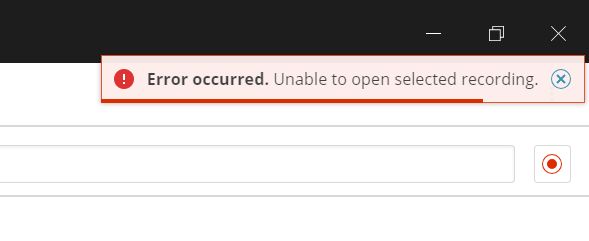
Error occurred. Unable to open selected recording.
Example of the message
Product section
Web Performance Monitor
Cause
Unknown
Resolution
Workaround 1
When signing into the WPM Recorder with domain credentials, trying signing into the Recorder with username syntax: 'domain\username'rather than 'username@domain'. Do not use a forward slash, always use a backslash (\).
Workaround 2
Close out of the WPM Recorder and attempt to open the recording file once more.If issue persists, try uninstalling the Recorder and installing back on the server.
Uninstall WPM Recorder:
- Uninstall WPM Recorder from the Control Panel > Programs and Features.
- On the Orion Web Console navigate to the path below
- Settings > All Settings > under PRODUCT SPECIFIC SETTINGS > click WPM Settings.
- Under the Transaction Management section click Manage Recordings.
- Click DOWNLOAD NEW RECORDER.