
Network Management
Unable to edit Alert Actions from Trigger Actions or Reset Actions page of an edited alert on the Orion Web Console
This article goes through steps to use when Unable to edit new and old alerts. Edited information regarding trigger or reset action are not saved.
First published date
10/17/2018 11:06 AM
Last published date
8/3/2021 1:42 PM
Overview
Sometimes when trying to edit or add email addresses from a Trigger or Reset Action in an edited alert, from the Alert Manager; the changes are not saved even after clicking on "Save Changes".
See Example Below: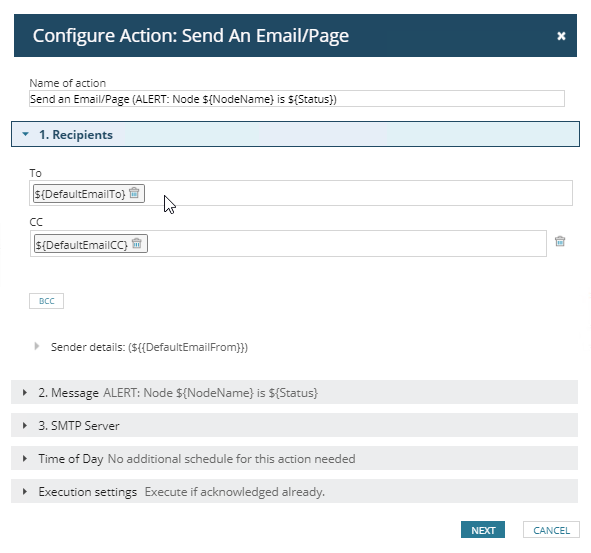
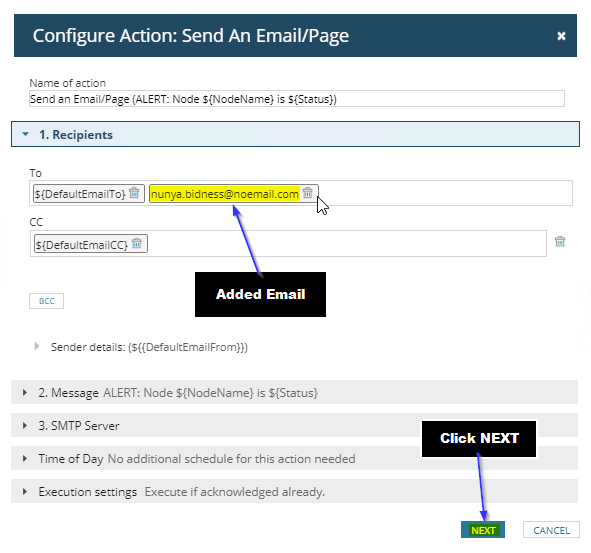
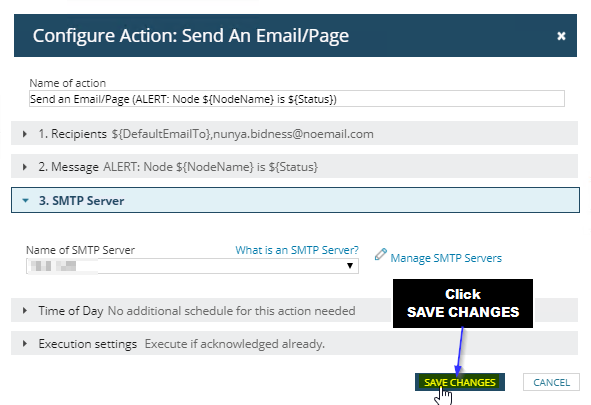
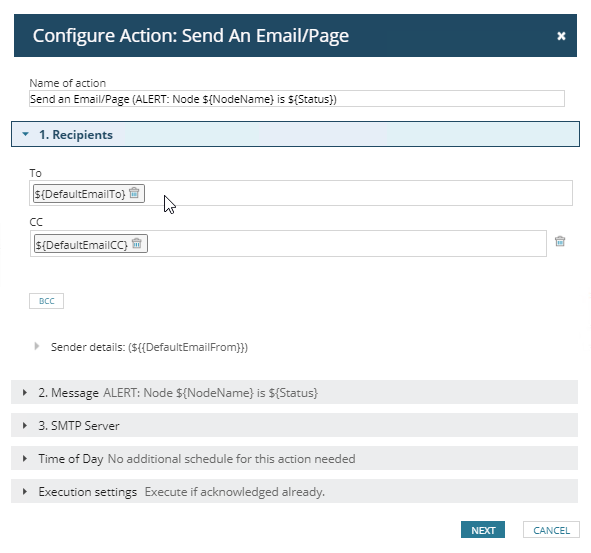
See Example Below:
- Trying to Add email address to a Trigger Action
- Click on the Edit Icon again and the changes are not reflected.
Product section
Orion Platform
Cause
There could be a number of reasons for this, It could be
- A corrupted alert action
- Permission Settings
- Or various other reasons
Resolution
Option 1
- Try testing this issue on other alerts.
- If there are no issues, remove and recreate the action or, re-copy it from the trigger/reset action to the other alert.
Option2
- From Alert > Manager Alerts click on the "Action Manager" Tab
- Find the Action being used
- Click the Check box and Edit Action
- Add the email address from here,
- Click "NEXT", "NEXT" and "SAVE CHANGES"
- NOTE: It is a good Idea to update the Name of the Action to something meaningful and that makes sense for your environment.
- Go back to the Alert Manager and in the Trigger or Reset Action, click on Assign
- Then choose the Action that you modified in the previous steps