
Network Management
Unable to access Orion web console after HA failover to secondary server
This article discusses an issue with High Availability where access to the web console will display 'Can't reach this page'(Internet Explorer) or 'Unable to connect'(Mozilla Firefox) error message after a successful failover.
First published date
11/11/2019 2:44 PM
Last published date
6/23/2021 8:23 PM
Overview
The Orion web console may not be accessible after HA fails over to the secondary server. Different web browsers may show similar messages below:
Internet Explorer
Can't reach this page
Mozilla Firefox
Unable to connect
Google Chrome
This site can’t be reached
However, accessing the web console locally via the 'localhost' address works.
OR, if the web console show any of the error:
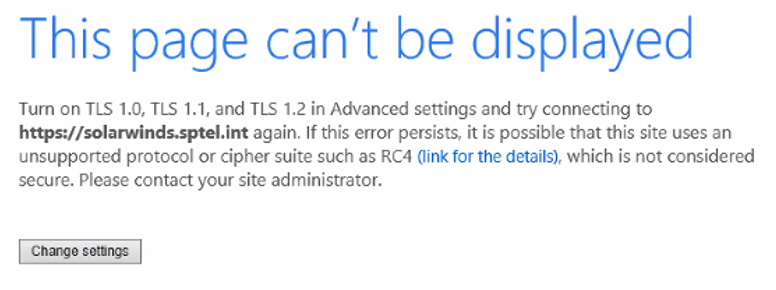
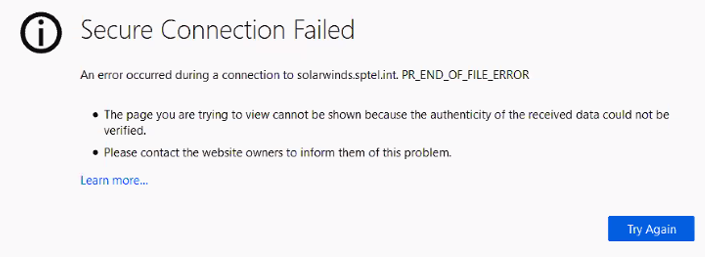
Internet Explorer
Can't reach this page
Mozilla Firefox
Unable to connect
Google Chrome
This site can’t be reached
However, accessing the web console locally via the 'localhost' address works.
OR, if the web console show any of the error:
Product section
Orion Platform
Cause
- The primary and secondary server does not have a matching website binding configuration in IIS manager which is used to access the Orion web console
- Due to security policies (blocking X-Content) applied at the site level where standby server resides content is blocked while delivering outside of the site.
- The server was been linked to a policy that had a restriction for TLS.
Resolution
- Contact your web administrator to match the website bindings configured on primary and secondary server in IIS manager.
- Adjustment of security settings at the site level required to be performed by site administrator(s).
- Use the syntax below to generate the result of the GPO of the working and non-working machine and after that do a comparison:
- GPResult /H C:\Users\[name of the account i.e. admin]\Desktop\gpresultoutput.html
- Make sure that both Orion servers should be linked with the same GPO.