
Network Management
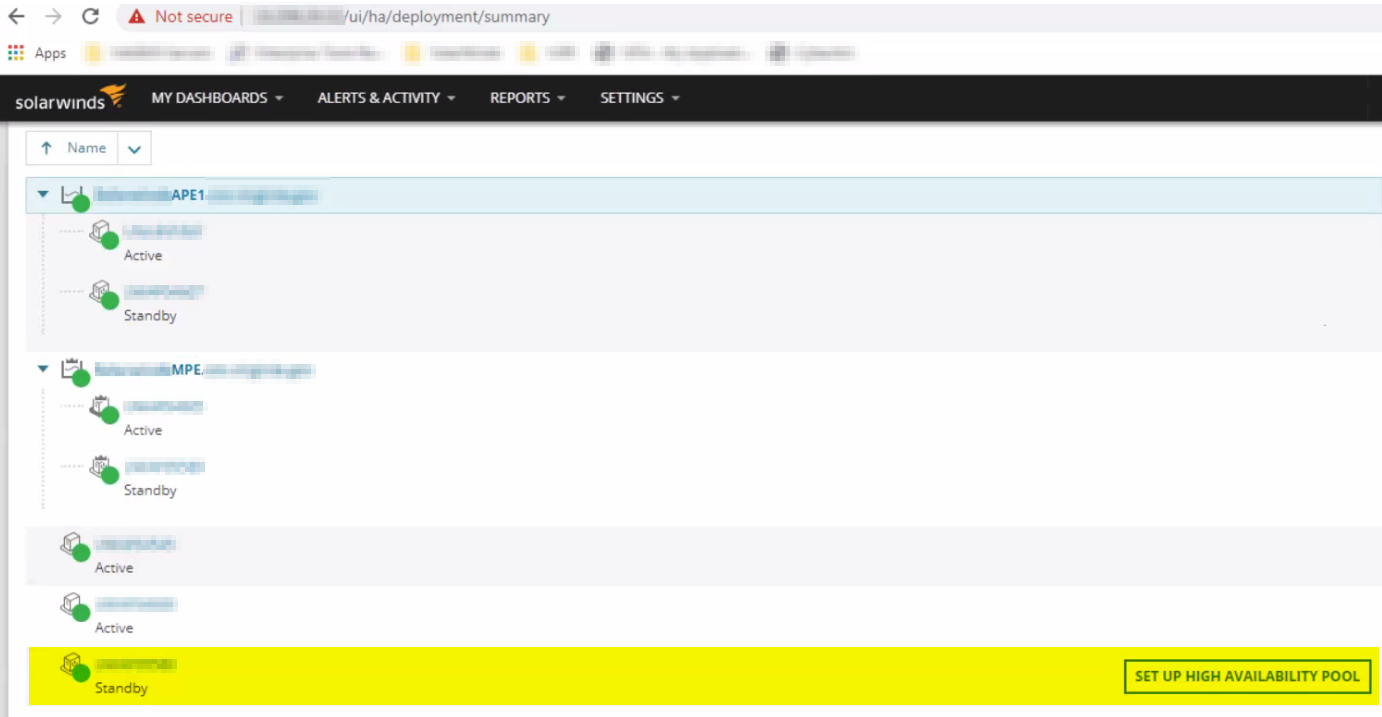
Unable to create HA Pool using a previously used pool name as the pool name reverts to SET UP HIGH AVAILABILITY POOL
This article shows how to isolate and resolve an issue where unable to create HA Pool using a previously used Pool Name keeps on going back to SET UP HIGH AVAILABILITY POOL.
First published date
7/29/2021 6:13 PM
Last published date
3/15/2025 7:25 AM
Overview
Creating a High Availability Pool using a previously used Pool Name doesn't complete the setup and keeps on going back to SET UP HIGH AVAILABILITY POOL with no error message shown.
Product section
Network Performance Monitor
Cause
- Creating a new HA Pool on a previously used Pool Name where the same still exists under the HA_Pools table
Resolution
- Verify the Pool Name being used
- Open Database Manager and on the OrionDB go to the HA_Pools table to verify if the same Pool Name (DisplayName) exists
- Highlight the row where you see the old entry having the same Pool Name (DisplayName) desired to be used.
- Click on Enable table editing
- Right-click and click on Delete the selected row(s) to completely remove the old entry
- Hit Enter and click on Enable table editing
- Click on the Execute query button to verify changes made
- Back to the Orion Web Console and proceed on SET UP HIGH AVAILABILITY POOL which should now be able to go through as image sample below:
- Noticed a new PoolId has been assigned on the new entry in the HA_Pools table