
Applications Systems
There was an error connecting to the provider error when adding SMI-S Provider
Test connection failed. Unable to resolve hostname - <host>
First published date
9/3/2021 9:04 PM
Last published date
9/3/2021 9:04 PM
Overview
Error received when adding new SMI-S provider.
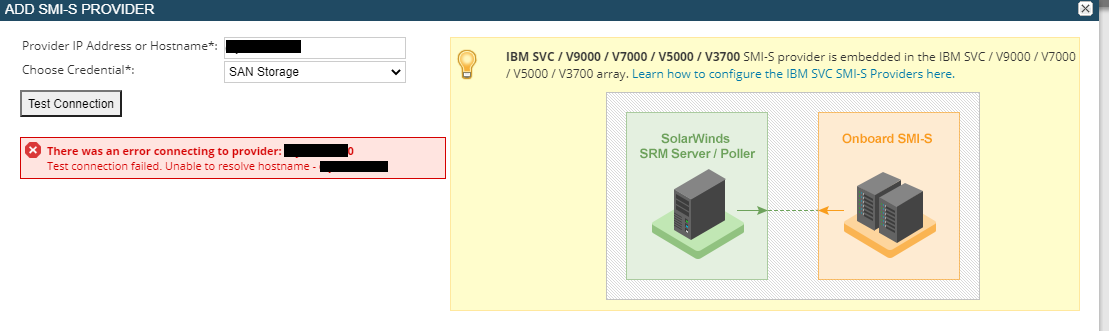
There was an error connecting to the provider: {host}.
Test connection failed. Unable to resolve hostname - {host}
Test connection failed. Unable to resolve hostname - {host}
Product section
Storage Resource Monitor
Cause
Orion server cannot resolve hostname.
Resolution
Log into your Orion server. Open command prompt.
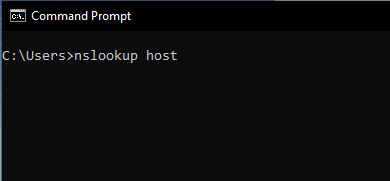
Lookup the hostname with nslookup and verify that the host can be found.
If your host cannot be resolved, Orion cannot find your storage management address. You should add it in your DNS. For a temporary fix, add it to the Orion polling server hosts file.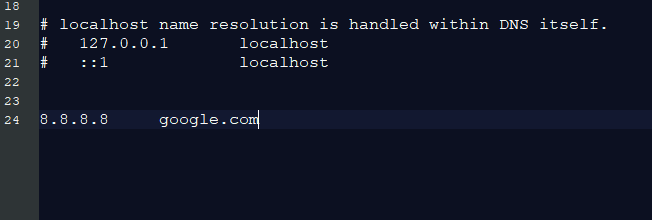
Lookup the hostname with nslookup and verify that the host can be found.
If your host cannot be resolved, Orion cannot find your storage management address. You should add it in your DNS. For a temporary fix, add it to the Orion polling server hosts file.
- Log into your Orion server
- Open notepad as administrator
- Select File > Open
- Select "all files" in the bottom right
- Open file: C:\Windows\System32\drivers\etc\hosts
- You can drop in your hostname and IP like line 24 below (format: <IP><TAB><host>)
- Save the file and add your SMI-S provider once more