
Applications Systems
The settings property 'APM.ApmSummaryViewID' was not found.
Unexpected website error. SAM Resource not found. Repairing SAM. SAM settings missing in the account permissions and settings.
First published date
3/12/2021 10:09 PM
Last published date
2/8/2025 7:25 AM
Overview
The following Unexpected Website Error is present when accessing the SAM Summary page.
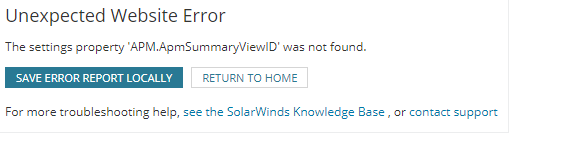
The settings property 'APM.ApmAppDetailsViewID' was not found.
ErrorSite: System.SettingsBase.SetPropertyValueByName
ErrorType: System.Configuration.SettingsPropertyNotFoundException
Product section
Server Application Monitor
Cause
Corrupted SAM files
Resolution
Below steps are applicable for Solarwinds Orion Platform ver 2020.x and below.
First, check that SAM Settings exist under Settings > All Settings.
Or check Settings > All Settings > Manage Accounts > select and edit your account > Check the permissions under Server & Application Monitor.
If neither exists or you have trouble with either above, repair Server & Application Monitor
First, check that SAM Settings exist under Settings > All Settings.
Or check Settings > All Settings > Manage Accounts > select and edit your account > Check the permissions under Server & Application Monitor.
If neither exists or you have trouble with either above, repair Server & Application Monitor
- RDP to your Orion server.
- Open Programs & Features
- Find "SolarWinds Server & Application Monitor"
- Right-click > Repair
- This will launch the Configuration Wizard when the repair completes.
- Confirm the settings in the Configuration Wizard and click Next until it runs and completes successfully.