
Tools
The server's certificate is unknown when connecting to Serv-U FTPS using Filezilla
This article describes a default behavior when connecting to Serv-U using Filezilla.
First published date
10/18/2018 2:03 AM
Last published date
8/10/2020 7:44 PM
Overview
When connecting to any FTPS server like Serv-U, it is normal to get a certificate prompt about the SSL certificate details. To proceed, click OK, and then you are connected. Most FTPS clients are doing this behavior.
Using Filezilla, you may get a message "Unknown Certificate," which is a way of the FTP client to show the SSL certificate details. It is confusing because it is saying unknown certificate even though the details are correct such as Common Name, Certificate Issuer and the Host details
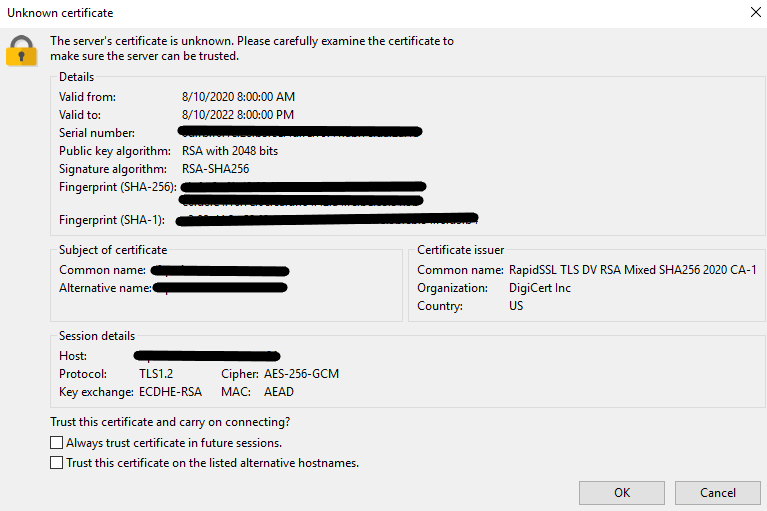
Using Filezilla, you may get a message "Unknown Certificate," which is a way of the FTP client to show the SSL certificate details. It is confusing because it is saying unknown certificate even though the details are correct such as Common Name, Certificate Issuer and the Host details
Product section
Serv-U Managed File Transfer & Serv-U FTP Server
Cause
Default behavior of Filezilla.
Resolution
- This behavior is the default behavior of the Filezilla client, and there is no way to skip it.
- To proceed, the user must accept the certificate prompt