
Tools
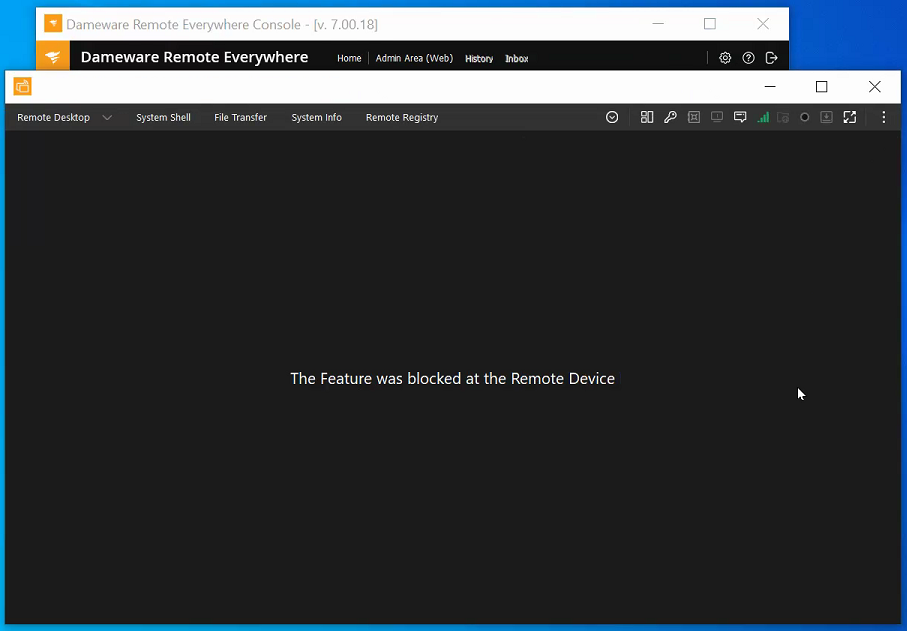
The Feature was blocked at the Remote Device error in Dameware Remote Everywhere while trying to connect to a device
This article shows how to resolve a problem in Dameware Remote Everywhere when a user gets the error "The Feature was blocked at the Remote Device" while trying to connect to a target device
First published date
1/29/2021 12:46 PM
Last published date
1/29/2021 12:46 PM
Overview
The DRE user will get "The Feature was blocked at the Remote Device" after accepting a connection request from a target machine. This will show if the user account does not have proper permissions to do a remote session.
Product section
Dameware Remote Everywhere
Resolution
- Log in to the DRE Admin page.
- Go to Management > Technicians > click Paul's profile
- Go to the Permissions tab and click on Console Feature
- Enable the 'Access Remote Desktop' option and click save at the bottom right corner of the page.