
Security Compliance
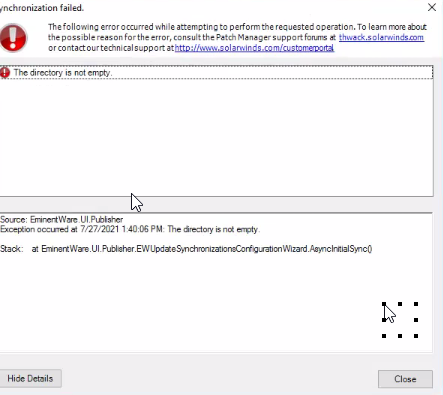
The Directory is not empty Error in Patch Manager
You see this error when attempting to download or sync the Third-party catalog in Patch Manager.
First published date
7/27/2021 9:53 PM
Last published date
5/23/2023 6:02 AM
Overview
When using the Patch Manager Update Configuration Wizard to download the SolarWinds Third-party catalog and during the process, you encounter an error stating "the directory is not empty."
Product section
Patch Manager
Cause
- This happens when the Temp folder for the Patch Manager credential user is full.
you will find this user on the c: drive of the Patch Manager server
C:\Users\Patch\AppData\Local\Temp
- AV blocking file and folder creation. For example, if the server has WatchGuard Threat Detection and Response application.
Resolution
To resolve this issue,
- Simply delete all the contents of the Patch user's temp folder. Remember this is a Temp file those files should have cleared out before the need to do this.
- Disable/Uninstall AV or Threat detection systems or add exclusion for Patch Manager directories.
- For instance, we have seen this issue happening with "Watch Guard Threat Detection and Response System" installed on Patch Manager server.