
Network Management
ServiceNow Integration Test Fails in SolarWinds Platform Despite Valid Certificate in Browser
Integrating ServiceNow within the SolarWinds Platform can lead to test failures. According to the article "ServiceNow Integration Test Fails in Orion Platform - Remote Certificate is Invalid," the ServiceNow instance URL shows a valid certificate when accessed through the browser inside the Main Polling Engine.
First published date
9/23/2024 5:17 PM
Last published date
2/13/2025 10:47 PM
Overview
The ServiceNow integration log from SolarWinds (ESI) typically displays the following error:
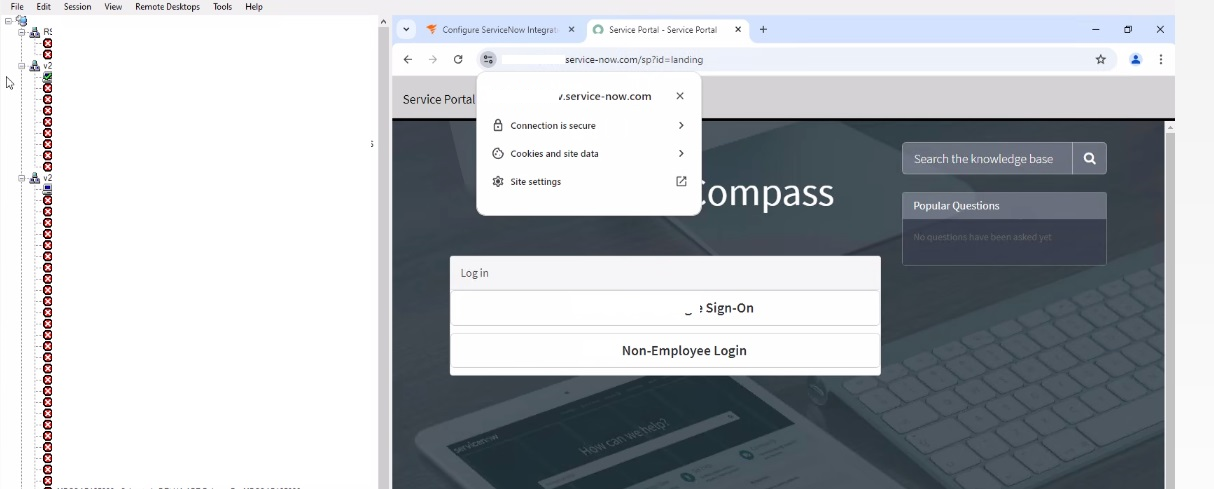
When validating the ServiceNow Instance URL via Main Polling Engine browser:
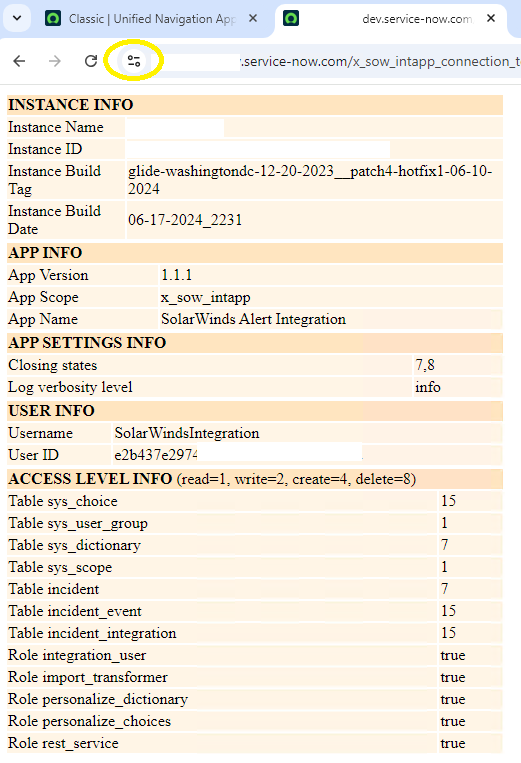
Using the X_sow_intapp_connection_test URL:
Certificates installed on the Main Polling Server that ServiceNow Integration test is failing:
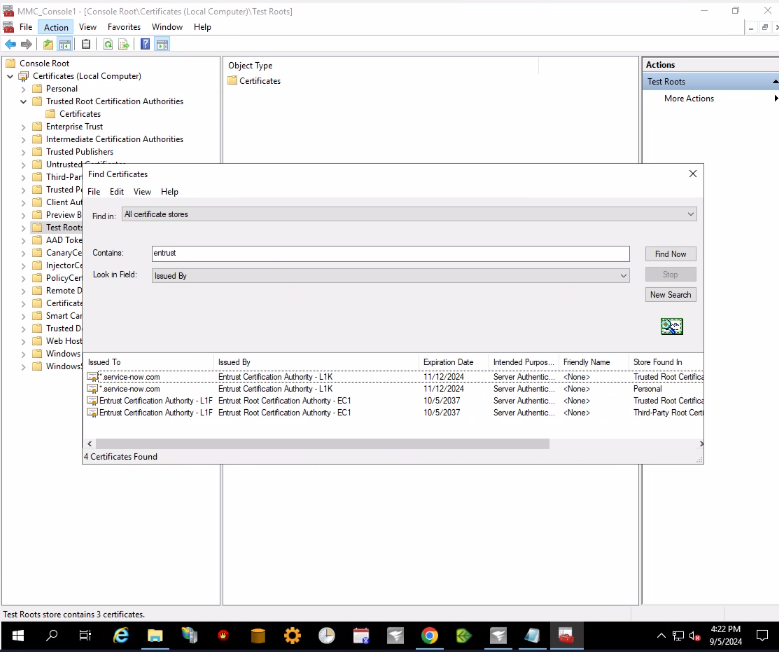
Note: The Certificate Authority provider may vary based on the certificate details seen in the URL. The example shown here is from Entrust, a commonly used CA for ServiceNow websites.
2024-08-01 16:39:48,232 [58] ERROR SolarWinds.SNI.Client.Web.ConnectionHelper -
Error occurred during connection testing
System.Net.WebException: The underlying connection was closed: Could not establish trust relationship for the SSL/TLS secure channel. ---> System.Security.Authentication.AuthenticationException: The remote certificate is invalid according to the validation procedure.
   at System.Net.Security.SslState.StartSendAuthResetSignal(ProtocolToken message, AsyncProtocolRequest asyncRequest, Exception exception)
   at System.Net.Security.SslState.CheckCompletionBeforeNextReceive(ProtocolToken message, AsyncProtocolRequest asyncRequest)
   at System.Net.Security.SslState.StartSendBlob(Byte[] incoming, Int32 count, AsyncProtocolRequest asyncRequest, Boolean renegotiation)
   at System.Net.Security.SslState.ProcessReceivedBlob(Byte[] buffer, Int32 count, AsyncProtocolRequest asyncRequest)
   at System.Net.Security.SslState.StartReadFrame(Byte[] buffer, Int32 readBytes, AsyncProtocolRequest asyncRequest)
   at System.Net.Security.SslState.StartReceiveBlob(Byte[] buffer, AsyncProtocolRequest asyncRequest)
   at System.Net.Security.SslState.CheckCompletionBeforeNextReceive(ProtocolToken message, AsyncProtocolRequest asyncRequest)
   at System.Net.Security.SslState.StartSendBlob(Byte[] incoming, Int32 count, AsyncProtocolRequest asyncRequest, Boolean renegotiation)
   at System.Net.Security.SslState.ProcessReceivedBlob(Byte[] buffer, Int32 count, AsyncProtocolRequest asyncRequest)
   at System.Net.Security.SslState.StartReadFrame(Byte[] buffer, Int32 readBytes, AsyncProtocolRequest asyncRequest)
   at System.Net.Security.SslState.StartReceiveBlob(Byte[] buffer, AsyncProtocolRequest asyncRequest)
   at System.Net.Security.SslState.CheckCompletionBeforeNextReceive(ProtocolToken message, AsyncProtocolRequest asyncRequest)
   at System.Net.Security.SslState.StartSendBlob(Byte[] incoming, Int32 count, AsyncProtocolRequest asyncRequest, Boolean renegotiation)
   at System.Net.Security.SslState.ProcessReceivedBlob(Byte[] buffer, Int32 count, AsyncProtocolRequest asyncRequest)
   at System.Net.Security.SslState.StartReadFrame(Byte[] buffer, Int32 readBytes, AsyncProtocolRequest asyncRequest)
   at System.Net.Security.SslState.StartReceiveBlob(Byte[] buffer, AsyncProtocolRequest asyncRequest)
   at System.Net.Security.SslState.CheckCompletionBeforeNextReceive(ProtocolToken message, AsyncProtocolRequest asyncRequest)
   at System.Net.Security.SslState.StartSendBlob(Byte[] incoming, Int32 count, AsyncProtocolRequest asyncRequest, Boolean renegotiation)
   at System.Net.Security.SslState.ProcessReceivedBlob(Byte[] buffer, Int32 count, AsyncProtocolRequest asyncRequest)
   at System.Net.Security.SslState.StartReadFrame(Byte[] buffer, Int32 readBytes, AsyncProtocolRequest asyncRequest)
   at System.Net.Security.SslState.StartReceiveBlob(Byte[] buffer, AsyncProtocolRequest asyncRequest)
   at System.Net.Security.SslState.CheckCompletionBeforeNextReceive(ProtocolToken message, AsyncProtocolRequest asyncRequest)
   at System.Net.Security.SslState.StartSendBlob(Byte[] incoming, Int32 count, AsyncProtocolRequest asyncRequest, Boolean renegotiation)
   at System.Net.Security.SslState.ProcessReceivedBlob(Byte[] buffer, Int32 count, AsyncProtocolRequest asyncRequest)
   at System.Net.Security.SslState.StartReadFrame(Byte[] buffer, Int32 readBytes, AsyncProtocolRequest asyncRequest)
   at System.Net.Security.SslState.StartReceiveBlob(Byte[] buffer, AsyncProtocolRequest asyncRequest)
   at System.Net.Security.SslState.CheckCompletionBeforeNextReceive(ProtocolToken message, AsyncProtocolRequest asyncRequest)
   at System.Net.Security.SslState.StartSendBlob(Byte[] incoming, Int32 count, AsyncProtocolRequest asyncRequest, Boolean renegotiation)
   at System.Net.Security.SslState.ProcessReceivedBlob(Byte[] buffer, Int32 count, AsyncProtocolRequest asyncRequest)
   at System.Net.Security.SslState.StartReadFrame(Byte[] buffer, Int32 readBytes, AsyncProtocolRequest asyncRequest)
   at System.Net.Security.SslState.StartReceiveBlob(Byte[] buffer, AsyncProtocolRequest asyncRequest)
   at System.Net.Security.SslState.CheckCompletionBeforeNextReceive(ProtocolToken message, AsyncProtocolRequest asyncRequest)
   at System.Net.Security.SslState.StartSendBlob(Byte[] incoming, Int32 count, AsyncProtocolRequest asyncRequest, Boolean renegotiation)
   at System.Net.Security.SslState.ForceAuthentication(Boolean receiveFirst, Byte[] buffer, AsyncProtocolRequest asyncRequest, Boolean renegotiation)
   at System.Net.Security.SslState.ProcessAuthentication(LazyAsyncResult lazyResult)
   at System.Net.TlsStream.CallProcessAuthentication(Object state)
   at System.Threading.ExecutionContext.RunInternal(ExecutionContext executionContext, ContextCallback callback, Object state, Boolean preserveSyncCtx)
   at System.Threading.ExecutionContext.Run(ExecutionContext executionContext, ContextCallback callback, Object state, Boolean preserveSyncCtx)
   at System.Threading.ExecutionContext.Run(ExecutionContext executionContext, ContextCallback callback, Object state)
   at System.Net.TlsStream.ProcessAuthentication(LazyAsyncResult result)
   at System.Net.TlsStream.Write(Byte[] buffer, Int32 offset, Int32 size)
   at System.Net.PooledStream.Write(Byte[] buffer, Int32 offset, Int32 size)
   at System.Net.ConnectStream.WriteHeaders(Boolean async)
   --- End of inner exception stack trace ---
   at System.Net.HttpWebRequest.GetResponse()
   at SolarWinds.SNI.Client.Web.ConnectionHelper.TestConnection(String url, ICredentials snCredentials, IWebProxy proxy)
ESI log Path:
C:\ProgramData\SolarWinds\Logs\ESI
When validating the ServiceNow Instance URL via Main Polling Engine browser:
Using the X_sow_intapp_connection_test URL:
Certificates installed on the Main Polling Server that ServiceNow Integration test is failing:
Note: The Certificate Authority provider may vary based on the certificate details seen in the URL. The example shown here is from Entrust, a commonly used CA for ServiceNow websites.
Product section
Orion Platform
Cause
The Entrust certificate installed on the SolarWinds Main Polling Engine server may differ from what is required for successful integration.
Entrust Certificates installed on a non-working environment:
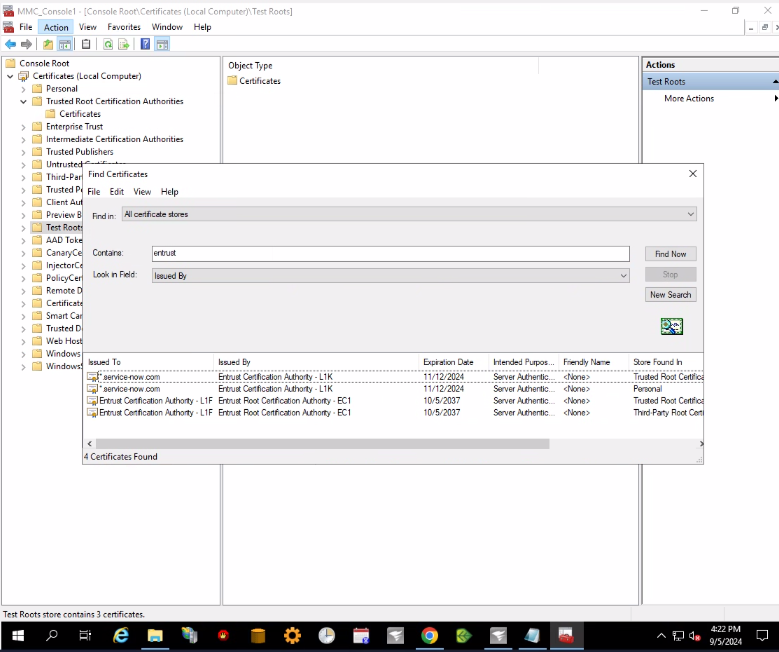
Entrust Certificates installed on a working environment:
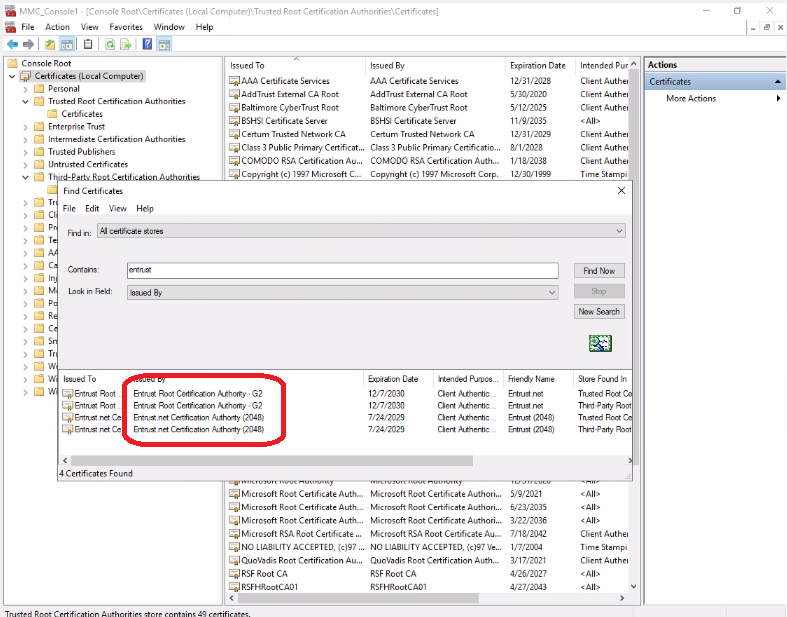
Entrust Certificates installed on a non-working environment:
Entrust Certificates installed on a working environment:
Resolution
- Visit the Entrust website to download new certificates and apply them to the SolarWinds Main Polling Engine server experiencing issues:
Entrust Root Certificate Downloads (©2024 Entrust Corporation. All Rights Reserved.)
- Add the new certificates to your SolarWinds Main Polling Engine server under:
- Trusted Root Certification Authorities
- Intermediate Certification Authorities
- Third-Party Root Certification Authorities
There is no need to remove other Entrust certificates already added to the server.
- Once new certificates have been added, perform the ServiceNow Test Connection in the SolarWinds Platform Web Integration Settings page.