
Tools
Serv-U MFT SFTP versions
This article describes how you can configure different SFTP version in Serv-U MFT. Options are same for Windows and Linux version of Serv-U.
First published date
6/30/2022 7:55 AM
Last published date
6/30/2022 7:55 AM
Overview
Serv-U MFTP give you options to configure different version of SFTP at Global/Domain/User levels. This article provides steps on how to configure different SFTP version in Serv-U MFT.
Product section
Serv-U Managed File Transfer & Serv-U FTP Server
Resolution
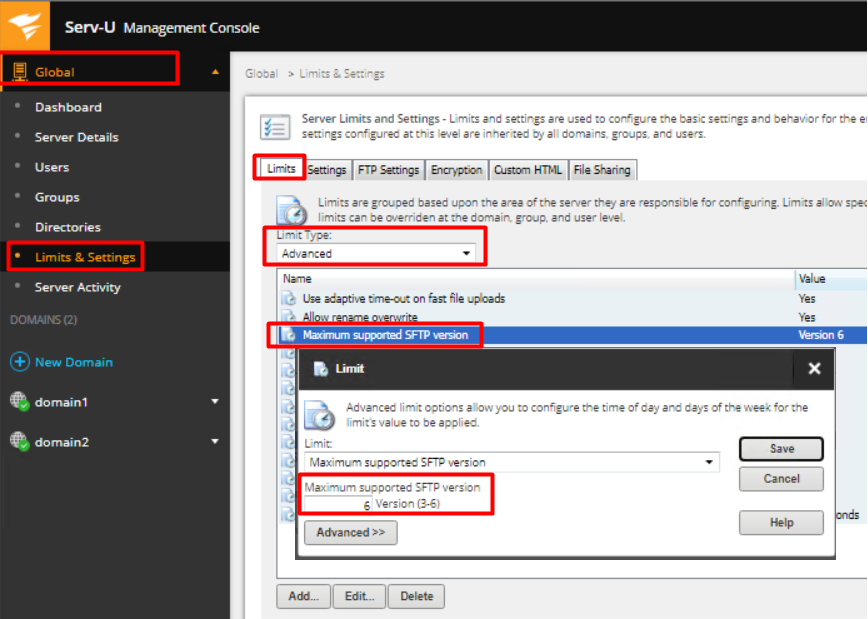
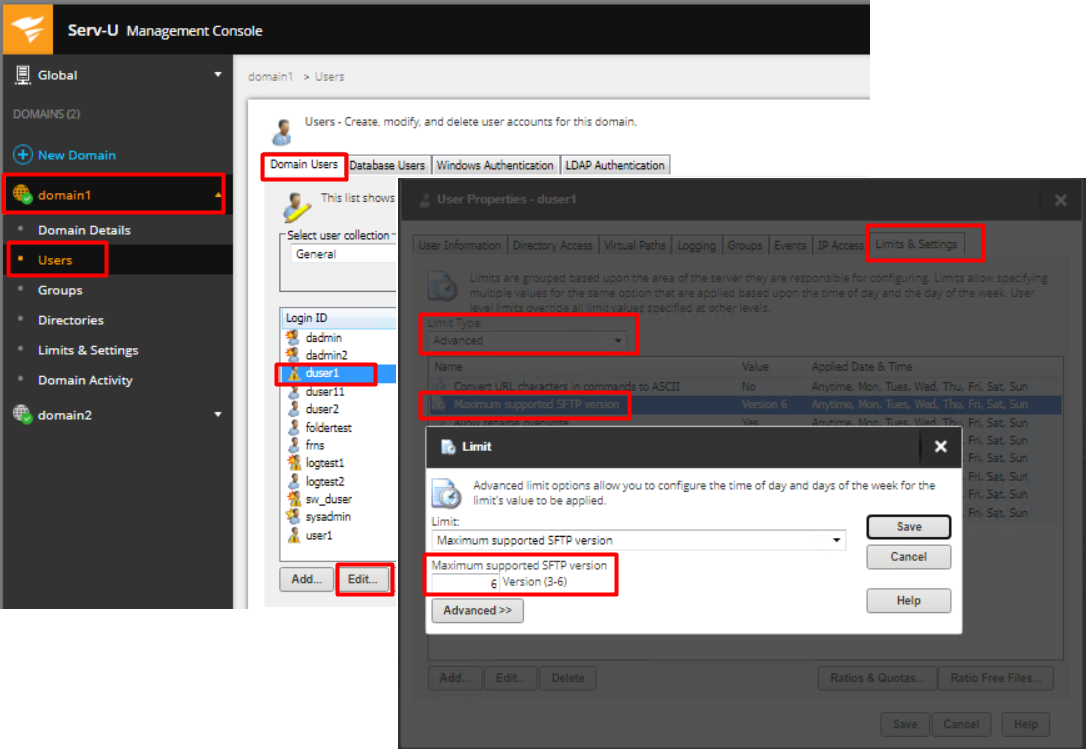
SFTP version can be configured at Global/Domain & per user levels. To configure this, you need to go to Limits & Settings at any of the levels you plan to configure.
Global & Domain Level > Limits & Settings:
User Level under a Domain or Global level:
Global & Domain Level > Limits & Settings:
- Under Global Level, select "Limits & Settings"
- Under the Limits tab, select "Advanced" from the "Limit Type" drop down
- Double click or click Add/Edit button on Maximum supported SFTP version. C
- Click "Yes" on the pop-up to add additional SFTP option.
- Enter the version you need to configure (3 to 6) and click "save"
User Level under a Domain or Global level: