
Network Management
SWIS connection timeouts and slowness caused by CRL
SWIS connection timeouts and slowness are caused by CRL for the following issues: MapService - GetLimitationKey, no maps after migration, unable to access maps, and web interface issues.
First published date
Last published date
Overview
SWIS connection timeout caused by CRL. This issue applies to the following issues.
-
Error MapService -GetLimitationKey
-
No Maps after migration
-
Unable to access Maps
-
Web Interface issues
Product section
Resolution
Review your event logs, and if you see the following: "Reached crypt32 threshold of 50 events and will suspend logging for 60 minutes." then Crytpographic Services is the culprit.
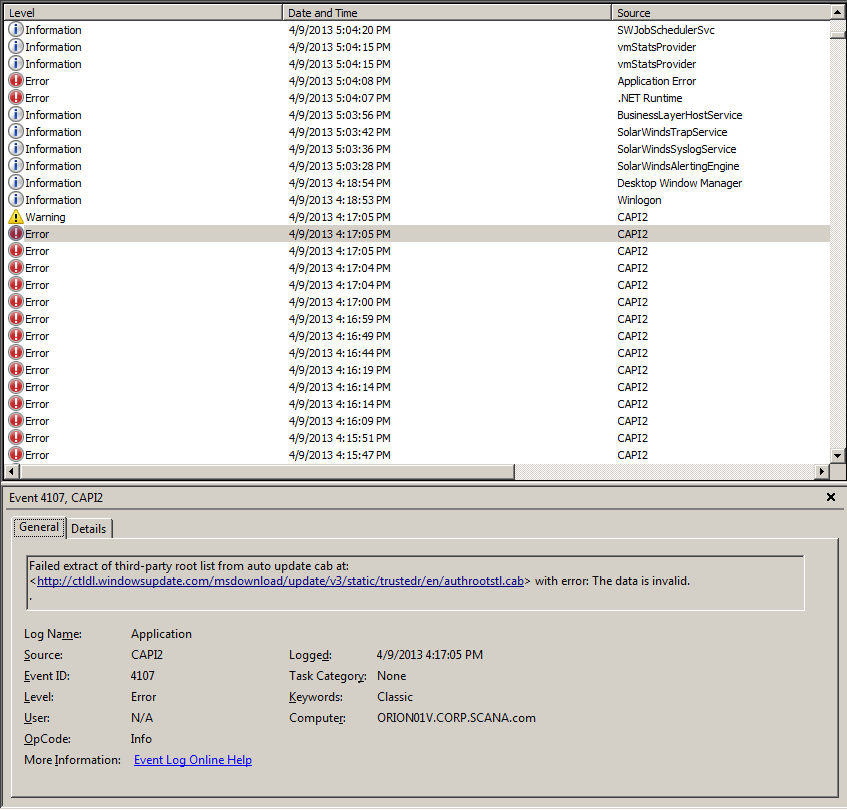
Try the following:
- Allow the affected machine to access the internet. This fixed the slowness immediately.
- Turn off CRL check. This took 3-4 hours to take effect.
Tip 1
Check domain policies if there is a way to disable it.
Tip 2
It is also possible to turn off the CRL check for system accounts through the registry. If the Web Application is running as the default user, Network Service, you can change the State value under: HKEY_USERS\S-1-5-20\Software\Microsoft\Windows\CurrentVersion\WinTrust\Trust Providers\Software Publishing
The default value is 23c00. Changing it to 23e00 will turn off the CRL check. Note that this is a per-user setting, so this will only affect the Network Service account.
Tip 3
Control Panel -> Internet Options -> Advanced -> Under security, uncheck the Check for publisher's certificate revocation option.
Disable CRL in machine.config
To disable CRL lookups, you need to edit machine.config files on the computer, as follows: Open the machine.config files in a text editor.
The machine.config file is located at %runtime install path%\Config\machine.config, where the "runtime install path" is usually "C:\Windows\Microsoft.NET\Framework\v2.0.50727" and "c:\Windows\Microsoft.NET\Framework\v4.0.30319". We should change both files.
Add the following XML element to the machine.config file:
<configuration>
   <runtime>
        <generatePublisherEvidence enabled="false"/>
   </runtime>
</configuration>
Save machine.config files. Restart web site and Orion services.