
Security Compliance
Run Patch Manager Configuration Wizard
This article provides the steps on how to run the Patch Manager Configuration Wizard.
First published date
8/15/2022 10:46 AM
Last published date
10/30/2025 10:12 PM
Overview
Running Patch Manager Configuration Wizard ensures that you have all component configured correctly especially the Patch Manager SQL/Database.
Product section
Patch Manager
Resolution
1. Login to Patch Manager Server
2. Search for Patch Manager Configuration Wizard (Note: Orion Configuration Wizard and Patch Manager Configuration Wizard are totally different)
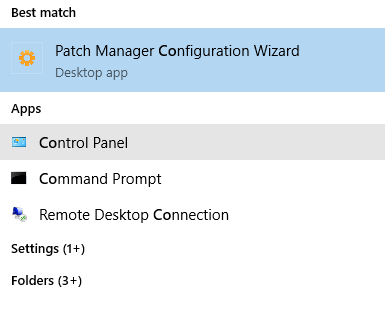
3. Run as Admin
4. Go through all the sections of the wizard
5. Complete the Configuration Wizard successfully
2. Search for Patch Manager Configuration Wizard (Note: Orion Configuration Wizard and Patch Manager Configuration Wizard are totally different)
3. Run as Admin
4. Go through all the sections of the wizard
5. Complete the Configuration Wizard successfully