
Network Management
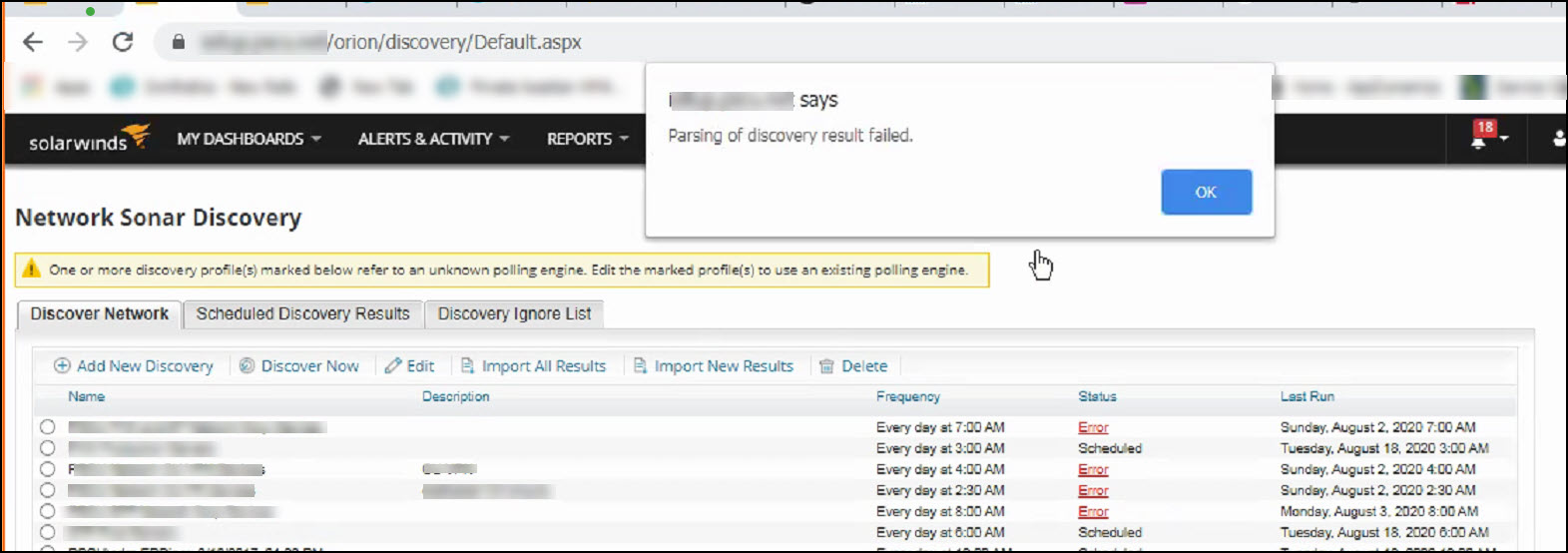
Parsing of discovery result failed
This article explain how to troubleshoot Parsing of discovery result failed while running Network Discovery.
First published date
2/3/2020 1:56 AM
Last published date
2/12/2025 5:27 AM
Overview
While running Network Discovery against a subnet or IP range, the job failed with error 'Parsing of discovery result failed'
Product section
Orion Platform
Cause
A node is blocking the discovery
Resolution
- Ensure you're not over the maximum number of devices in your discovery (512 addresses max)
- Run the discovery job again and take note which polling engine is selected
- Based on the selected polling engine
- Remove to the selected polling engine or collect diagnostics
- Examine the result in log files in C:\ProgramData\SolarWinds\Discovery Engine
- Trace the result and check which IP is blocking and causing the error in parsing, then we will need to put that node in ignore list
e.g
SolarWinds.Interfaces.DiscoveryPlugin.Activities.InterfacesWmiInventoryStep - Error: [Unable to discover WMI interfaces on endpoint xxx.xxx.xxx.xxx