
Network Management
"Firewall REST API polling is not enabled or failed" for Palo Alto Site-to-Site VPN when incorrect permissions are configured
This article explains how to fix the issue when Palo Alto site-to-site VPN fails with "Type [xx] not authorized for user role." or "Forbidden 403". Within the SolarWinds Platform, you may receive the error message "Firewall REST API polling is not enabled or failed"
First published date
6/28/2019 8:03 AM
Last published date
2/4/2026 12:35 AM
Overview
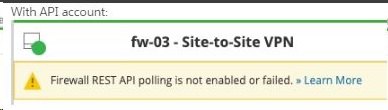
When accessing Site-to-Site VPN on a Palo Alto SNMP enabled node, the following error message may appear:
Firewall REST API polling is not enabled or failed.
In Cortex or Collector log, the following error message may appear:
Firewall REST API polling is not enabled or failed.
In Cortex or Collector log, the following error message may appear:
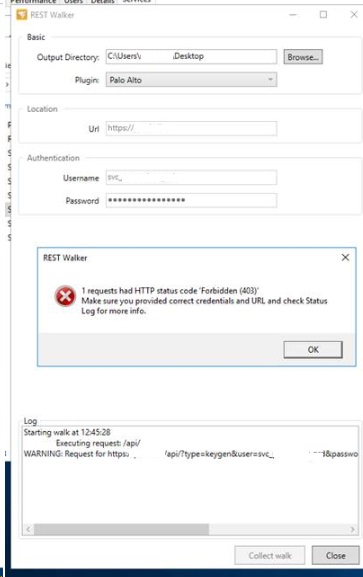
ERROR SolarWinds.CortexPlugin.NetMan.Firewalls.Internal.Handlers.Statistics.Handlers.FirewallStatisticsResultHandler - Discovery for result type FirewallStatisticsResult for element FirewallElement:1806 failed with exception [System.AggregateException: One or more errors occurred. ---> System.AggregateException: One or more errors occurred. ---> System.Net.Http.HttpRequestException: Forbidden - Forbidden. Details: <response status = 'error' code = '403'><result><msg>Type [op] not authorized for user role.</msg></result></response>If you execute the REST Walker, you can see the same 403 error:
Product section
Network Performance Monitor
Cause
This issue occurs when the account configured in Edit Node does not have permission to pull site-to-site VPN details.
Resolution
To resolve this problem, please configure the following permissions for the associated Admin user. In Palo Alto account configuration (XML API Admin Role Profile)
- Read Logs
- Operational Requests
Reference Document: https://documentation.solarwinds.com/en/success_center/npm/content/npm-monitor-palo-alto-firewalls.htm