
Network Management
Orion Agent Settings: Application not found
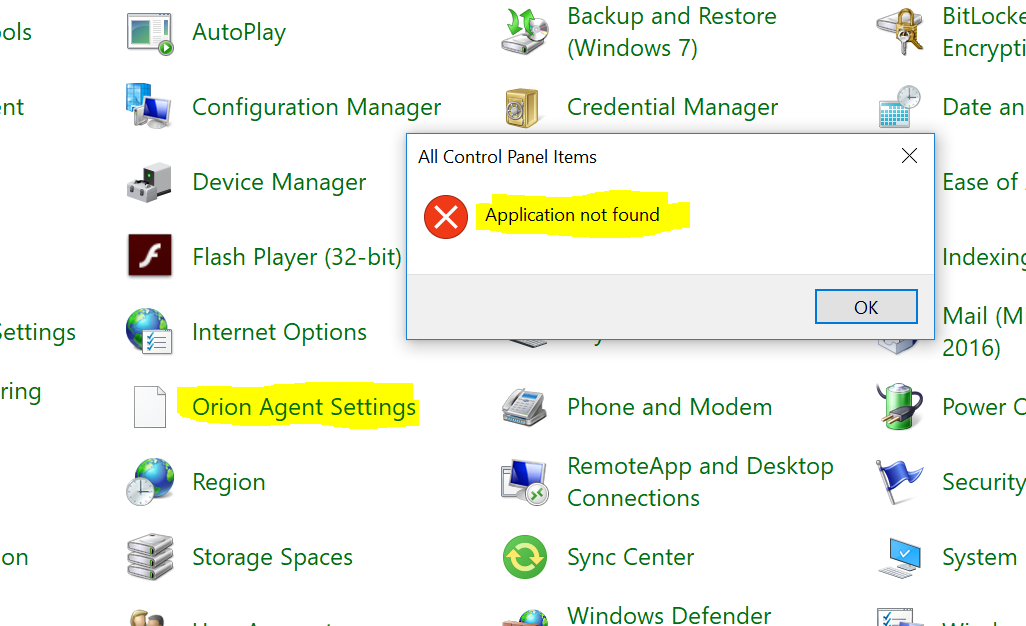
Unable to open the Orion Agent Settings after installing the agent, it will show no icon and get an error 'Application not found' when opened.
First published date
4/2/2020 8:41 PM
Last published date
2/10/2025 1:15 AM
Overview
To change the agent communication mode on the remote node we go to control panel items and open Orion Agent Settings to select server-initiated or agent-initiated communication.
Product section
Network Performance Monitor
Cause
There could be a policy or security that blocking the SolarWinds.Agent.Setup to run.
Resolution
- From agent server, go to C:\Program Files (x86)\SolarWinds\Agent.
- Run the file SolarWinds.Agent.Setup as administrator and this should open the Orion Agent Settings
- Go back to control panel items, check that you were able to open the Orion Agent Settings without errors and the icon should show up now.
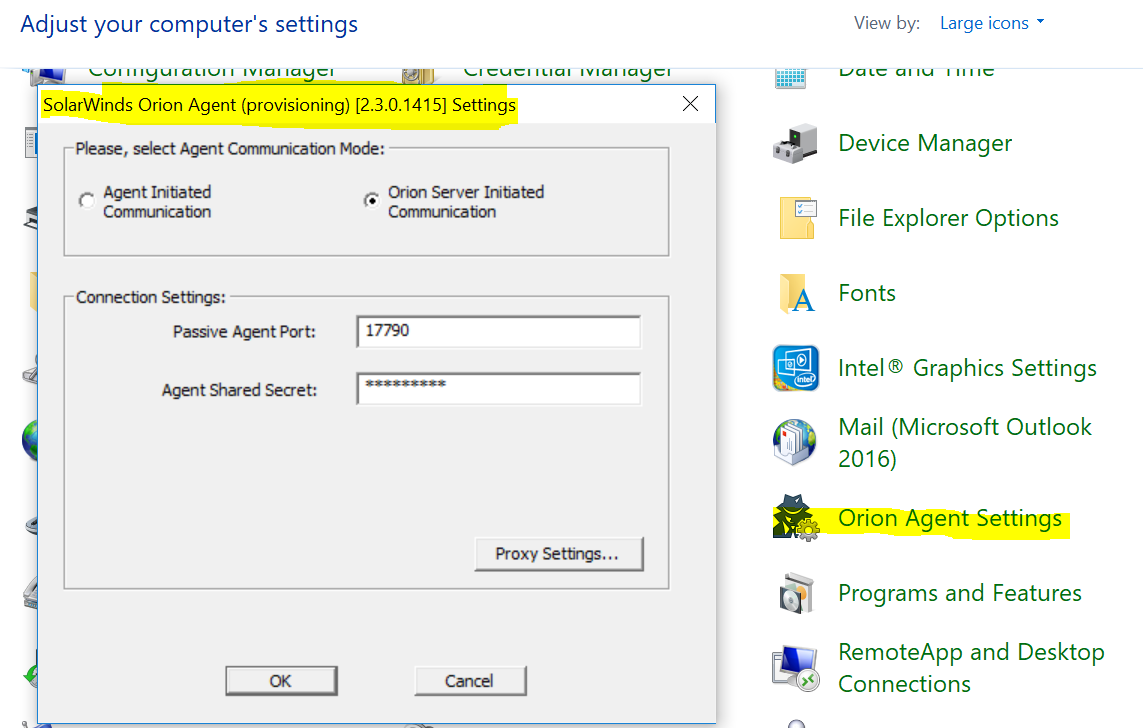
- Run the file SolarWinds.Agent.Setup as administrator and this should open the Orion Agent Settings
- Go back to control panel items, check that you were able to open the Orion Agent Settings without errors and the icon should show up now.