
Tools
Operation Was Successful but Nothing else happens after ugrading Serv-U 15.4.2 with Hotfix 2
Applying the Serv-U 15.4.2 hotfixes properly by following the ReadMe.txt file or following the steps from the Serv-U 15.4.2 Hotfix Release Notes to avoid issues like Operation was successful after logging in but nothing happens.
First published date
7/8/2024 9:57 PM
Last published date
7/11/2025 5:44 PM
Overview
After upgrading to Serv-U 15.4.2 Hotfix 2, users can log in and it shows Operation was successful but nothing else happens. The browser needs to either be refreshed or to have a new tab to see the Serv-U landing page.
Operation was successful.
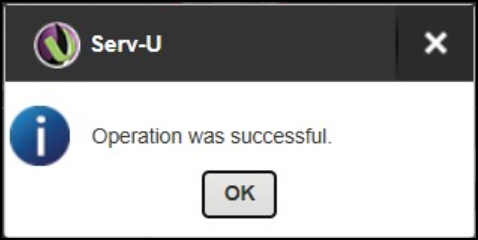
Operation was successful.
Product section
Serv-U Managed File Transfer & Serv-U FTP Server
Cause
-
Serv-U was upgraded using the hotfix files without the base version.
-
Serv-U was upgraded but the hotfix was not applied properly
-
Serv-U service was not stopped before upgrading or applying the hotfix.
Resolution
Reinstall the based version (15.4.2.128) and reapply the 15.4.2 Hotfix 2.
Preparation:
- Make sure to create a server snapshot
- Make sure to backup the Serv-U folder from C:\ProgramData\RhinoSoft
- Make sure to backup the Serv-U foder from <installation folder > \Program Files\RhinoSoft
- Unblock installation/hotfix folders if the box is present in the folder properties then extract from zip.
Stop Serv-U service:
- Right-click the Serv-U icon from the lower-right-hand corner
- Click Stop Serv-U
Run repair install to put the Serv-U version to its base version:
- Right Click the installation file > Properties > Unblock > Apply
- Right Click > Click Run as administrator
- Right Click Serv-U icon from the lower-right-hand corner again
- Click Exit Tray
Apply Hotfix 2
- Stop Serv-U service (please refer to the steps above)
- Open Hotfix folder > 32-bit or 64-bit
- Copy ALL files and folders
- Paste them in the installation folder <installation folder > \Program Files\RhinoSoft
- Restart the Serv-U service