
Tools
No space available shows when uploading files to Serv-U
How to resolve "no space available" or "You do not have enough disk space available" message encountered during file transfer in Serv-U.
First published date
11/19/2021 12:13 AM
Last published date
12/3/2021 8:33 PM
Overview
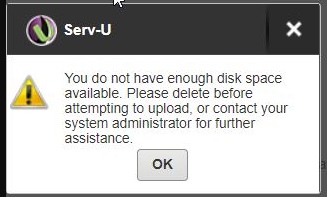
Serv-U users may get an error "no space available" when uploading files to Serv-U. This can also be seen in the FTP client or Serv-U logs as below:
FTP client logs:

Serv-U logs:

Serv-U Web client notification:
FTP client logs:
Serv-U logs:
Serv-U Web client notification:
Product section
Serv-U Managed File Transfer & Serv-U FTP Server
Cause
There is a size limit configured in Serv-U Domain Home Directory or User Profile.
Resolution
- Verify that there is enough disk space available on the drive Serv-U is installed
- Increase the size of the space limit
- Remove the size limitation