
Network Management
Netflow Interface Details charts do not load for certain interfaces
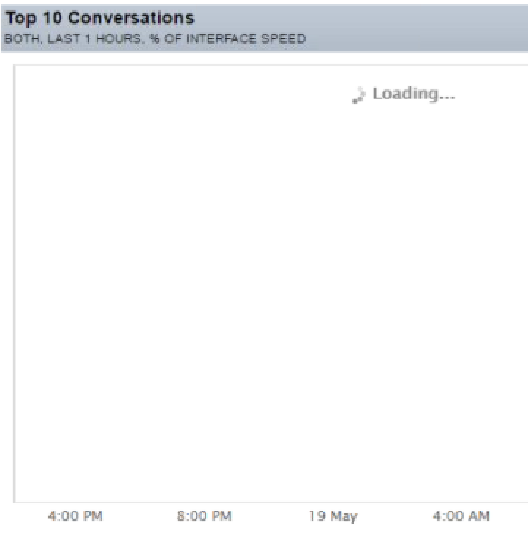
This article provides brief information and steps to resolve the issue when the Netflow Interface Details charts do not load for certain interfaces. The charts will only show the spinning loading wheel icon. No errors or time outs are displayed.
First published date
10/25/2018 12:35 AM
Last published date
8/2/2022 10:51 AM
Overview
This article provides brief information and steps to resolve the issue when the NetFlow Interface Details charts do not load for certain interfaces. The charts will only show the spinning loading wheel icon. No errors or time outs are displayed.
Product section
Netflow Traffic Analyzer
Cause
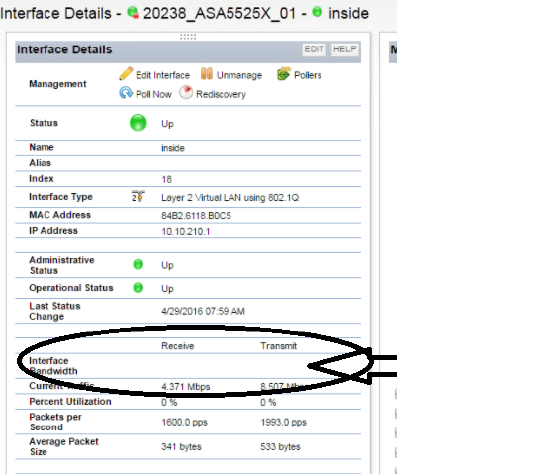
The issue is caused when there is no value in bandwidth statement for the interfaces in NPM. This is caused by the device not responding when performing an SNMP discovery.
Resolution
- Log in to the SolarWinds Orion Web Console.
- Go to Manage nodes.
- Find the device in question.
- Select the interface that is having issues, and click Edit Properties.
- Select Custom Bandwidth and enter the interface speeds for both Transmit and Receive Bandwidth and save the settings.
Now the correct bandwidth is displayed in the NPM Interface Details page.
- Charts now load without issues.