
Network Management
NCM Policy Reports are not updating with Error "Policy Cache: Cache is already running"
This article provides information on how to resolve an issue where the NCM Policy Reports are not updating and shows an Error "Policy Cache: Cache is already running"
First published date
9/17/2021 8:18 PM
Last published date
2/11/2025 9:04 PM
Overview
The issue happens when going to Settings > All Settings > NCM Settings > Manage Policy Reports > Select any Report > Update Selected.
After clicking Update Selected, an error warning shows "Policy Cache: Cache is already running"
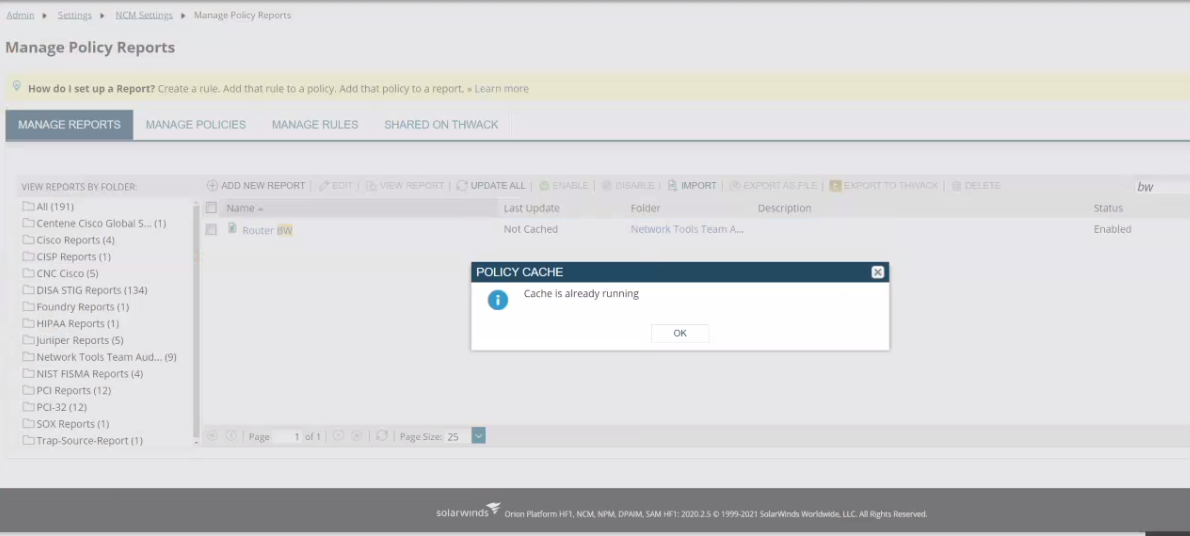
After clicking Update Selected, an error warning shows "Policy Cache: Cache is already running"
Product section
Network Configuration Manager
Cause
-Possible Bad Regex that got stuck on Update.
-One of the Policy Reports got stuck
-One of the Policy Reports got stuck
Resolution
1. Refresh the NCM Businesslayer plugin by restarting Orion Services. If the issue persists, check below:
2. RDP into Main Orion Server > Open Database manager > open Orion database > Go and query NCM > NCM_PolicyReports table > Enable table editing > change all Policy Reports with Cachestatus of 1,2,4,5 to Zero (0).
CacheStatus Legend:
notCached = 0, Waiting = 1, Caching = 2, Cached = 3, Error = 4, Queued = 5
3. Try to update the Policy Report. Take note of any individual Policy Reports that get stuck.
4. Verify if there are Bad Regex rules on the stuck Policy Report. Check the rules on Settings > All Settings > NCM Settings > Manage Rules.
2. RDP into Main Orion Server > Open Database manager > open Orion database > Go and query NCM > NCM_PolicyReports table > Enable table editing > change all Policy Reports with Cachestatus of 1,2,4,5 to Zero (0).
CacheStatus Legend:
notCached = 0, Waiting = 1, Caching = 2, Cached = 3, Error = 4, Queued = 5
3. Try to update the Policy Report. Take note of any individual Policy Reports that get stuck.
4. Verify if there are Bad Regex rules on the stuck Policy Report. Check the rules on Settings > All Settings > NCM Settings > Manage Rules.