
Database Management
Multiple 'Event 81, FailoverClustering-Client' messages are logged in Windows Event logs on Windows Server 2019 by SQL Sentry
After installing SQL Sentry some Windows Server 2019 users might experience a wave of 'Event 81, FailoverClustering-Client' messages logged into their Windows Event logs even though the server is not part of a cluster.
First published date
11/11/2021 4:06 PM
Last published date
2/10/2025 5:01 AM
Overview
Continuous Event 81, FailoverClustering-Client' messages are logged in Windows Event logs.
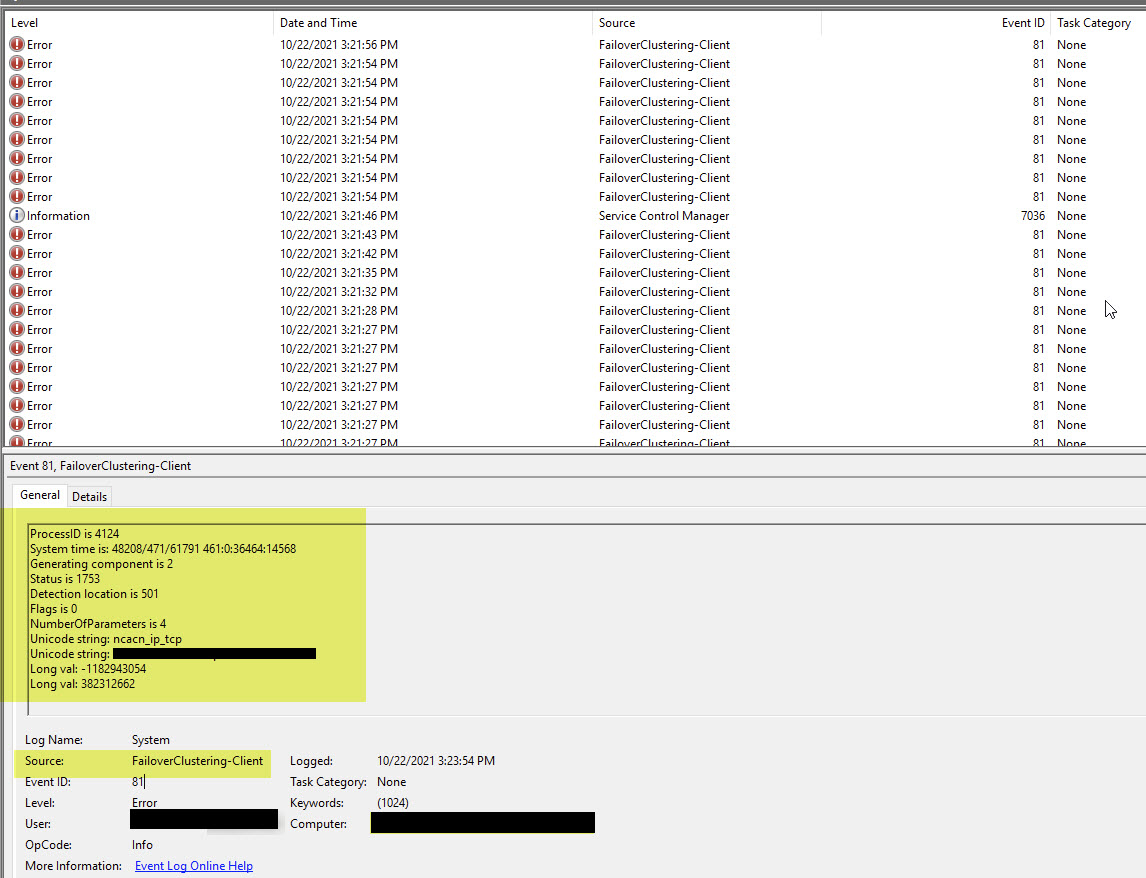
 LogExtendedErrorInformation (974): Extended RPC error information:
 ProcessID is 6756
 System time is: 7199/470/24336 455:0:18912:2859
 Generating component is 2
 Status is 1753
 Detection location is 501
 Flags is 0
 NumberOfParameters is 4
 Unicode string: ncacn_ip_tcp
 Unicode string: <server-name>
 Long val: -1182943054
 Long val: 382312662
Product section
SQL Sentry (SQLS)
Cause
SQL Sentry is a cluster-aware application that extensively uses Windows Cluster APIs to check if a server is part of a cluster. On Windows Server 2019 and above, the Cluster API generates Event-81 if the server is not a part of a cluster.
Resolution
The above event has no impact on SQL Sentry and Windows Operations and can be safely ignored. To do this, follow these steps using the provided guid as an example and not the actual guid id. Be aware that these steps will require a machine reboot for the registry edit to take effect.
- Click on the error/warning in the Event Viewer and click on the Details tab.
- Write down the guid id. In these steps, we will use {a82fake-guid-409c-b0fe-GuidExample} as an example.
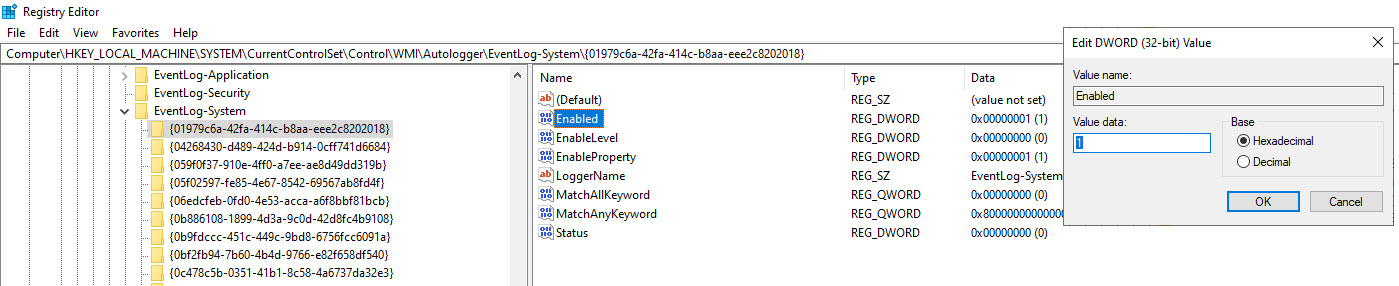
- Open regedit and use your event's guid id to go to [HKEY_LOCAL_MACHINE\SYSTEM\CurrentControlSet\Control\WMI\Autologger\EventLog-System\ {a82fake-guid-409c-b0fe-GuidExample}].
- On the right window, where the registry entries are, look for "Enabled."
- Double-click on Enabled to open the editor.
- Modify the Enabled entry value to 0 and reboot (it might need two reboots) for the entry to take effect.