
Observability
Mass/Bulk edit email recipient/SMTP server in SolarWinds Platform Alerts
This article discusses how to mass change trigger actions for the alerts users have already setup in the SolarWinds Platform.
First published date
11/9/2018 3:18 PM
Last published date
10/8/2022 12:57 AM
Overview
This article shows the necessary steps to attach a prebuilt alert action (such as sending an email message to a specific address) to multiple alerts in bulk so the users does not have to edit alerts one at a time.
Product section
Hybrid Cloud Observability
Resolution
1. Go to Settings using a web user with admin rights.

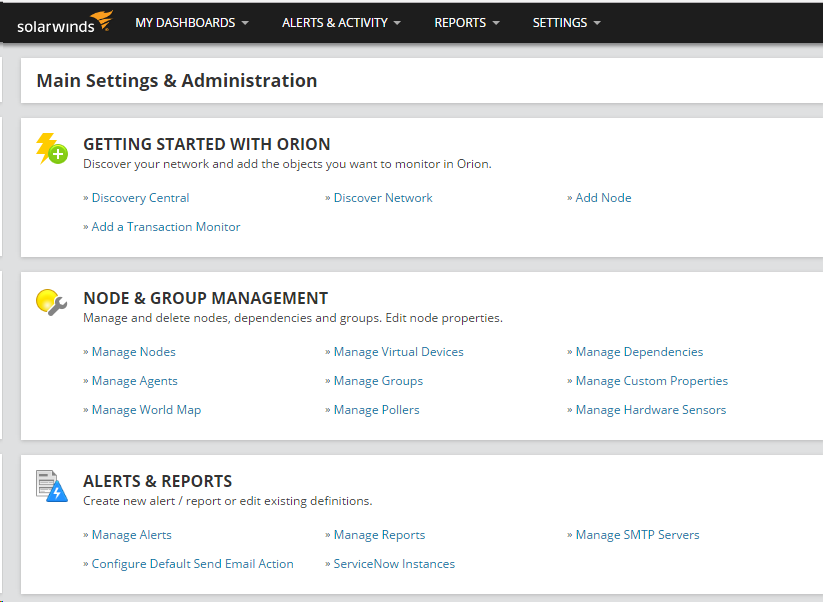
2. Click Manage Alerts under ALERTS & REPORTS.
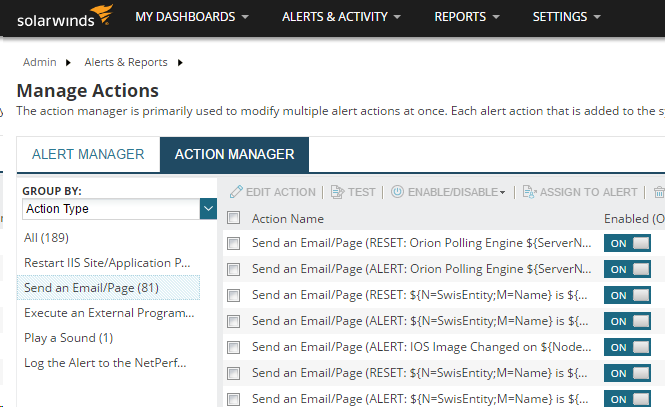
3. Click ACTION MANAGER and Group results by Action Type.
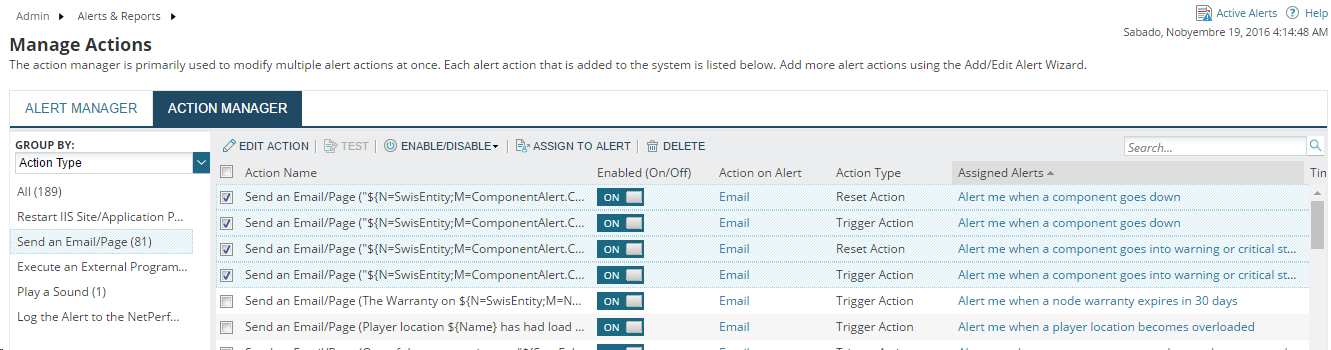
4. Select Send an Email/Page and select all email actions pertaining to the Assigned Alerts. You may arrange the Alerts based on Assigned Alerts.
5. Click EDIT ACTION and select the box beside To.
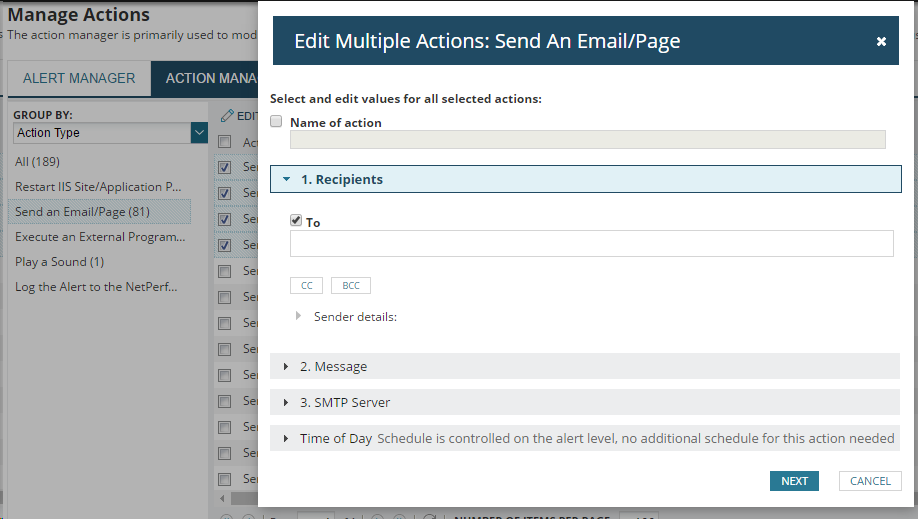
You may also change the SMTP Server accordingly:
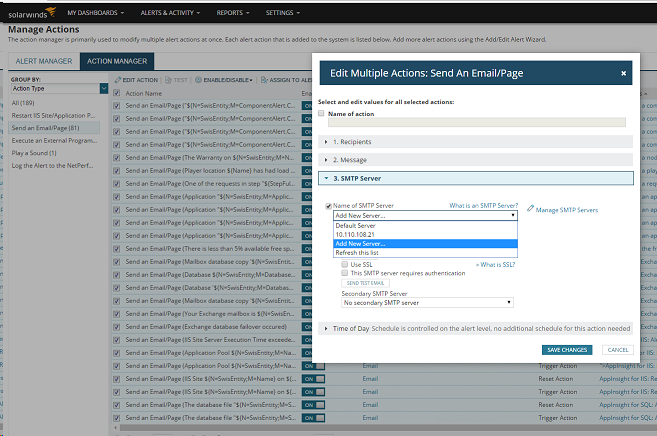
6. Click Next and SAVE CHANGES.
2. Click Manage Alerts under ALERTS & REPORTS.
3. Click ACTION MANAGER and Group results by Action Type.
4. Select Send an Email/Page and select all email actions pertaining to the Assigned Alerts. You may arrange the Alerts based on Assigned Alerts.
5. Click EDIT ACTION and select the box beside To.
You may also change the SMTP Server accordingly:
6. Click Next and SAVE CHANGES.