
Network Management
MD5 Authentication option not available when adding node using SNMPv3 in Orion
When adding a node using polling method SNMPv3, MD5 is not in Authentication the drop-down list.
First published date
10/4/2021 8:20 PM
Last published date
10/4/2021 8:20 PM
Overview
MD5 Authentication (SNMP v3) is supported and should be available in the SNMPv3 Authentication drop-down:
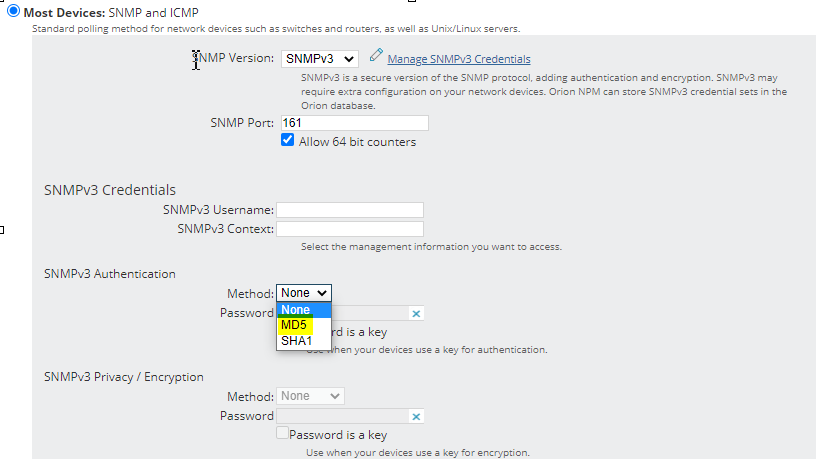
When FIPS is enabled, the option to select MD5 is not available in the Authentication drop-down list.
When FIPS is enabled, the option to select MD5 is not available in the Authentication drop-down list.
Product section
Orion Platform
Cause
While the software is FIPS-compliant, the FIPS-Compliant Methods for SNMPv3:
Reference: Enable FIPS for Orion Platform products
- Authentication: SHA1
- Privacy or encryption: AES128, AES192, AES256
Reference: Enable FIPS for Orion Platform products
Resolution
Verify if FIPS is enabled for the Orion servers:
1. Open Database Manager
2. Check the FIPSModeEnabled column in the Engines table
3. TRUE means enabled | FALSE means disabled
1. Open Database Manager
2. Check the FIPSModeEnabled column in the Engines table
3. TRUE means enabled | FALSE means disabled