
Security Compliance
License notice displays when you log in to the ARM Configuration Client
This article addresses a license error message that displays when you log in to the ARM Configuration Client.
First published date
4/9/2019 8:46 PM
Last published date
4/9/2019 8:46 PM
Overview
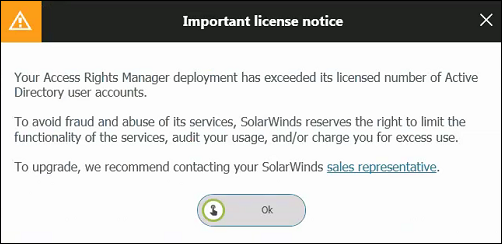
When you log in to the ARM Configuration Client, the following message displays:
Product section
Access Rights Manager
Cause
This message displays when you have a limited user license and you exceed the number of Active Directory user accounts.
Resolution
Minimize your scanned AD user accounts by restricting the Active Directory (AD) scan in ARM to a specific OU (Organizational Unit) or site.
- Navigate to:
C:\ProgramData\protected-networks.com\8MAN\cfg
- Open the
pnJob.Config.xmlfile.
If the file is missing and you are running ARM 9.x and higher, copy a sample fromC:\Program Files\SolarWinds\ARM
orC:\Program Files\protected-networks.com\etc
- In the file, add the following XML between the
<config>and</config>tags. Use the comma ( , ) inside the OU as the delimiter.<activeDirectory.scanOuOnly.yourdomain.global>OU=Users,OU=Accounts,OU=Powertrain,OU=yourdomain Group</activeDirectory.scanOuOnly.yourdomain.global>
- Restart the ARM Service.
- Re-run the scan for the domain. No changes will display in the user interface.