
Applications Systems
Launch Backup Client/Launch Internal Info Page Is Grayed out in SolarWinds Backup
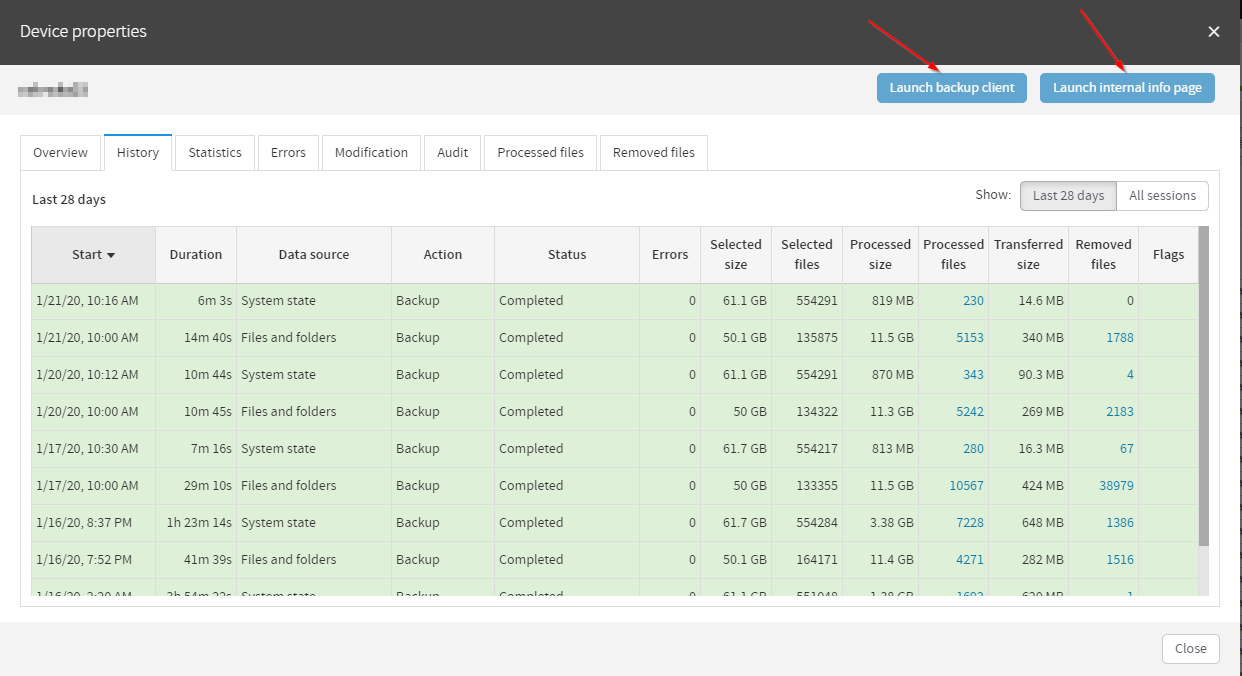
The device properties page has the Launch Backup Client and Launch Internal Info Page grayed out, and you are unable to access these pages from the backup.management web interface.
First published date
1/28/2020 8:44 PM
Last published date
1/28/2020 8:47 PM
Overview
When the Cloud management interface (backup.management) is unable to establish a connection to your device you will not be able to access the backup client or internal info page from the web console.
Product section
SolarWinds Backup
Cause
Cloud Management is unable to communicate with your device.
This can be caused by the service not running on the endpoint or a internet/network outage between backup.management and your device.
This can also be caused if there is geo filtering or content filtering on the network which is blocking access to one of the following DNS locations:
*.cloudbackup.management
*.iaso.com
*.backup.management
This can be caused by the service not running on the endpoint or a internet/network outage between backup.management and your device.
This can also be caused if there is geo filtering or content filtering on the network which is blocking access to one of the following DNS locations:
*.cloudbackup.management
*.iaso.com
*.backup.management
Resolution
- Make sure that the backup service is running properly
- Confirm that the device has an active internet connection
- Confirm that the device can talk to the following DNS locations:
- *.cloudbackup.management
- *.iaso.com
- *.backup.management
- If you are still unable to get the launch backup client to work properly please contact Technical Support.