
Network Management
Orion's Last Database Update Time never Resets to Zero
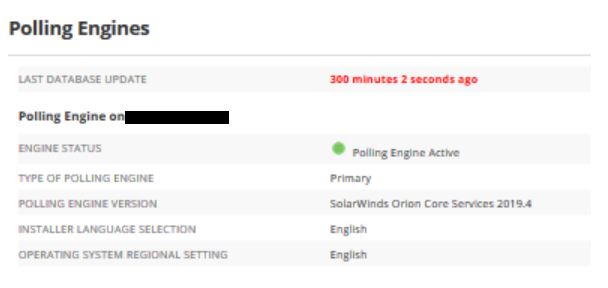
This article briefly explains one possible reason as to why the Last Database Update time found in the Polling Engine Details page may show some obscure value.
First published date
11/22/2019 6:43 PM
Last published date
2/11/2025 12:01 AM
Overview
While browsing the web console if you navigate to Settings > All Settings > Polling Engines and open the page you may notice that Orion is determining the last time the database update took place was X minutes ago
Product section
Network Performance Monitor
Cause
This can be caused by a time offset between the Application Server & the SQL Server
- Orion strongly recommends that the all Orion Servers + SQL Server use a common timezone setting
- Orion strongly recommends that the all Orion Servers + SQL Server use a common timezone setting
Resolution
- Please Review Microsoft's online documentation regarding how to change the timezone for the version of Windows which is installed on your Orion Servers.
- If the database of the customer is in MZ Azure, MS Azure does not support time zone settings and is always on UTC. Hence, you may need to set the Orion Server(s) to UTC tie zone. Kindly refer to Time zone settings and usage.