
Tools
Kiwi CatTools - Japanese OS Internal Program Error Number 6
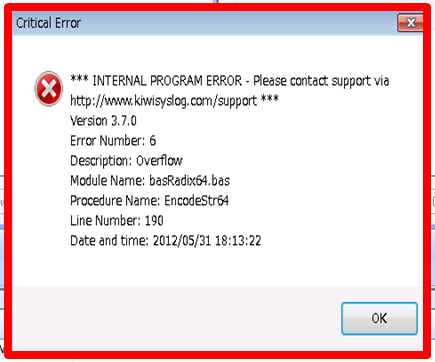
This article discusses an issue about a critical internal program error when exporting device tab-delimited files caused by an operating system configured for the Japanese language.
First published date
10/17/2018 10:13 PM
Last published date
10/17/2018 10:13 PM
Overview
This article discusses an issue about an internal program error caused by an operating system configured for the Japanese language that occurs when exporting device tab-delimited files.
Product section
Kiwi CatTools
Resolution
To resolve this error, you will need to change the system language for non-Unicode programs from Japanese to English:
- Open the Control Panel > Region and Language > Administrative tab.
- Select Language for non-Unicode programs.
- Change the language settings to English as the Current language for non-Unicode programs.