
Tools
"Internet Session URL is invalid or is not accessible from internet" Error When Configuring an Internet Session URL in the Dameware Internet Proxy Server
This article describes the error message, "Internet Session URL is invalid or is not accessible from internet." when configuring an Internet Session URL in the Dameware Internet Proxy Connection Details.
First published date
6/15/2020 9:24 PM
Last published date
2/11/2025 9:09 PM
Overview
As of Windows 10 1709 Creator's update, Windows does not allow third-party programs to access the Internet during installation or configuration.
This creates confusion for the administrator, as the HTTPS port of the Dameware Internet Proxy might not be open or blocked by the firewall even though it is open.
This results in the error message, "Internet Session URL is invalid or is not accessible from internet." when configuring an Internet Session URL in the Dameware Internet Proxy Connection Details.
Product section
Dameware Remote Support & Mini Remote Control
Cause
Windows security update not allowing 3rd party application to access the internet.
Resolution
On the Dameware Server Components Configuration:
For a One-Server Deployment , do this on the Dameware Server; for a Two-Server Deployment , do the steps below on the Dameware Internet Proxy Server.
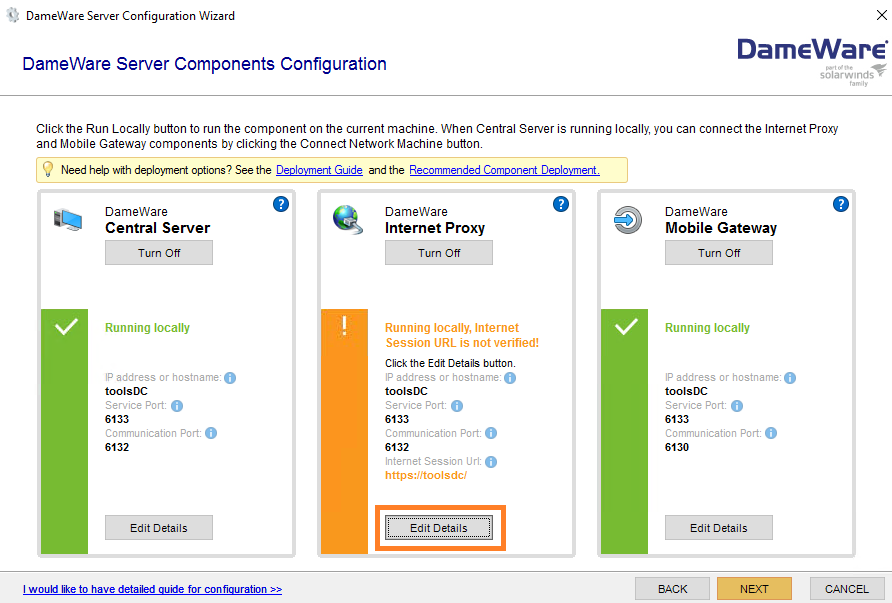
1. Under DameWare Internet Proxy, click on Edit Details button:
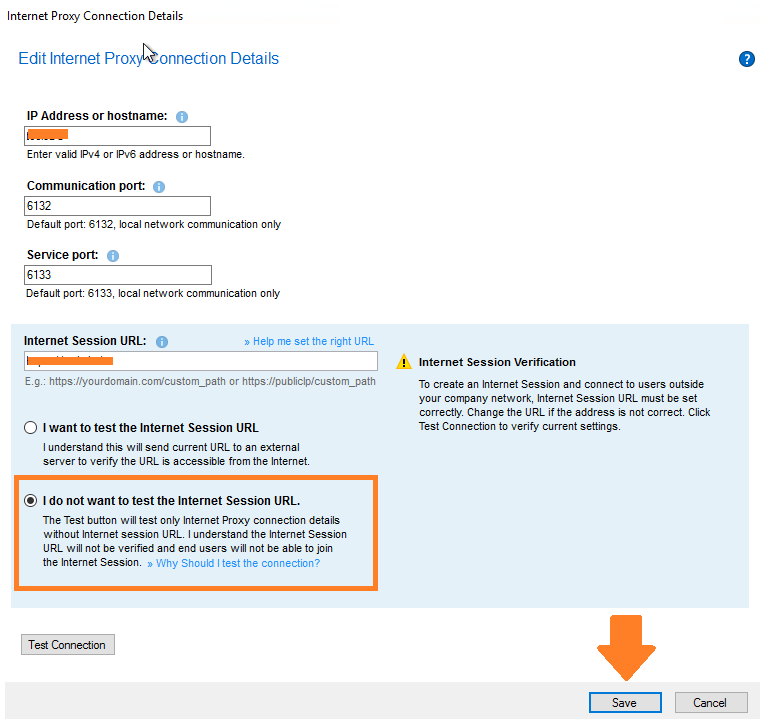
2. Select "I do not want to test the Internet Session URL", then Save.
3. Hit Next and Finish to conclude the Internet Proxy settings.
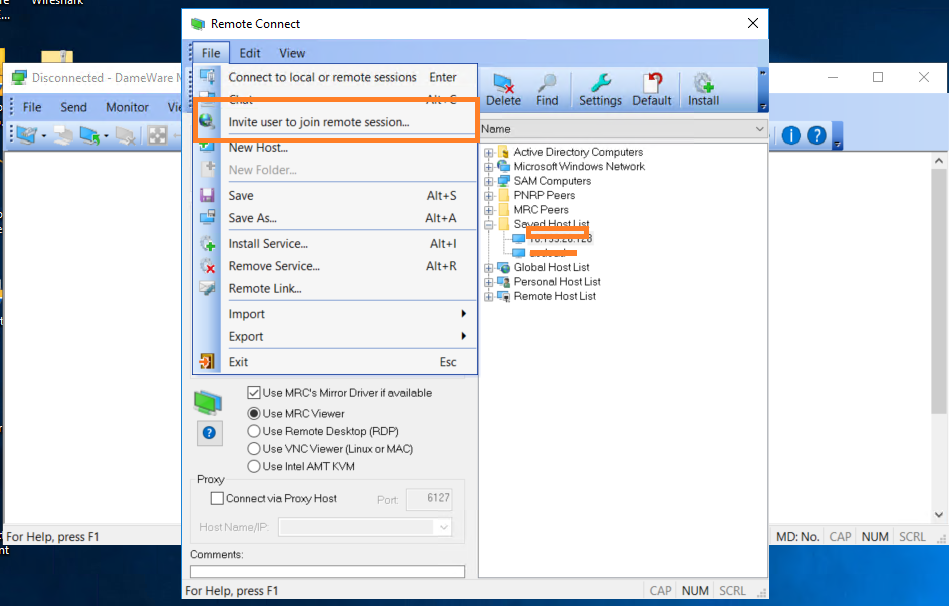
4. Generate Temporary Internet Session link by opening File > Invite user to join remote session.
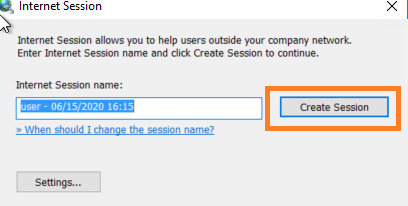
4. Click on the Create Session button to generate Internet Session Link
5. Copy the generated internet session link and paste it on to your internet browser
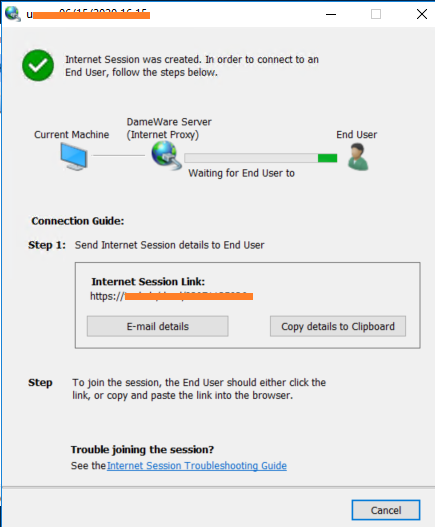
That will verify if the internet session URL you indicated on the Dameware Internet Proxy is accessible and functioning correctly.
For a One-Server Deployment , do this on the Dameware Server; for a Two-Server Deployment , do the steps below on the Dameware Internet Proxy Server.
1. Under DameWare Internet Proxy, click on Edit Details button:
2. Select "I do not want to test the Internet Session URL", then Save.
3. Hit Next and Finish to conclude the Internet Proxy settings.
4. Generate Temporary Internet Session link by opening File > Invite user to join remote session.
4. Click on the Create Session button to generate Internet Session Link
5. Copy the generated internet session link and paste it on to your internet browser
That will verify if the internet session URL you indicated on the Dameware Internet Proxy is accessible and functioning correctly.