
Network Management
Interfaces Type or Name were not filtered in the network discovery auto-import option
This article will provide a workaround on how to filter Interface types or names in automatic import Network Discovery
First published date
9/21/2021 6:01 AM
Last published date
3/29/2022 1:47 PM
Overview
In the Network Discovery (Auto import settings)
Interface Name / Type filtering is not working
In this example, you wanted to add an Interface except 'Loopback' interface, however it's not working
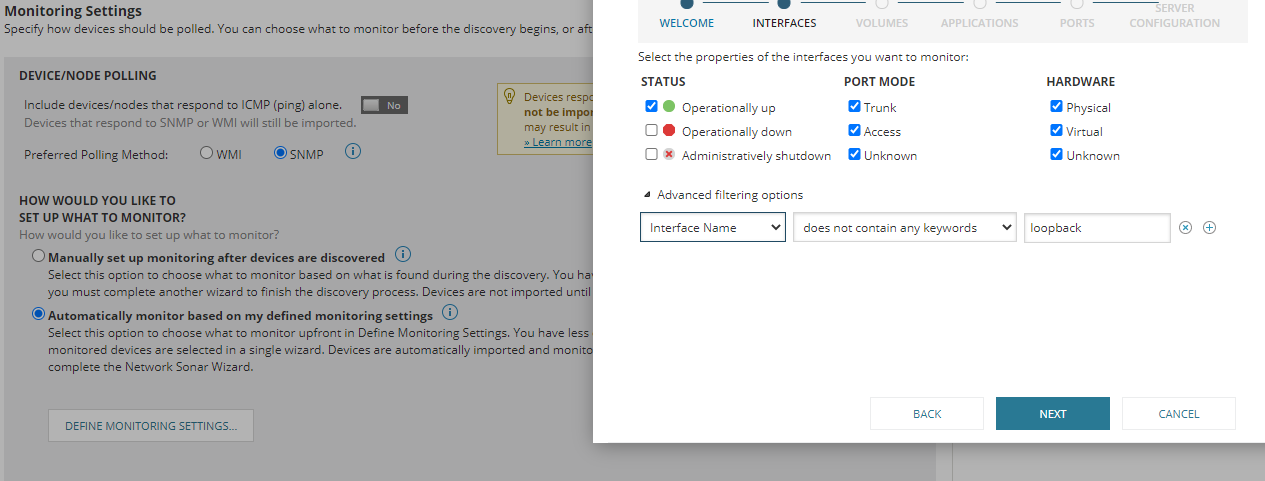
Interface Name / Type filtering is not working
In this example, you wanted to add an Interface except 'Loopback' interface, however it's not working
Product section
Network Performance Monitor
Resolution
As a workaround, In the settings on 'Choose What to Monitor'
Select 'All columns' and fill in your condition or keyword
e.g
This filter should work
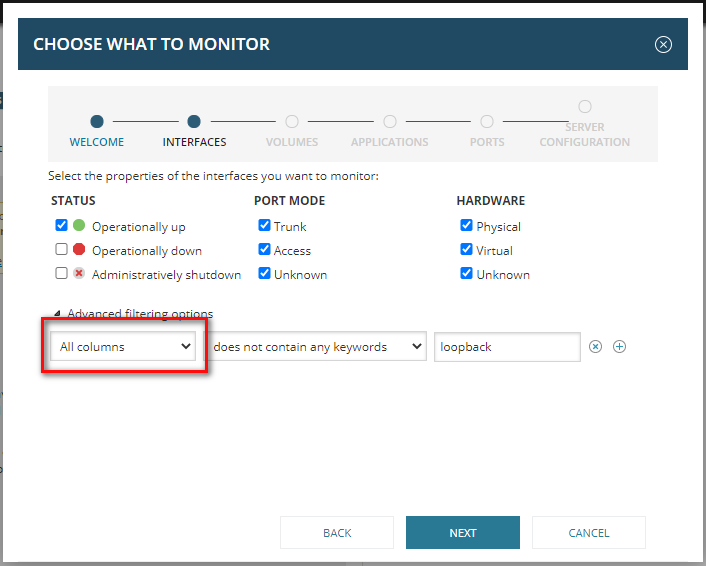
Select 'All columns' and fill in your condition or keyword
e.g
This filter should work