
Network Management
Intelligent maps are displaying black objects or squares for Node Icons after upgrading to SolarWinds Platform 2024.1
After upgrading to SolarWinds Platform 2024.1, Icons on Orion Maps display as black objects or squares when the map is opened in Edit Mode.
First published date
2/16/2024 2:49 PM
Last published date
6/4/2025 3:50 PM
Overview
After upgrading to SolarWinds Platform 2024.1, Icons on Orion Maps display as black objects or squares.
Maps will load correctly under Maps Management View "apps/maps/management" and maps should load in Web Resources.
Maps displayed in Edit mode
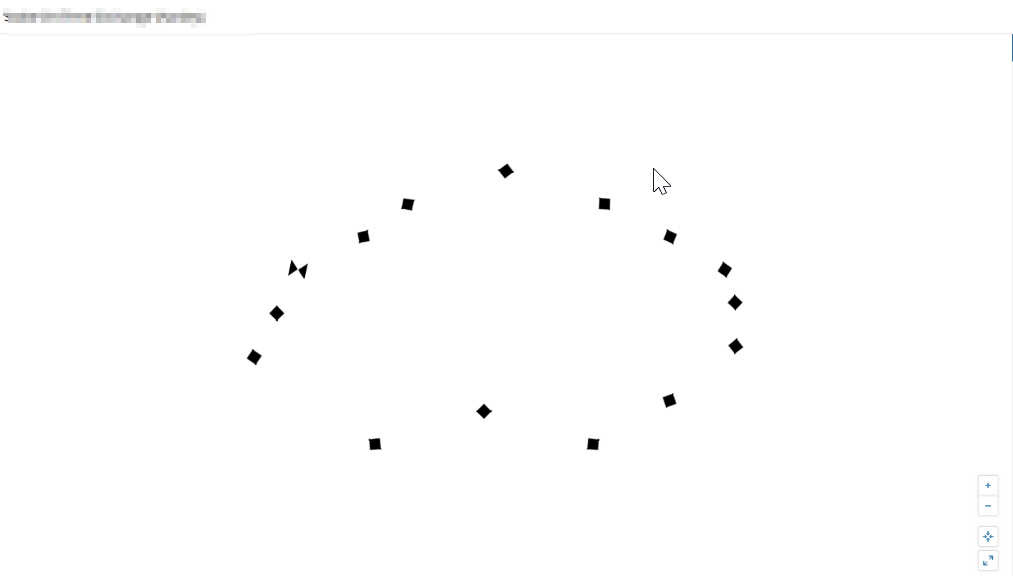
Maps will load correctly under Maps Management View "apps/maps/management" and maps should load in Web Resources.
Maps displayed in Edit mode
Product section
Orion Platform
Cause
This issue occurs due to disabling participation in “Orion Improvement Program". Opting out will cause SolarWinds Platform to modify website headers with a content security policy causing issues with Orion maps,
To verify open Firefox browser, The following CSP (Content-Security-Policy). Errors will be Visible on the Console
To verify open Firefox browser, The following CSP (Content-Security-Policy). Errors will be Visible on the Console
Content security -policy
The Pages Setting Blocked the loading of a resource at eval (Script-src)
Resolution
This issue is resolved in SolarWinds Platform 2024.1.1 and above. If upgrade is not possible, perform the workaround steps below.
Option 1
As a workaround, please enable the “Orion Improvement Program”.- Log in to your Orion platform-based product server.
- Go to start menu
- Solarwinds Platform
- Find SolarWinds improvement program
- Reenable
Option 2
If you do not want to re-enable the “Orion Improvement Program”.A workaround is to load your Maps when editing in the legacy URL
Substitute "apps" in URL with "ui" and revert to the legacy web view for Maps
update the URL where it says “apps” with “ui”
Change
Website/apps/maps/viewer/MAPS…………………….
to
Website /ui/maps/viewer/MAPS………………..
Option 3
Apply the current workaround for Enabling OIP on the machine.- RDP to the Orion Server.
- Go to this registry path: Computer\HKEY_LOCAL_MACHINE\SOFTWARE\WOW6432Node\SolarWinds\Orion\Improvement and set the OptIn binary value to 1.
- Check Orion Map, the icon is now being seen in the pallet after making changes in the registry.