
Network Management
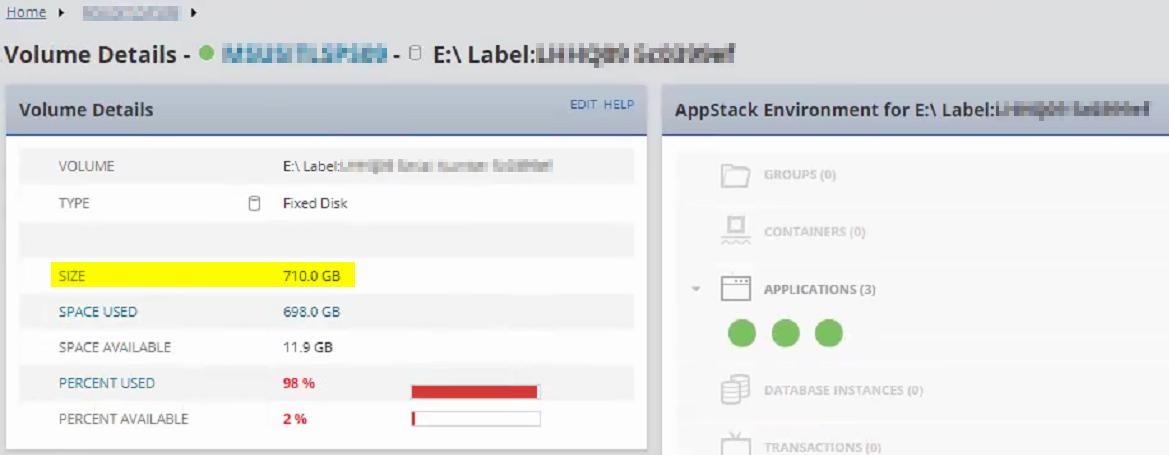
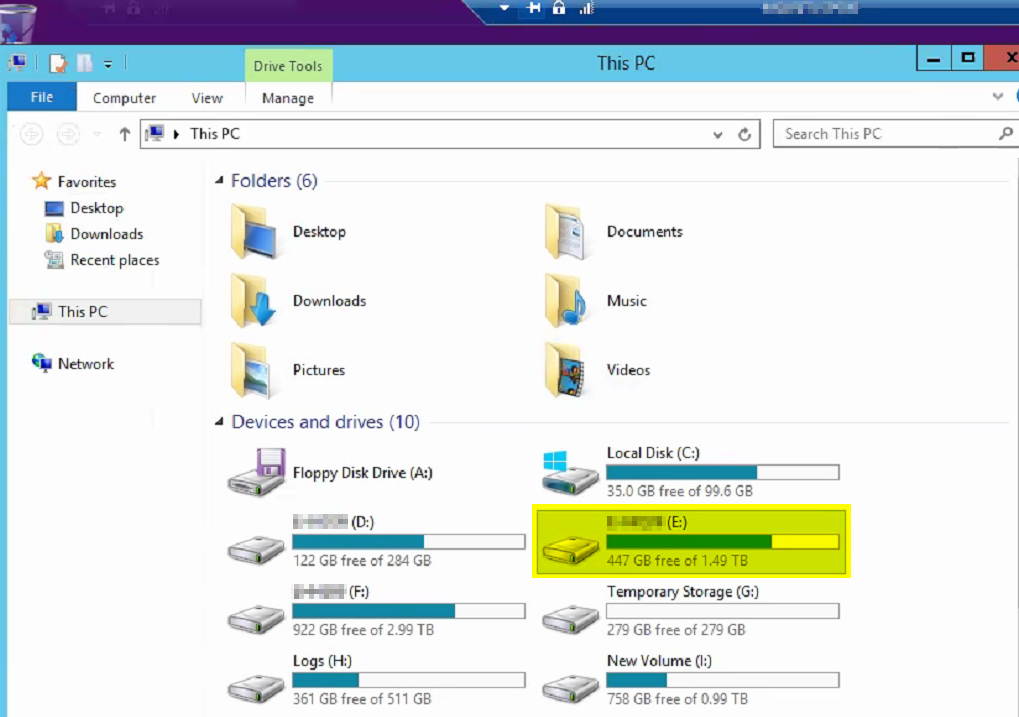
Incorrect Volume Details Size in the SolarWinds Platform
This article shows how to resolve an issue wherein an incorrect volume size is displayed in the SolarWinds Platform Web Console's Volume Details page.
First published date
12/11/2020 1:58 AM
Last published date
7/31/2025 10:06 PM
Overview
Seeing Incorrect Volume Details Size similar below:
Product section
Network Performance Monitor
Cause
- Volumes are being moved around and added to the node causing duplicate entries with VolumeIndex = 0 in the database Volumes table.
Resolution
- RDP to the SolarWinds Platform Server.
- Open Database Manager from the SolarWinds Platform folder of the start menu.
- Select Add Orion Server, and expand the SQL server and database in bold.
- Go to Volumes table and query the affected NodeID to pull up all the volumes for it.
- Click on Enable table editing then highlight the duplicate entry having VolumeIndex = 0.
- Right-click then select Delete the selected row(s)
- To save changes, click again on Enable table editing then hit on Execute query to further verify
-- Scripts are not supported under any SolarWinds support program or service.
-- Scripts are provided AS IS without warranty of any kind. SolarWinds further
-- disclaims all warranties including, without limitation, any implied warranties
-- of merchantability or of fitness for a particular purpose. The risk arising
-- out of the use or performance of the scripts and documentation stays with you.
-- In no event shall SolarWinds or anyone else involved in the creation,
-- production, or delivery of the scripts be liable for any damages whatsoever
-- (including, without limitation, damages for loss of business profits, business
-- interruption, loss of business information, or other pecuniary loss) arising
-- out of the use of or inability to use the scripts or documentation.


SELECT TOP 1000 * FROM [dbo].[Volumes]
where nodeid=553;