
Tools
Error 404 or ResourceNotFound when Provisioning Users to SolarWinds Service Desk via Azure
SolarWinds Service Desk customers who are using Azure Provisioning are getting "404 Not Found" or "ResourceNotFound" errors when trying to provision users. This prevents the users from being added to the SolarWinds Service Desk users list and from logging in to the application.
First published date
4/27/2023 5:17 PM
Last published date
2/4/2026 12:18 AM
Overview
These are the steps on how to reproduce the problem and explain how it happens:
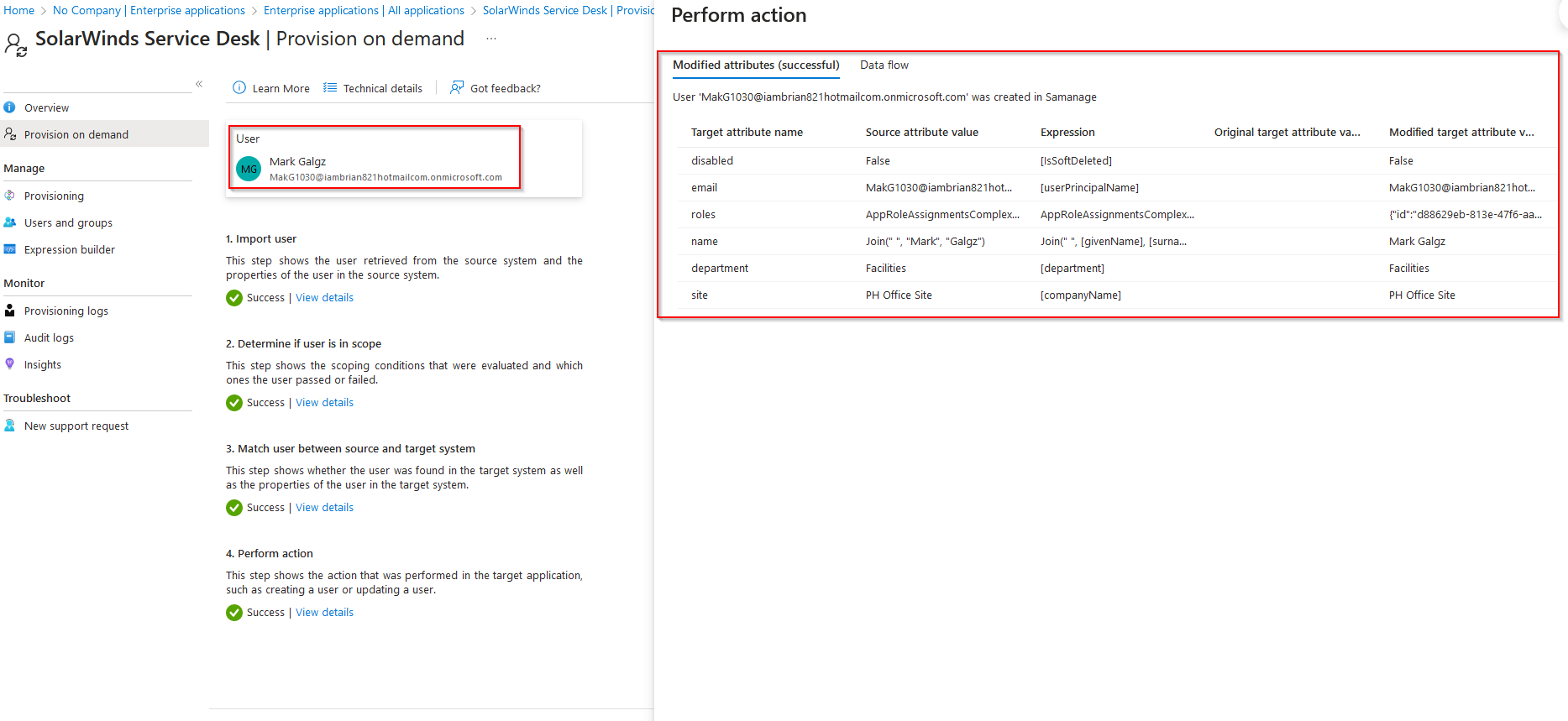
- Provision a user in Azure using either "Provisioning on demand" or by adding the user to "Users and groups".
Screenshots property of © 2023 Microsoft
- Check the provisioning logs for the "TargetIdentityId" value.
Screenshots property of © 2023 Microsoft
- Delete the provisioned user in SolarWinds Service Desk.
- Provision the user again in Azure, which will result in the "Resource Not Found" error.
Screenshots property of © 2023 Microsoft
- Check the provisioning logs for the "TargetIdentityId" value.
Screenshots property of © 2023 Microsoft
Product section
Service Desk
Cause
The problem occurs because Azure always uses the same "TargetIdentityId" in the provisioning process. Therefore, users previously deleted in SolarWinds Service Desk with the same "TargetIdentityId" cannot be mapped, resulting in a "404 Not Found" or "ResourceNotFound" error.
By design, when deleting users or any objects from the SolarWinds Service Desk, they are permanently deleted from the system. It is recommended to disable users instead of deleting them. This prevents future issues if reprovisioning users is needed.
By design, when deleting users or any objects from the SolarWinds Service Desk, they are permanently deleted from the system. It is recommended to disable users instead of deleting them. This prevents future issues if reprovisioning users is needed.
Resolution
To resolve the issue, the "TargetIdentityId" of the Azure AD user must be reset. This will enable the creation of a new user in the SolarWinds Service Desk with the updated "TargetIdentityId."
Resetting the "TargetIdentity" in Azure falls outside the scope of SolarWinds Support, and we recommend contacting Azure Support for further assistance.
Resetting the "TargetIdentity" in Azure falls outside the scope of SolarWinds Support, and we recommend contacting Azure Support for further assistance.