
Applications Systems
How to unmanage Application pool in AppInsight for IIS in SAM
This article will show the steps in unmanaging application pool in AppInsight for IIS in SAM.
First published date
11/18/2021 1:32 PM
Last published date
4/9/2025 6:56 PM
Overview
This article will provide a step-by-step procedure on unmanaging application pools in AppInsight for IIS in SAM.
Product section
Server Application Monitor
Resolution
Please follow the steps to successfully unmanage an application pool in AppInsight for IIS.
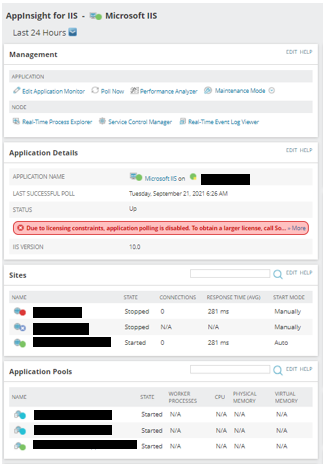
1. Access your AppInsights for IIS
- Go to Settings > All Settings.
- On the PRODUCT SPECIFIC SETTINGS select SAM Settings.
- Locate APPLICATION MONITORS and click on Manage Application Monitors.
- Select AppInsight for IIS on the Application Monitor Sidebar.
- Select the Assigned Application Monitor.
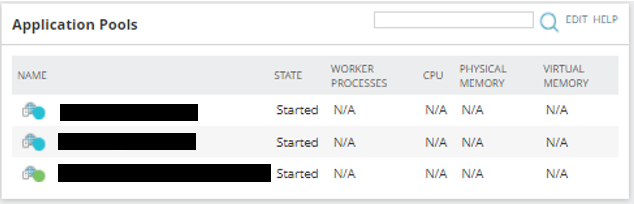
- On the IIS Application Details, locate the Application Pool.
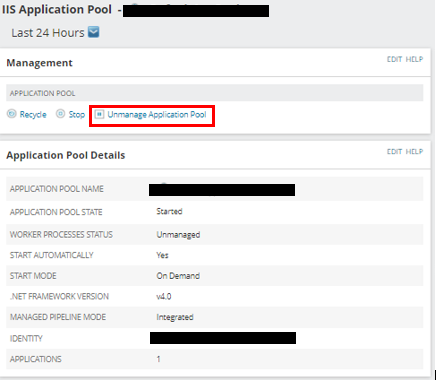
7. Select the Application you intend to remove/ unmanage.
8. Click Unmanage Application Pool.